


Protecting yourself from online shopping scams


Constant connectivity to the Internet has improved our lives by leaps and bounds. From booking dinner reservations and buying movie tickets to keeping in touch with long-distance friends and finding the perfect gifts, the web offers a wealth of information.
Constant connectivity to the Internet has improved our lives by leaps and bounds. From booking dinner reservations and buying movie tickets to keeping in touch with long-distance friends and finding the perfect gifts, the web offers a wealth of information. But along with the perks, numerous threats lurk online.

Try Norton 360 FREE 7-Day Trial* - Includes Norton Secure VPN
7 days of FREE* comprehensive antivirus, device security and online privacy with Norton Secure VPN.
Join today. Cancel anytime.
*Terms Apply
The Internet can be a dark place where virtual thieves can steal your money, your password, and even your identity. One of the biggest concerns when it comes to online scams is e-commerce fraud. From credit card fraud to bogus returns, the highest numbers of e-commerce fraud incidents are those against consumers.
E-Commerce Fraud
The RSA estimated that e-commerce fraud-related losses will reach almost $6.4 million by 2018, nearly doubling the current numbers. It’s extremely important to be aware of the characteristics of e-commerce fraud so that you can protect yourself, and your finances.
The most common types of e-commerce themes include credit card fraud, identity theft, chargebacks, and bogus returns. These affect both consumers and merchants. Some of the warning signs of possible fraud include late-night orders, drop box addresses, items placed for sale outside of the country, express shipping, free/anonymous email services, high dollar orders, and cases in which the “ship to” address differs from the billing one.
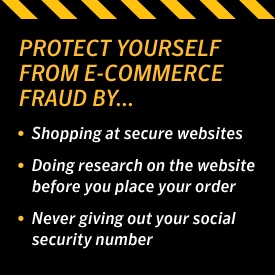
Ways that consumers can protect themselves from e-commerce fraud include:
- Shopping at secure websites
- Doing research on the website before they place the order
- Reading the site’s policies on privacy and security
- Being mindful of cookies
- Never giving out your social security number
Merchants can reduce fraud by:
- Verifying a cardholder’s info
- Using transaction controls
- Maintaining an internal negative file
- Implementing a transaction data field
Online Auction Frauds
In 2005, the Internet Crime Complaint Center Report stated that 62.7 percent of all incidents regarding reported Internet fraud were about online auctions. And those statistics are only continuing to rise. While many folks have excellent experiences with online auctions, other encounter fraud in this area, receiving damaged or misrepresented goods and suffering compromised bank accounts.
Before you make a bid, do your homework about the auction site, the product, and the seller. Carefully read the terms and service agreement and review feedback left by other buyers about the seller and his or her items. You should also review the fine print and ensure that the seller has a return policy.
Most auctioneers accept PayPal, credit cards, or cashiers’ checks. However, the safest method to pay for an item online is through a third-party payment company.
Another thing to look out for is if the seller tells you the item is located in one place, and then requests that you send payment to an entirely different location. This often indicates a huge red flag.
Fake Websites
An additional scam making the rounds on the Internet involves fake websites. These sites resemble legitimate e-commerce websites, with credible-looking logos, pictures, and payment options. Here are some tips for ensuring a site is honest:
- Ensure the URL code is legit
- If you see low prices, or discounts above 55 percent, it might be too good to be true
- Review the copyright date and domain creation date
- Do not make purchases on young websites
There are many scammers on the Internet, but consumers and merchants alike can avoid becoming e-commerce fraud victims if they pay attention and are aware. If you are ever the victim of an online scam, it is important to file a police report immediately.
Try Norton 360 FREE 7-Day Trial* - Includes Norton Secure VPN
7 days of FREE* comprehensive antivirus, device security and online privacy with Norton Secure VPN.
Join today. Cancel anytime.
*Terms Apply
Editorial note: Our articles provide educational information for you. Our offerings may not cover or protect against every type of crime, fraud, or threat we write about. Our goal is to increase awareness about Cyber Safety. Please review complete Terms during enrollment or setup. Remember that no one can prevent all identity theft or cybercrime, and that LifeLock does not monitor all transactions at all businesses. The Norton and LifeLock brands are part of Gen Digital Inc.






Want more?
Follow us for all the latest news, tips and updates.