
Start typing to see suggestions.
-
Start typing to see suggestions.



Creating your recommendation

Did you know?
Around 30% of phishing emails are opened.
81 Phishing Attack Statistics 2023: The Ultimate Insight published by Astra, April 2023.
More than 130 million Americans have been affected by cybercrime.
Based on an online survey of 1,001 adults in the U.S. conducted by The Harris Poll on behalf of Gen™ (formerly NortonLifeLock), November–December 2022.
Your personalized matches

60-day money-back guarantee
*Important subscription, pricing, and offer details:
- By subscribing, you are purchasing a recurring subscription which will automatically renew.
- The price quoted today is valid for the offered introductory term. After that, your subscription will be billed at the applicable monthly or annual renewal price here. The price is subject to change, but we will always send you a notification email in advance.
2 Requires an automatically renewing subscription for a product containing antivirus features. For further terms and conditions, please see norton.com/virus-protection-promise.
4 Only available on Windows systems (but not in S mode or on ARM processors).
21 Utilities Ultimate, Driver Updater, Software Updater, and Cloud Backup features are only available on Windows (excluding Windows in S mode and Windows running on ARM processor).
‡ Monitoring available on Windows™ PC, iOS, and Android™ devices. Not all features available on all platforms.
§ Monitoring not available in all countries and varies based on region.

Creating your recommendation
Did you know?
Around 30% of phishing emails are opened.
81 Phishing Attack Statistics 2023: The Ultimate Insight published by Astra, April 2023.
More than 130 million Americans have been affected by cybercrime.
Based on an online survey of 1,001 adults in the U.S. conducted by The Harris Poll on behalf of Gen™ (formerly NortonLifeLock), November–December 2022.
Your personalized matches
60-day money-back guarantee
*Important subscription, pricing, and offer details:
- By subscribing, you are purchasing a recurring subscription which will automatically renew.
- The price quoted today is valid for the offered introductory term. After that, your subscription will be billed at the applicable monthly or annual renewal price here. The price is subject to change, but we will always send you a notification email in advance.
2 Requires an automatically renewing subscription for a product containing antivirus features. For further terms and conditions, please see norton.com/virus-protection-promise.
4 Only available on Windows systems (but not in S mode or on ARM processors).
21 Utilities Ultimate, Driver Updater, Software Updater, and Cloud Backup features are only available on Windows (excluding Windows in S mode and Windows running on ARM processor).
‡ Monitoring available on Windows™ PC, iOS, and Android™ devices. Not all features available on all platforms.
§ Monitoring not available in all countries and varies based on region.

Norton Mobile Security for Android
Protect your Android™ smartphone from cyberthreats with Norton Mobile Security for Android™.
- Outsmart scams with Scam Protection.
- Protect against viruses and other malware.
- Keep your personal information safer from cyberthreats.
- 60-day money-back guarantee.
33% OFF*
$29.99
$19.99
first yr.
It works out as
$1.67
/month
1 year of protection for 1 mobile device.
Savings compared to the renewal price of $29.99/year.
See subscription details below.*
Your purchase of Norton 360 Deluxe and Norton 360 with LifeLock plans also includes Norton Mobile Security. Get its features and additional protection for your devices, online privacy, and personal information, all in a single solution.
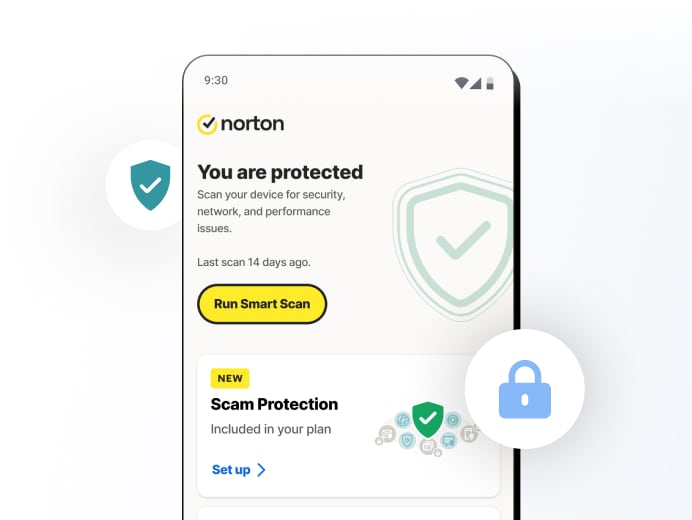

Realistic-looking scams have met their match.
Norton Mobile Security includes AI-powered Scam Protection to keep you safer from scams.
- Advanced AI outsmarts online scams
- Detects scams in texts and deepfake videos23, 33
- Norton Genie, your AI assistant, gives you real-time tips to avoid scams

Protect your texts
Safe SMS uses AI to detect scam texts, helping protect you from mobile threats.

Stay safe on Wi-Fi
Wi-Fi Security detects and alerts you when a network you join is potentially dangerous or under attack to help protect your personal and financial information.

Block hackers
Get real-time protection for your mobile device against ransomware, viruses, spyware, malware and other online threats.

Stay safer online
Norton Private Browser† helps block advanced phishing scams and reduce annoying ads while you browse, bank, and shop online.

Only download safe apps
App Advisor scans apps for threats like malware and privacy risks.

Get device reports
See a 30-day analysis of previously scanned Wi-Fi networks, websites, device vulnerabilities, and risky apps.

Scam Protection
AI-powered defense against scams online, in texts or deepfake23,33 videos.

App Advisor
Proactively helps protect your smartphone against mobile threats like malware, ransomware, adware, and privacy leaks using our award-winning, patent-protected app-scanning technology.2

Wi-Fi Security
Helps detect and alert you when a network you join is dangerous or under attack to help protect your personal and financial information.

Safe Web
Helps detect and safeguard you from navigation to fraudulent and malicious websites when using your preferred browser, apps, SMS, MMS, email, and social networking sites.

Device Security
Lets you know when your operating system has vulnerabilities so you can take action to help protect your device against cybercriminals that could take control of it or steal your personal information.

Device Report Card
See a 30-day analysis of previously scanned Wi-Fi networks, websites, device vulnerabilities, and risky apps.

Safe SMS
Filters spam SMS text messages that may contain phishing attacks.

Suspicious Network Detection
See potentially unsafe Wi-Fi networks in your area and get notified when a Wi-Fi network you’re using is compromised.

Privacy Monitor
Take charge of your personal information being exposed online. Privacy Monitor scans public sites for your personal info.
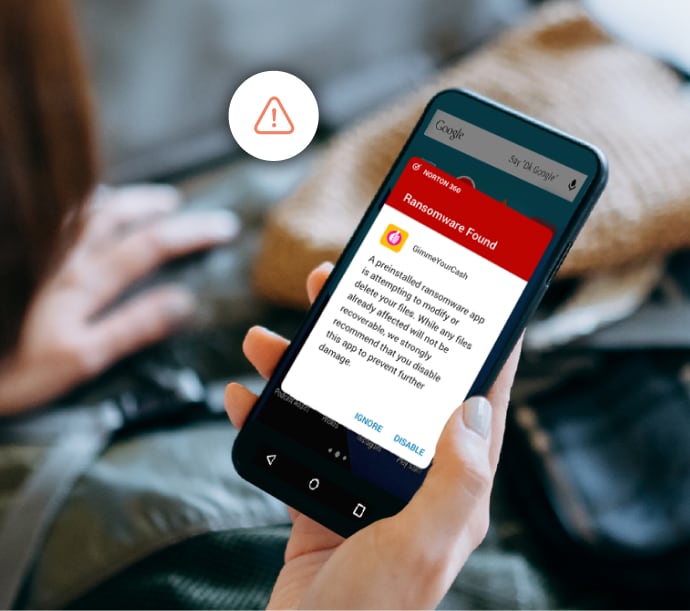
Do you know what your Android apps are doing? We can help show you.
Free apps are good at telling you what benefits they provide, but they may not tell you their real "costs." App Advisor (powered by Norton Mobile Insight), when turned on, automatically lets you know about malware, online privacy, and other risks that are detected before you download from Google Play™ to help you make informed app decisions—and whether that free app is worth the final cost.

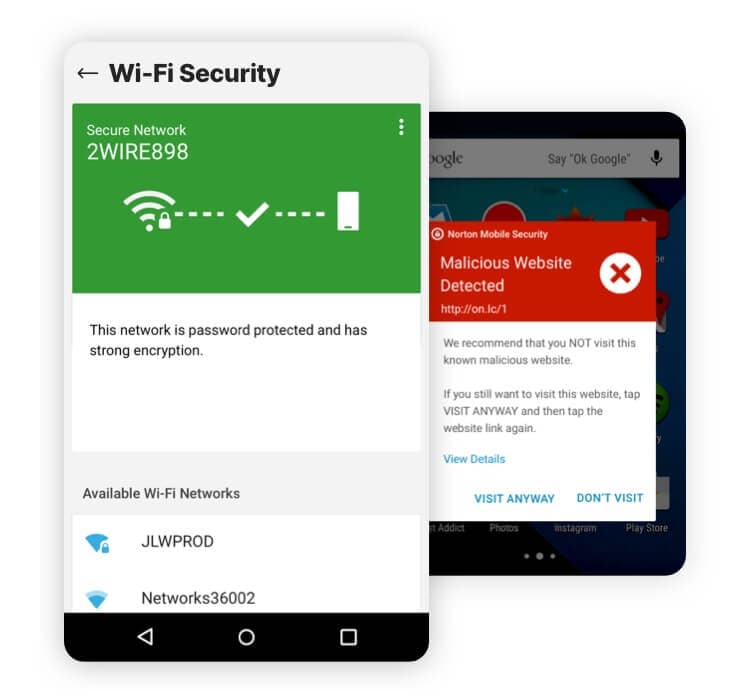
Worried about your Wi-Fi and web security? Check this out.
To help protect your personal and financial information from cyberthreats, our Wi-Fi Security feature uses advanced scanning technology to help detect and alert you before you join a dangerous network or one that is under attack. This helps you stop unwanted eavesdropping on your Wi-Fi connection and makes it harder for cybercriminals to steal personal information or passwords, infect your device with malware, or use your internet connection to perform illegal activities.
Our Web Protection feature helps detect fraudulent and malicious websites when using your browser, app, SMS, MMS, email, and social networking sites to help safeguard your activity and personal information.

Protection you can trust.
Protection you can trust.
Norton Mobile Security for Android is powered by a cyber intelligence network system. This includes Norton Mobile Insight, a proprietary app analysis system which crawls app stores, analyzes running apps, and uses machine learning to understand Android app behaviors. Our engineering team strives to bring our valued members additional device, network, and information protection in this increasingly unsafe cyber world.


Frequently asked questions.
Featured mobile security articles
Related articles
Is online banking safe? Yes, if you follow these best practices
Online banking is safe when strong banking security measures meet user vigilance. Learn more here.

Is WhatsApp safe? How to keep your chats and data secure
Is WhatsApp safe? Learn how to use WhatsApp safely with our security and privacy tips.
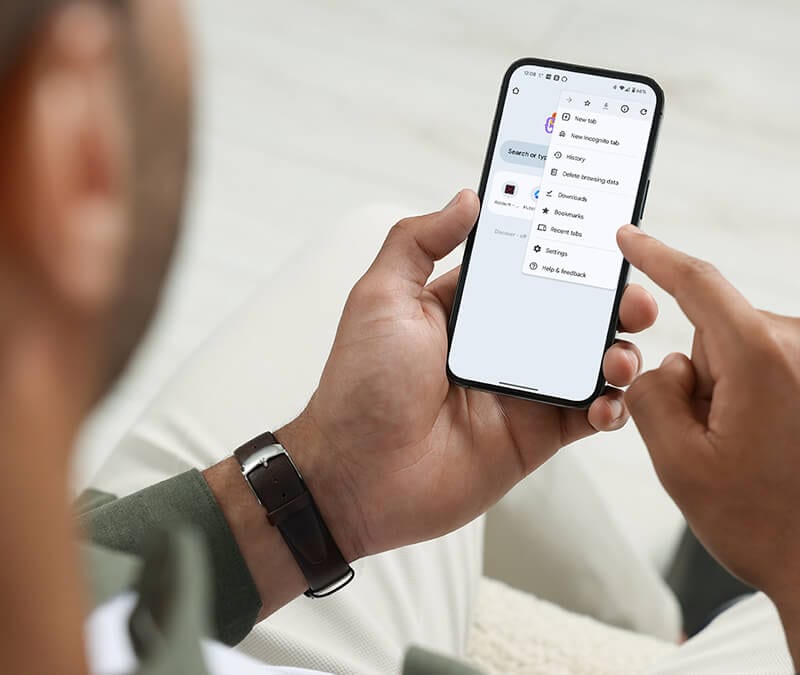
How to remove malware from your Android phone in 7 steps
Learn 7 simple steps for removing malware from your Android phone.
See more mobile security articles on the Norton Blog.
System requirements
Operating systems
Android 10.0 or later. Must have Google Play app installed. Multi-user mode not supported.
ColorOS 7.1 or later. Must have Google Play app installed.
Device requirements
50 MB of storage.
Works with Android phones and tablets that have the. Google Play app installed.
Browser support for Internet Security
Android Standard Browser.
Firefox for Android 42.0 or later.
Google Chrome 43.0 or later.
Google Chrome Beta 45.0 or later.
Opera 31.0 or later.
Opera mini 31.0 or later.
Samsung standard browser 5.0 or later.
Facebook 145.0 or later.
Instagram 24.0 or later.
Pinterest 6.52.0 or later.
Snapchat 10.22 or later.
Line 7.16.3 or later.
Desktop browser support for Norton Mobile Security Portal
Google Chrome 14 or later Incognito mode not supported.
Mozilla Firefox 5 or later.
Opera 11 or later.
Safari 5 or later.
Mobile browser support for Norton Mobile Security Portal
Android standard browser 1.5 or later.
Google Chrome for Mobile 1.0 or later.
Safari 5.1 or later.
* Important subscription, pricing, and offer details:
- Details: Subscription contracts begin when the transaction is complete and are subject to our Terms of Sale and License & Services Agreement. For trials, a payment method is required at sign-up and will be charged at the end of the trial period, unless canceled first.
- Renewal: Subscriptions automatically renew unless the renewal is canceled before billing. Renewal payments are billed annually (up to 35 days before renewal) or monthly depending on your billing cycle. Annual subscribers will receive an email with the renewal price beforehand. Renewal prices may be higher than the initial price and are subject to change. You can cancel the renewal as described here in your account or by contacting us here or at 844-488-4540.
- Cancellation and refund: You can cancel your contracts and get a full refund within 14 days of initial purchase for monthly subscriptions, and within 60 days of payments for annual subscriptions. For details, visit our Cancellation and Refund Policy. To cancel your contract or request a refund, click here.
23 Automatic Deepfake Protection works only for videos in English on supported social media/video platforms; use manual scan on other platforms. Requires Windows 11 or later and a supported browser. Automatic detection additionally requires either an AI PC (minimum 8‑core Qualcomm or Intel CPU, 16 GB RAM) or a non‑AI PC (minimum 6‑core CPU from any brand, 16 GB RAM). On non‑AI PCs with a minimum 4‑core CPU, 8 GB RAM, only manual scan is available. For full details, see Norton.com/deepfakesupport.
33 Deepfake Protection in Norton Genie AI Assistant is currently available in early access and only YouTube videos in English are supported.
23 Automatic Deepfake Protection works only for videos in English on supported social media/video platforms; use manual scan on other platforms. Requires Windows 11 or later and a supported browser. Automatic detection additionally requires either an AI PC (minimum 8‑core Qualcomm or Intel CPU, 16 GB RAM) or a non‑AI PC (minimum 6‑core CPU from any brand, 16 GB RAM). On non‑AI PCs with a minimum 4‑core CPU, 8 GB RAM, only manual scan is available. For full details, see Norton.com/deepfakesupport.
33 Deepfake Protection in Norton Genie AI Assistant is currently available in early access and only YouTube videos in English are supported.
** Service can be used once every 90 days. You acknowledge our ability to submit a deletion request on your behalf depends on the presence of your personal information on the data broker sites we monitor.
Enter a promocode and click "Apply"


