


Norton 360 now has the power of Safe AI to help defend against AI-driven threats
AI tools have woven their way into people’s everyday lives, from helping you answer emails to making purchases. However, with all this help, there are risks. Safe AI, a new set of protections inside Norton 360, is designed to add checks around supported AI actions and help defend against malicious links served by AI, helping you use AI with greater confidence.

2025
Consumer
Security Innovator

2026
Top Rated Product


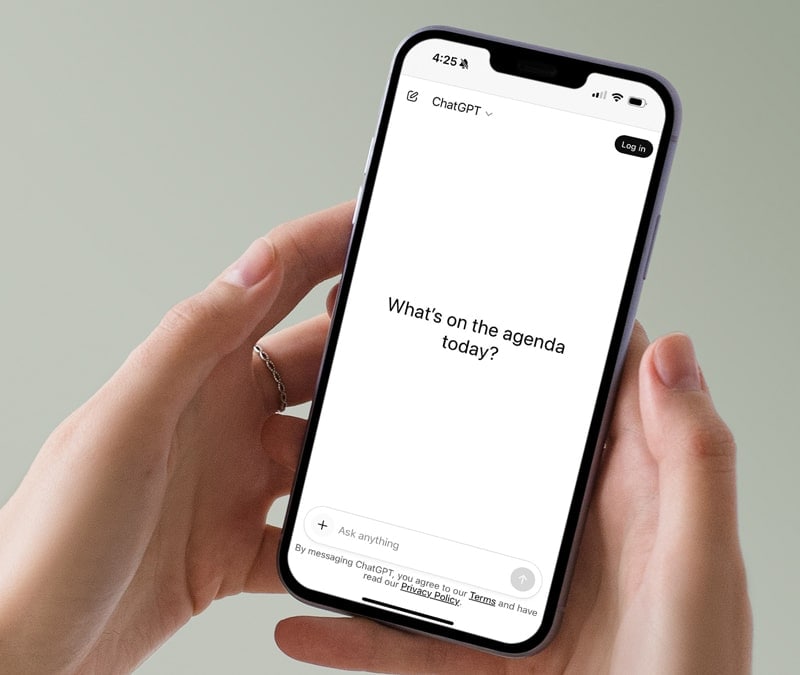
You ask ChatGPT or Claude to help you track down a deal on a new pair of boots. It pulls up a few options, shares some links, and one of them looks perfect, but something about the URL feels slightly off. Did you catch that? Many people wouldn’t.
Malicious page links can end up inside responses from AI tools, and when a helpful assistant recommends something, you might be more likely to click without a second thought. That’s exactly where Safe AI steps in to check links before you ever tap or click them. It will flag ones that it finds could lead somewhere harmful, whether they show up in an AI chat, a text message, or an email. Now you can just safely shop, search, and browse, and if something’s not right, Norton helps to let you know before it becomes your problem.
Safe AI, a new feature inside Norton 360 that builds on the previous AI Agent Protection feature, goes beyond flagging suspicious links. It empowers users to experiment with AI assistants and agents while reducing associated security risks. It adds a real-time checkpoint between what an AI assistant decides to do and what it actually executes.
This gives you more visibility and control over what your assistant or agent is doing on your device because, as you use AI tools, more threats have already emerged. Scammers are using AI to create more convincing phishing links. Cybercriminals are crafting sophisticated attacks through AI interactions, and as people connect AI tools to files, apps, and personal information, some of your most important private information can be at risk.
Read on to learn more about Safe AI, how it works, and how it can help protect you against the security risks associated with untethered AI agents.
How does Safe AI work to help protect you?
Safe AI extends Norton's trusted, all-in-one defense into the AI era — protecting you while you use ChatGPT, Claude, and other AI assistants for everyday questions or more advanced AI-powered tasks.
Safe AI is built for how people actually use AI today. It works in the background, identifying risks and giving you control when it matters, without requiring you to become a cybersecurity expert. Here’s how.
ChatGPT and Claude scam and link detection helps catch risks before you click
Malicious links can end up in ChatGPT and Claude, disguised as helpful resources. Because they are being shown in a tool you trust, the risk isn't obvious, but Safe AI helps identify potentially risky links and scams shared through ChatGPT and Claude.
You can ask AI assistants for product recommendations, travel links, or research resources with less worry about accidentally clicking a phishing site or malware link. Safe AI helps with verification to eliminate some of the risk.
Action Shield helps prevent unwanted AI actions before they execute
Advanced AI agents can access files, send emails, or execute commands based on prompts you don't fully understand or malicious instructions embedded in your requests. Safe AI provides protection for advanced AI-powered actions as well as reducing the risk of unsafe or unwanted actions.
What this means for you is that your AI assistants remain helpful and productive, but they will pause suspicious actions. You maintain control over what actually happens on your device.
Safe Zone file control lets you decide what AI can access
As you share personal information with AI tools such as files, documents, and preferences, you're expanding your digital footprint in ways traditional firewalls don't protect against. Safe AI gives you greater control over personal information and helps you manage how AI tools (agents and assistants) access files and connected content.
With Safe Zone file control, which is only available on Windows, you can use AI for work and personal tasks with greater confidence while helping keep sensitive documents, financial files, and private information protected. Your AI assistants work with what you explicitly allow them to see.
"People are giving AI agents significant access to their machines, accounts and personal information because that’s what makes them powerful. But until now, there’s been no way to verify what those agents are about to do. Safe AI addresses that missing trust layer, so people can use these tools with confidence, not guesswork."
- Travis Witteveen, Chief Commercial Officer at Gen
What are the risks of using AI agents without protection?
The new frontier of AI-driven threats is expanding faster than ever. Plus, they're more sophisticated, more convincing, and emerging in real time as people use AI daily. In prompt injection attacks, scammers can manipulate AI agents into performing undesirable actions simply by telling them to.
For example, a cybercriminal could prompt your agent to install malware, leak your data, send money, grant remote access to your device, or make changes to your system without your knowledge. Here are some concrete examples of the risks associated with unchecked AI agents.
Malicious skills and extensions
Many AI agents can be extended with downloadable “skills” or plugins that give them new capabilities. These are often pulled from public repositories, like ClawHub. Unfortunately, many of these skills aren’t properly vetted, and some pose serious security risks.
In one study on AI agents carried out by Gen, the company behind Norton, threat researchers found that roughly 400 skills in a public agent registry — about 12% of all available skills — were malicious: they contained prompts instructing the AI agent to download malware.
Supply-chain attacks
A supply-chain attack is when you or your AI agent installs a malicious package (a bundle of files, programs, or software) that has been tampered with or created by a cybercriminal.
To complete tasks, AI agents may install packages or tools automatically, especially when writing code or setting up environments. If one of those tools is unsafe, it can cause harm once it’s installed. It might collect your data, make unwanted changes, or give someone else access to your system.
Credential exposure and data leaks
AI agents often have access to sensitive information like passwords, API keys, and account tokens so they can complete tasks on your behalf. That access can be useful, but it also puts your data at risk of exposure. For example, an agent could be tricked into sending credentials to an external server or including them in code it generates.
Once credentials are exposed, attackers can use them to access your accounts, move laterally across systems, or automate further attacks. Because agents act quickly and often without review, these personal data breaches can happen before you realize anything is wrong. If a threat actor obtains enough of your personal data by manipulating your AI agent, they could steal your identity.
Unauthorized system changes
AI agents can make changes directly to your device, including creating, modifying, or deleting files, as well as adjusting system settings. In many cases, these actions happen in the background, so you may not notice them right away.
If something goes wrong, those changes can have real consequences. An agent could overwrite important files, alter configurations, or run commands you didn’t intend. Without visibility or control, even a small mistake can lead to data loss or system issues.
AI assistants vs. AI Agents: How do they each operate?
Having AI assistants that you're familiar with, like ChatGPT, Claude, and Google Gemini, answering questions, summarizing information, helping you draft an email, or talking you through a recipe is now part of your daily routine. The conversational exchange of you asking it something and it answering stays in the chat window, and nothing happens in the real world unless you do it yourself.
AI agents, on the other hand, are a newer and more powerful evolution of that same technology, with one critical difference. They don’t just respond to you because they can now also act. An AI agent can run commands on your computer, browse the web on your behalf, write and execute code, manage your files, book appointments, send emails, or complete multistep tasks from start to finish (and you should note that this can be done often without asking for confirmation at every step).
Simply put, an AI assistant tells you how to change a setting on your device, while an AI agent changes it for you. That expanded capability is genuinely useful, but it also means AI agents need a much wider range of permissions to function. You can run into risks with AI assistants if they send you a malicious link, which you might click on. And the risks grow with AI agents as they can be manipulated through the content they encounter, such as a malicious instruction hidden in a webpage, a document, or a prompt they process automatically. That access creates real security considerations that don’t exist with a standard chatbot.
Current AI agent tools gaining significant traction include Claude Code, Cursor, and OpenClaw. As these tools become more capable, understanding the different types of AI becomes increasingly worth knowing.

Why Safe AI matters now
The timing isn't coincidental, because as AI adoption accelerates, more people using more AI tools for more tasks has only made the attack surface grow. Simply put, threats have become more sophisticated and evolved right along with advancing tech.
Safe AI was developed by Gen’s AI Foundry, the team behind the company’s next generation of security tools, to help keep people safe as AI systems become more intertwined in our everyday tasks, from simple interactions to real-world actions. When you’re using AI, you don’t want additional worries about suspicious links or AI taking unwanted actions without your approval.
Safe AI isn't just for cybersecurity professionals but rather built for busy adults who are managing work, family, and household responsibilities and want the help of AI tools because they can make life easier. It’s user-friendly and convenient because wanting AI's benefits without having to become a tech expert or worry about your data should be available to everyone.
How to turn on Safe AI within Norton 360
To start using Safe AI, you just need an active Norton 360 subscription. If you’re already a customer, you can enable it from your dashboard. Navigate to Security > Computer. Then, click Add Protection for the platform of your AI agent.
Dip your toes in the exciting new world of AI agents, backed by a layer of trust and security that helps keep you in control.
FAQs
What is Safe AI?
Safe AI provides real-time monitoring and oversight of AI agent actions on your device. It helps block threats and malicious links, and pauses suspicious actions for your review.
Which AI agents does Safe AI work with?
Safe AI currently supports Claude, ChatGPT, and OpenClaw, with additional integrations planned.
How does Safe AI detect threats?
Safe AI uses over 300 detection rules across multiple layers to identify threats in real time, with its core engine running locally on your device. It analyzes commands, files, and code to flag risky behavior and potential credential leaks; checks URLs against Norton’s threat intelligence to block phishing and malicious sites; and verifies tools your agent installs to catch fake or suspicious packages.
Do I need a separate subscription for Safe AI?
No. All Norton 360 customers have access to Safe AI. Keep in mind that it is currently available on desktop only.
Will Safe AI slow down my AI tools?
Safe AI is designed to run efficiently in the background, so your workflow stays smooth, blocking detected threats and pausing suspicious actions for your review. Your workflow stays smooth.
What operating systems is Safe AI supported on?
Safe AI works for Norton 360 customers on Windows and Mac. However, Safe Zone file control is only available on Windows.
Editors’ note: Our articles offer educational information and are written to raise awareness about important topics in Cyber Safety. Norton products and services may not protect against every type of threat, fraud, or crime we write about. For more details about how we research, write, and review our articles, see our Editorial Policy.




Want more?
Follow us for all the latest news, tips, and updates.