






How to spot scams before you click - Norton is now within ChatGPT
Millions of us now use tools like ChatGPT to help draft emails or plan vacations. But what happens when you're unsure if a link, offer, or message is legitimate? While ChatGPT is powerful, spotting scams can be tricky for it. That's where Norton can help.
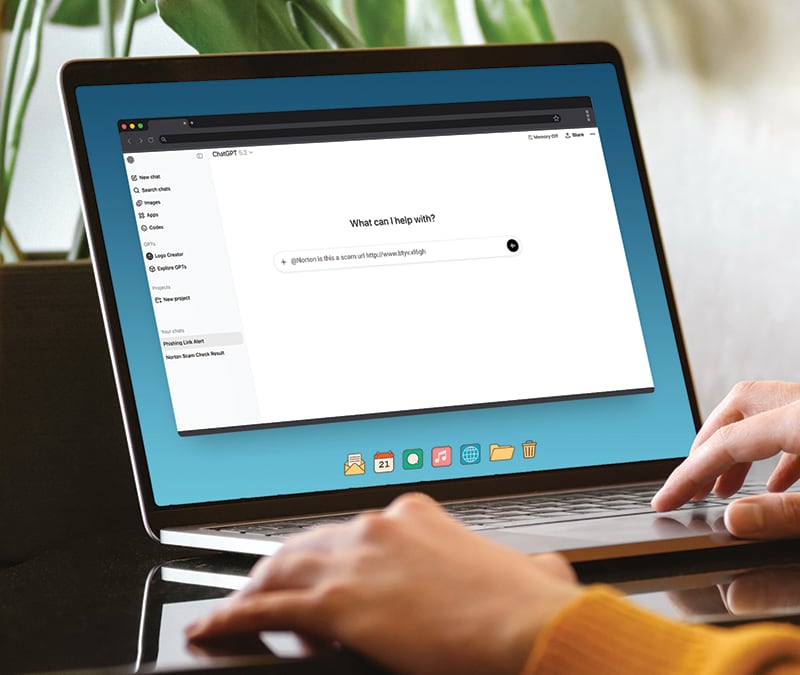

According to the 2025 Norton Cyber Safety Insights Report, nearly two-thirds of Americans are worried about falling for an AI-generated shopping scam. And they’re right to be concerned. With the use of AI, scams look more legitimate than ever, making it harder to spot.
This is exactly why trusted scam protection and security advice matters more than ever. Norton is now inside ChatGPT, powered by its Genie AI cyber safety assistant, helping you identify scams, phishing attempts, and AI-generated threats before you click.
The "Is this real?" problem
With cybercriminals using AI technology to create more realistic looking scams, they are showing up in everyday life, often when we least expect them. You might get an unexpected delivery notification, an urgent alert from your bank, or a message that seems to come from your boss or friend.
In the past, you might have searched online to see if a phone number was suspicious. Now, more people are turning to AI tools like ChatGPT to ask a simple question: “Is this real or a scam?”
However, without specialized security data, a standard AI model might not spot the subtle signs of a scam. It might tell you a link looks "fine" because it doesn't recognize the specific malicious domain, leaving you vulnerable to phishing attempts or malware.
The complexity of today’s scams
The latest Gen Threat Report has shown more than 90 percent of threats targeting people in 2025 came from scams, phishing, and fake advertisements. These aren't just poorly spelled emails anymore. Modern attacks are designed to look ordinary and convincing.
Scammers use urgency ("Your account will be locked!"), authority ("This is the IRS"), and social engineering to bypass your better judgment. When you paste a text message into ChatGPT to ask if it's real, you need more than just an opinion -you need trusted and verified threat intelligence.
Now you can ask Norton in ChatGPT
To bridge the gap between AI convenience and digital safety, Norton brings Genie AI –powered scam detection and online safety expertise directly to ChatGPT.
Norton delivers real-time scam analysis and safety guidance, right inside the world’s most widely used AI conversation platform, ChatGPT. Instead of switching apps or searching online, help is available right where you are already asking questions.
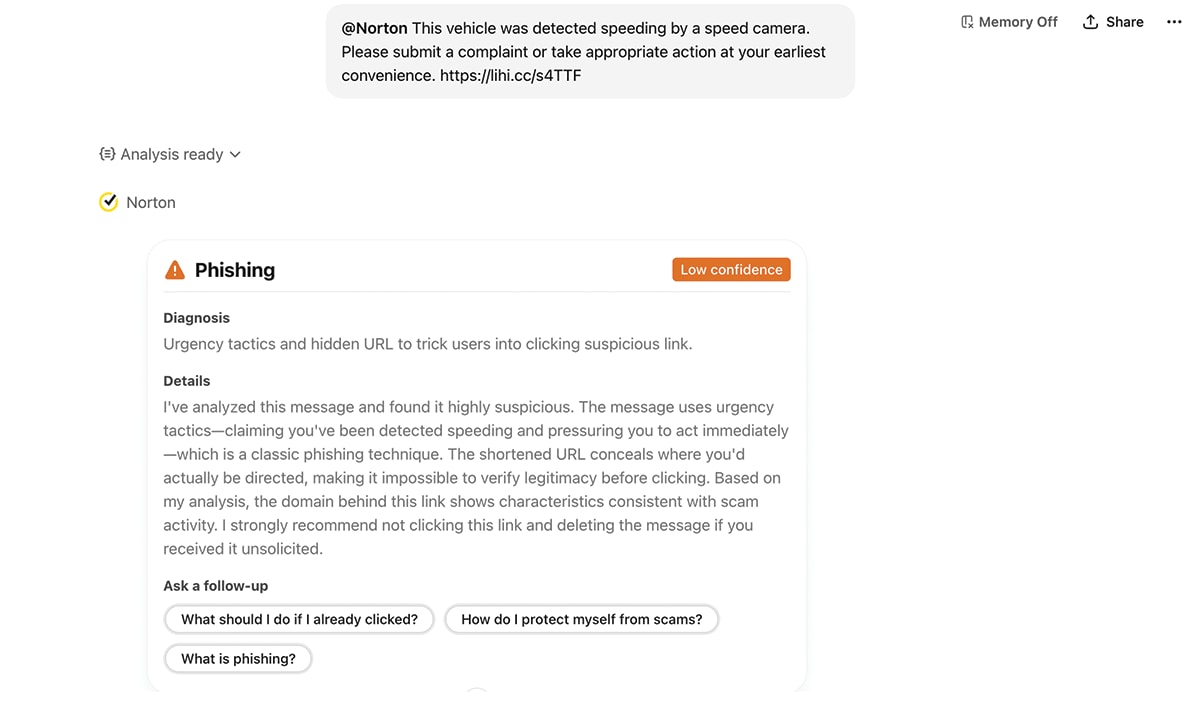
How It works
This integration allows you to share suspicious emails, texts, messages, images, or links directly within your chat. It then provides clear guidance on whether something looks safe, risky, or like a scam.
It’s designed to feel simple and familiar. You can ask Norton for help in plain language, just as you would ask a friend or family member for a second opinion.
Going beyond just basic link scanning
You might ask, "Can't I just check the URL?" While checking a link is a good start, it’s often not enough.
Unlike some solutions that only scan links, Norton analyzes the context, intent, and meaning across emails, texts, and messages, all backed by the Norton Genie AI-powered scam detection. It looks at the full picture—the language used, the pressure tactics being applied, and the specific requests for sensitive information—alongside traditional URL and domain checks.
This depth allows Norton to spot sophisticated scam patterns that simple link scanners might miss, helping you make safer decisions in the moment.
How to set up Norton in ChatGPT
Getting started is easy and doesn't require downloading anything. It integrates directly into the interface you are already using.
Here is a quick guide to setting it up:
- Log in to ChatGPT: Make sure you are signed in so apps are available.
- Open the Apps Section: Navigate to the ChatGPT App Directory.
- Find and Enable Norton: Search for the official Norton app and click "Connect" to enable it.
- Use @Norton in Your Chat: Once enabled, tag @Norton anytime you want help checking a website, message, email, or image for potential scams.
Tip: Check that you have removed non relevant Personally Identifiable Information (PII) from the content you provide. Include the email, text content, links or any mentioned attachments, and a clear description of the requested action. The more context Norton has, the clearer the guidance can be.
Empowering your digital decisions
As AI becomes a standard tool for advice and productivity, security needs to evolve with it. Protection is no longer just about antivirus software running quietly in the background; it’s about helping you spot risks early, before you act.
By integrating trusted security intelligence into your AI conversations, Norton is helping turn your ChatGPT into a safer space for decision-making. It ensures that when you ask, "Is this safe?", you get an answer backed by industry-leading expertise.
So next time a suspicious message pops up, don't just guess. Bring Norton into the chat and enjoy using AI with more confidence.
Editors’ note: Our articles offer educational information and are written to raise awareness about important topics in Cyber Safety. Norton products and services may not protect against every type of threat, fraud, or crime we write about. For more details about how we research, write, and review our articles, see our Editorial Policy.


Want more?
Follow us for all the latest news, tips, and updates.