


Amazon Prime VPNs: How to watch Prime Video securely anywhere
Streaming Amazon Prime on public Wi-Fi or a shared network can expose more of your online activity than you might realize. A VPN adds an extra layer of privacy, helping keep your connection protected while you watch your favorite shows. With Norton VPN, you can stream more securely whether you’re relaxing at home, traveling, or connecting on the go.


Imagine finally checking into your hotel after a long travel day, kicking off your shoes, and queuing up the newest Amazon Prime Video show that you started binging on the plane — only to realize the hotel Wi-Fi requires no password, is completely open, and is far from secure. On networks like that, your internet connection can be dangerously exposed if you don’t take your protection into your own hands.
A VPN can help secure your connection, adding privacy and peace of mind while you stream, browse, or log in on public Wi-Fi. Here’s how VPNs work with Prime Video and which Amazon Prime VPNs are worth considering.
Does Amazon Prime work with a VPN?
Amazon Prime Video can work with a VPN, but access isn’t guaranteed. Amazon actively tries to detect and block VPN traffic, so whether you can connect and stream depends on the VPN provider and server you use.
More importantly, Amazon Prime Video Terms of Use explicitly state that it’s forbidden to use tools or techniques to obscure or disguise your location. Violating any term of the agreement can result in your account being terminated without notice and without a refund, so this isn't a minor risk to weigh against convenience.
Because of that, we don’t recommend or support using a VPN to change your location to get around Prime Video's regional content restrictions. But a reputable VPN still has a legitimate role to play in protecting your security and privacy on public or untrusted Wi-Fi networks while you stream content from your subscription region.
Why use a VPN while streaming Amazon Prime?
As with most online activities, a VPN can make streaming Amazon Prime Video more secure by encrypting your internet traffic. This reduces the risk of passwords or other sensitive data being exposed and helps protect against man-in-the-middle and other interception attacks — especially on public or shared Wi-Fi networks.
A VPN also routes your traffic through a secure server, helping to shield your IP address and add an extra layer of privacy between you and third parties on the internet. Some VPNs even include ad- and tracker-blocking tools that can further reduce online tracking and intrusive advertising.
Here’s a closer look at the main benefits of using a VPN for Prime Video.
Protect your data on public Wi-Fi
Streaming Amazon Prime Video on public Wi-Fi can expose you to additional security risks, especially on unsecured or poorly configured networks where attackers may try to intercept your traffic.
Although many modern websites like Prime Video use HTTPS to protect sensitive information in transit, a VPN adds another layer of protection by encrypting your entire internet connection. This makes your streaming and other online activity harder for others on the network to monitor.
Secure your connection while traveling
Traveling can mean relying on unfamiliar hotel, airport, or café networks more than usual, which may carry additional security risks. 2025 Statista research shows that around 4 in 10 people experienced data compromise directly resulting from using public Wi-Fi in a café, hotel, or restaurant within the first 10 months of 2024.
A VPN helps reduce this risk by encrypting your traffic and routing it through a secure server. This can provide added protection against malicious hotspots, interception, and monitoring, making it safer to sign in to your Amazon account and stream while traveling.
Many travelers also use VPNs to access their home region’s streaming library while abroad so they can keep watching the shows and movies they subscribe to. But, as innocent as that may seem, doing so still violates Prime Video’s terms of use, which prohibit any form of IP masking for the purpose of altering your apparent location.
Avoid ISP throttling
Internet service providers (ISPs) sometimes slow down your connection when they detect bandwidth-heavy activities such as streaming, a practice known as throttling. Because a VPN encrypts your traffic, it can make those activities harder to identify and selectively limit.
However, a VPN cannot prevent congestion-based throttling, data caps, or other forms of network management, and its encryption overhead may slightly reduce speeds. So while it can help with activity-based throttling, it won’t guarantee faster streaming.
Avoid network restrictions
Schools, workplaces, hotels, and other shared networks may restrict access to streaming services like Amazon Prime Video to help manage bandwidth or enforce fair-usage policies. Because a VPN encrypts your internet traffic, it can make it harder for the network to identify the services you’re using and may help you connect where streaming services are otherwise blocked.
What to look for in an Amazon Prime VPN
When choosing a VPN for Amazon Prime Video, focus on security, speed, compatibility, and ease of use. The best option should protect your connection without causing unnecessary buffering or making streaming more difficult.
Here are the key VPN features to consider:
- Strong encryption: Look for a VPN that uses modern encryption standards, like AES-256 or ChaCha20, to help protect your data from interception, especially on public or shared Wi-Fi. Also check which protocol a VPN uses before you choose one. You’ll likely want to balance device compatibility, speed, and encryption level.
- Reliable streaming performance: Choose a VPN with fast, stable servers that can handle HD or 4K streaming without frequent buffering or connection drops.
- No-logs policy: A strict no-logs policy means the provider does not retain records of your browsing activity, helping preserve your privacy.
- Device compatibility: Make sure the VPN supports the devices you use for Prime Video, including phones, tablets, laptops, and — ideally — smart TVs.
- Prime Video compatibility: Amazon is known to detect and restrict some VPN connections, so look for a service with reliable server availability, obfuscation, or clear support for streaming.
- Ease of use: A simple interface, quick-connect options, and straightforward server selection make it easier to protect your connection without interrupting your viewing experience.
How to use a VPN while streaming Amazon Prime
To use a VPN with Amazon Prime Video, install a trusted VPN that meets your criteria, connect to a secure server in your current location, then sign in and stream as usual.
Here’s how to do it step-by-step:
- Choose a VPN: Be sure to select a trusted VPN service that offers strong security, reliable performance, and apps for your preferred devices.
- Install the VPN app: Download and install the VPN on the device you use for streaming, then sign in to your VPN account.
- Connect to a local server: Choose a server in the country where you’re currently located. This helps secure your connection without attempting to alter your apparent region.
- Sign in to Amazon Prime Video: Once the VPN is connected, open Prime Video and log in as usual. Your internet traffic will remain encrypted while you browse.
- Start streaming: Choose your show or movie and keep the VPN connected while you watch to help protect your privacy.

Best VPNs for secure Amazon Prime streaming
Here’s a closer look at some of the best VPNs for streaming Amazon Prime Video securely, with strong privacy protections and reliable performance for a smoother viewing experience.
VPN provider |
Trustpilot Score |
Devices supported |
|---|---|---|
Norton VPN |
Windows PCs, Mac, iOS, Android, and Amazon Fire TV |
|
Surfshark |
Windows PC, Mac, Linux, Android, iOS, Amazon Fire TV, Apple TV |
|
NordVPN |
Windows PC, Mac, Linux, Android, iOS, Amazon Fire TV |
|
ExpressVPN |
Windows PC, Mac, Linux, Android, iOS, and Amazon Fire devices |
Trustpilot scores and other data in this table were accurate as of the time of publication.
1. Norton VPN
Norton VPN was recently named the best VPN for streaming by Tom’s Guide, with the publication highlighting its reliable access to major platforms including Amazon Prime Video, Netflix, and Disney+. In addition to support for Windows, Mac, iOS, Android, and smart TV devices — including Amazon Fire TV — the VPN also blocks ads and trackers and includes features such as Pause VPN and Advanced servers to help balance privacy, flexibility, and streaming performance.
2. Surfshark
Surfshark supports unlimited simultaneous device connections, making it a practical option for households that stream Amazon Prime Video across multiple devices. Its fast servers and strong encryption help maintain a stable, private connection, including on public Wi-Fi. Surfshark also offers obfuscated servers that can make VPN traffic harder to detect, which may help on restrictive networks.
3. NordVPN
NordVPN supports up to 10 devices and combines industry-standard encryption with high-speed servers for secure streaming. It also includes features such as Threat Protection, which can help block malicious sites, and dark web monitoring, which alerts you if your email address appears in known data breaches. These tools can add a reassuring extra layer of security while you stream Amazon Prime Video.
4. ExpressVPN
ExpressVPN combines AES-256 encryption with DNS and IP leak protection, and a kill switch to help protect your connection while streaming Amazon Prime Video. Its high-speed servers are designed to support smooth HD and 4K playback, while features such as TrustedServer technology and built-in connection tools help maintain consistent performance across compatible devices.
Choose Norton for your Amazon Prime VPN
Don’t let weak security or ISP slowdowns ruin a good binge. Norton VPN helps protect your Amazon Prime Video sessions with strong encryption and privacy features like ad and tracker blocking, Kill Switch, and support for multiple devices — so you can stream with fewer distractions and more peace of mind.
FAQs
Does Amazon Prime block VPNs?
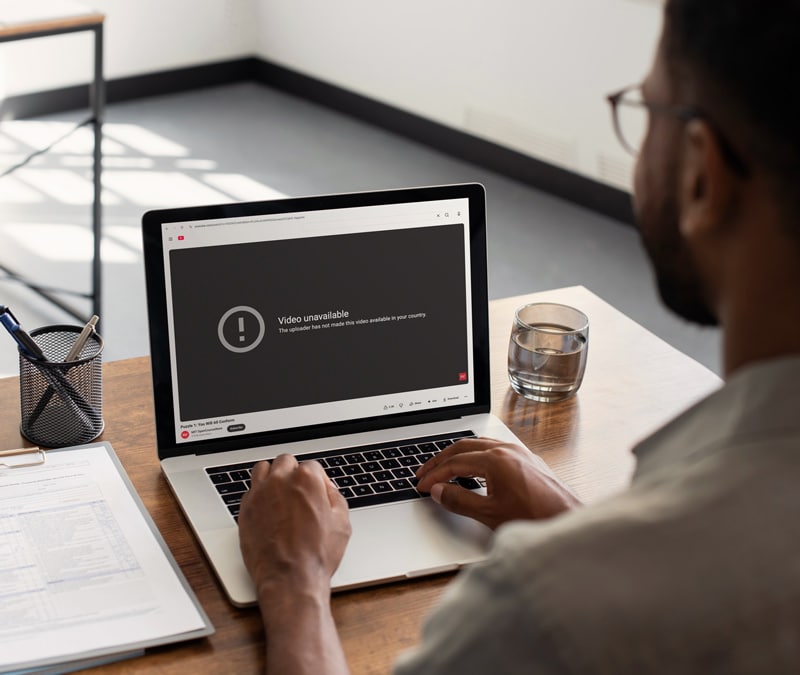
Yes, Amazon Prime Video does attempt to detect and block connections from known VPN servers to help them enforce regional licensing restrictions. If a VPN is detected, you may see errors like “VPN or proxy detected” or “This video isn’t available in your location”, and be unable to stream until you disconnect or use a permitted connection.
Will a VPN slow down my streaming?
A VPN can reduce streaming speeds slightly because of the extra data-routing steps required. The impact depends on factors such as the VPN provider, server location, network congestion, and VPN protocol used. Fast, nearby servers and modern protocols can help minimize buffering and maintain smooth playback.
Is it against Amazon’s terms to use a VPN?
Under Amazon Prime Video’s terms of use, using a VPN itself is not inherently prohibited, but attempts to disguise your location or bypass geographic content restrictions are expressly forbidden, and Prime Video generally blocks playback if it detects a VPN connection to enforce regional licensing restrictions.
Is streaming with a VPN safe?
Yes, streaming with a VPN is generally safe and can boost your security and privacy by encrypting your internet traffic and hiding your real IP address. This is especially useful on public or shared Wi-Fi, where a VPN can make it harder for others on the network to intercept or monitor your activity.
Editors’ note: Our articles offer educational information and are written to raise awareness about important topics in Cyber Safety. Norton products and services may not protect against every type of threat, fraud, or crime we write about. For more details about how we research, write, and review our articles, see our Editorial Policy.






Want more?
Follow us for all the latest news, tips, and updates.