




How to unblock websites with a VPN
Few things are more irritating than hitting an “access denied” message when you’re trying to reach a website. As well as stopping you from accessing the content you love, blocked pages can keep you from important services you rely on — but there’s a simple solution. Keep reading to learn how Norton VPN can help you securely unblock sites and access what you need while on the go.

2025
PCMag
60X Winner


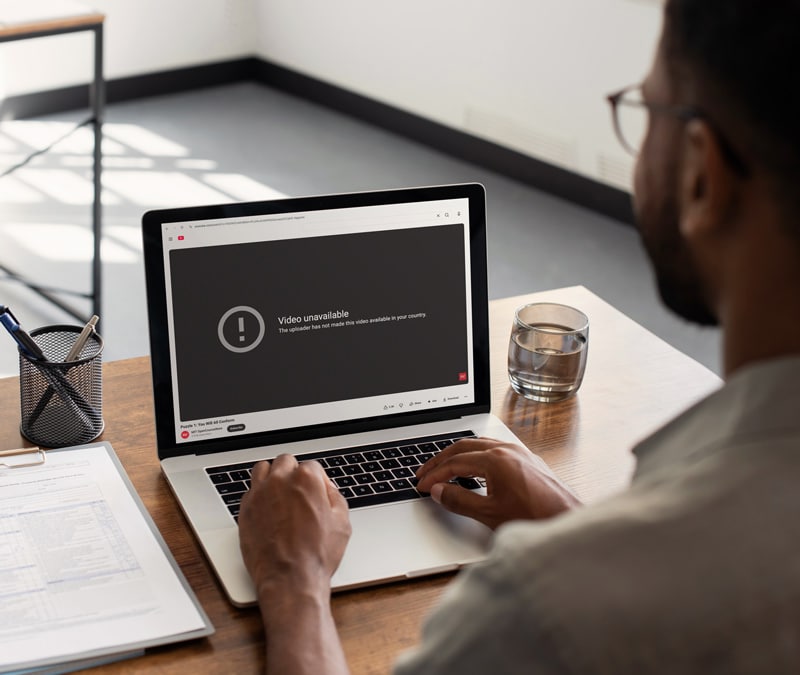

Whether it’s a streaming service, a research site for school, or a platform you need for work, blocked sites can disrupt your day and limit what you can do online. But a VPN can help you regain access quickly and safely by encrypting your web traffic and routing it via a secure server. In fact, 23% of VPN users report using a VPN to access content that is otherwise restricted.
Below, we’ll show you how to unblock websites with a VPN and explore additional methods to reach restricted content while keeping your connection secure.
1. Install a reputable VPN
Choosing a reputable VPN is the first step in safely unblocking websites. Trusted providers store your data securely and usually don’t track your online activity. Free VPNs may seem convenient, but they often come with slower speeds, limited server locations, and sketchy data logging practices that put your privacy at risk.
For stronger protection and more reliable access, invest in a trusted VPN with the following features:
- No-log policy: A no-log VPN ensures your browsing history and online activity are not logged or stored, helping to keep your privacy intact.
- Kill switch: A VPN kill switch automatically blocks internet traffic if your VPN connection drops, preventing your real IP address from being exposed.
- IP rotation: By regularly changing your IP address, IP rotation makes it harder for websites, trackers, or network observers to follow you online.
- Fast VPN protocols: Optimized VPN protocols maintain fast, stable connections for streaming, remote work, and general browsing — without lag.
- Malware protection: Premium VPNs often include built-in antivirus software, adding an extra layer of security by detecting and blocking malicious websites and downloads.
One of the biggest benefits of using a VPN to unblock websites is how effectively it masks your identity and online activity while you browse. For a clear explanation of what stays private and how, check out our guide on what a VPN hides.
2. Clear your cache and cookies
Before connecting to a VPN, it’s a good idea to flush your browser’s cache and clear cookies. These files can store old location data, login details, and tracking information. If they’re not cleared, websites may use this legacy data to detect your real region, which can interfere with your VPN connection and prevent access to blocked content.
3. Connect to the correct server
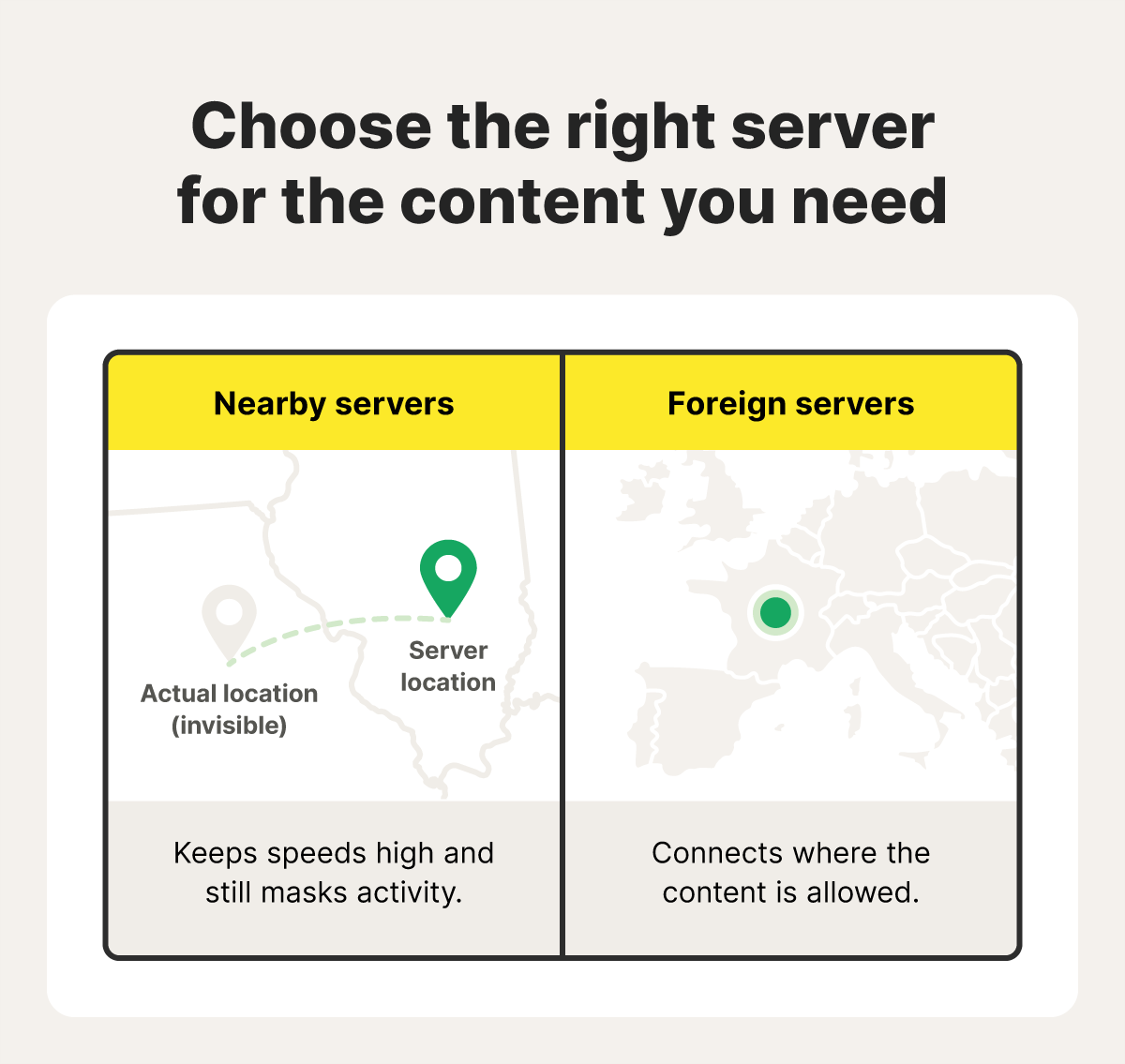
The VPN server you select directly affects whether you can reach the content you need. If you’re trying to bypass local network restrictions at work, school, or another organization, a nearby server in your country is usually the best option for maintaining fast data transfer speeds while masking your activity to evade site blocks or content filters.
For content blocked due to national or regional restrictions, you’ll usually need to connect to a VPN server location in a country where the content is accessible.
How to bypass VPN blocks
Websites and networks sometimes block access when they detect that you’re using a VPN. Fortunately, you may be able to bypass these blocks by switching servers, using a stealthy VPN protocol, or temporarily switching to mobile data to bypass restrictive networks.
- Switch servers: Sometimes the simplest solution is to connect to a different server in the same region or country. Different servers can have different IP addresses that aren’t blocked, helping you regain access quickly.
- Use obfuscated servers: Obfuscated VPN servers help disguise your VPN traffic by erasing some tell-tale data patterns or routing traffic through common TCP/IP ports, like port 443, which are less likely to be blocked.
- Change VPN protocols: Simply switching between protocols like OpenVPN and WireGuard may help if certain types of traffic are blocked. Better yet, Norton VPN’s proprietary Mimic protocol masks your VPN data as regular HTTPS traffic for super-stealthy connections.
- Switch to mobile data: If you’re on a mobile device, turning off Wi-Fi and using your cellular data can help bypass restrictions imposed by school, workplace, or public Wi-Fi networks.
Other ways to unblock websites
If a VPN isn’t a viable option for you, or you want more ways to access blocked websites, there are alternatives. You can try using a proxy, the Tor Browser, adjusting your browser settings, or changing your DNS server. Other techniques include switching between HTTP and HTTPS, disabling parental controls (when appropriate), or using web archives and URL shorteners.
Use a proxy
A proxy server routes your connection through another location, so it looks like you’re browsing from somewhere else. This may enable you to access web-based content that’s geo-blocked in your region, but proxies are typically unencrypted, so they won’t help with local network restrictions.
While convenient — especially on devices where you don’t have admin privileges to install software — it’s also important to be aware that many free proxy services may log your activity and even share your browsing data with third parties.
Get the Tor Browser
The Tor Browser is a free privacy-focused browser that encrypts your traffic and routes it through multiple volunteer-run servers worldwide. This helps you bypass censorship and anonymize your activity.
However, because Tor randomly assigns your exit location and doesn’t let you choose a specific country, it’s not reliable for accessing region-locked content. If you want to give it a try, be sure to download the Tor Browser from its official website.
Adjust browser settings
Sometimes websites end up on your browser’s blocked list, preventing access despite a lack of other restrictions. Adjusting your browser settings or clearing blocked-site entries can restore access in these cases. However, this won’t bypass restrictions enforced by schools, workplaces, or other organizations, which apply filters at the network level.
Here’s how to unblock sites in Chrome:
- Open Chrome and click the three-dot menu in the top-right corner.
- Go to Settings > Privacy and security > Site settings.
- Change the setting of your choice.
Change your DNS server
Changing your DNS server can help unblock certain websites and may even improve browsing speed. Using an alternative DNS routes your requests through different servers, which can bypass some ISP-level or regional restrictions. However, this won’t overcome blocks imposed by schools, workplaces, or organizations that use stricter network controls.
Disable parental controls
Parental controls may unintentionally block websites you need for work, school, or personal use. Temporarily disabling them can restore access, but be sure to turn them back on afterward to maintain a safe online environment for children.
Use a URL shortener
Some blocks target specific URLs, and a shortener like TinyURL can sometimes bypass them by generating a new link for the same page. However, if the network filters based on the destination site or detects the redirect, the block will remain. It’s not something to bank on, but worth trying as a last resort.
Use a web archive
Tools like Wayback Machine store archived versions of websites, allowing you to view content that may be blocked on the live site. Keep in mind that archived pages don’t fully behave like the real site — you typically can’t log in, submit forms, access live features, or view dynamic content like videos or interactive tools.
Why are websites blocked by your government, work, or school?
Governments, schools, and workplaces often block websites to control information access and to keep individuals and organizations safe. These restrictions can stem from concerns over inappropriate content, security risks, or efforts to manage information people can see.
Here’s a closer look at why these institutions block websites:
- Schools: To comply with the Children's Internet Protection Act (CIPA), schools implement filters to block access to obscene or harmful content. However, sometimes school filters overreach, blocking access to valuable educational resources.
- Governments: Governments may block websites to control information, suppress dissent, or maintain national security. This can include censoring political content or limiting access to foreign media. For example, Hungary recently blocked Ukrainian news sites after Kyiv restricted Hungarian media. Such blocks can restrict alternative viewpoints and influence the information citizens receive.
- Workplaces: Employers often restrict access to certain websites to prevent distractions, reduce bandwidth usage, and protect against security threats like phishing links. These measures help maintain productivity and protect company data.
Is unblocking websites legal?
In the United States, unblocking websites for personal use is generally legal, as long as you’re not accessing illegal content or violating specific laws or contracts. However, it may violate network policies or terms of service agreements, and there are important exceptions where bypassing restrictions can be illegal or subject to enforcement.
Exceptions to keep in mind include the following:
- DMCA’s anti-circumvention rules & trafficking: Bypassing digital rights management (DRM) protections or access controls on copyrighted material can violate the Digital Millennium Copyright Act.
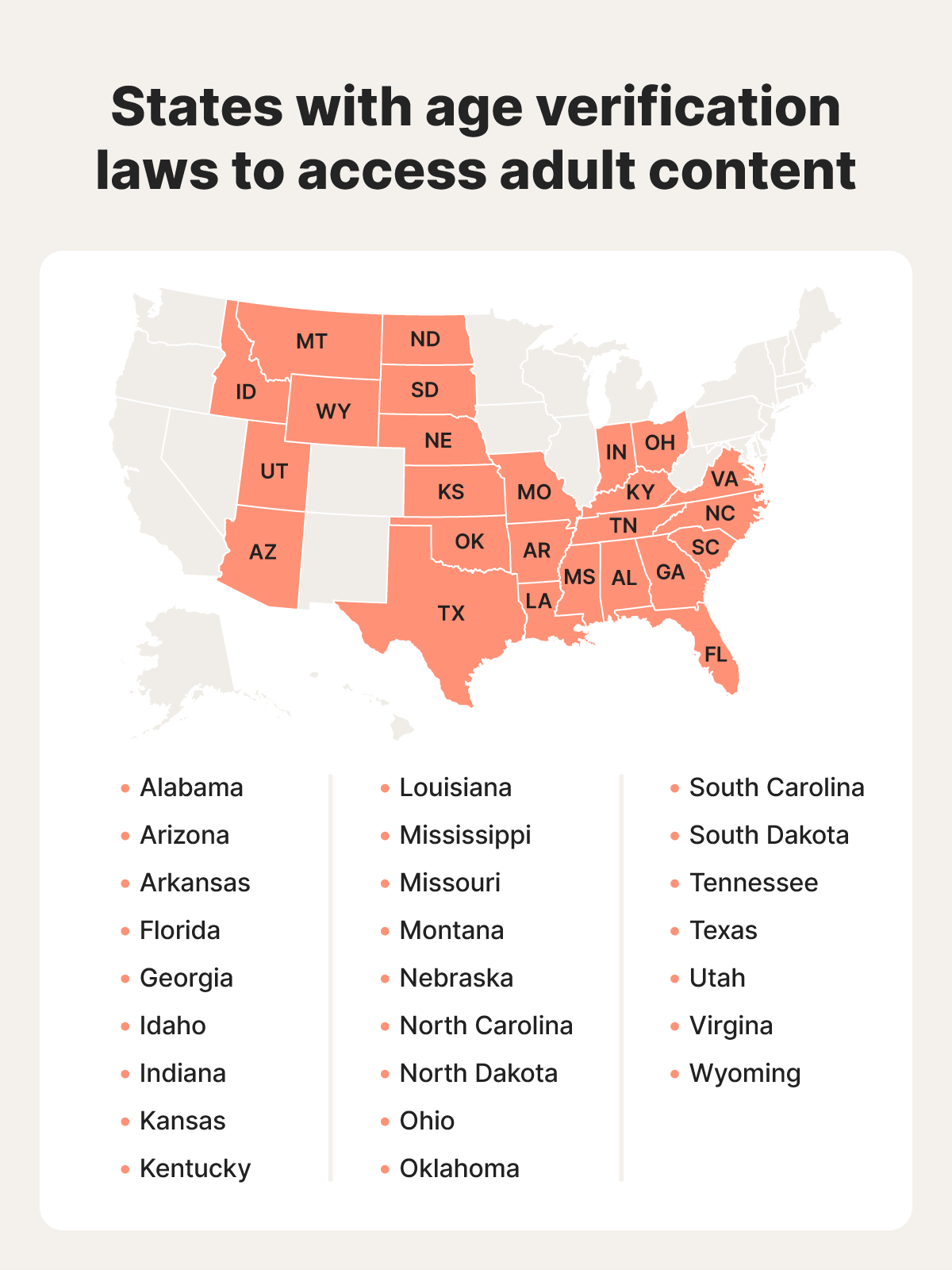
- State restrictions on adult content: Some states have laws that limit access to adult websites by minors or require age verification; underage users who bypass these restrictions (or adults who help them do so) could be breaking the law.
- Protection for minors (CIPA): The Children’s Internet Protection Act requires schools and libraries receiving federal funding to filter harmful content. Circumventing these filters may violate federal rules, as well as school or library policies, which can carry disciplinary consequences.
Unblock websites with ease
Norton VPN gives you so much more than basic access — it gives you dependable, real-world freedom online. Thanks to a global network of over 100 server locations, you can stream, study, and work without interruptions. And with an ironclad no-log policy, you can enjoy private access to the content you love with maximum peace of mind.
FAQs
Can I use a free VPN to unblock websites?
You can, but free VPNs often come with data limits, fewer server locations, weaker encryption, or activity logging that can compromise your privacy. For safer, more reliable access to blocked websites, a reputable paid VPN — such as Norton VPN — is the better choice.
What are the key features to look for when choosing a VPN to unblock websites?
In addition to a diverse, global network of server locations, prioritize strong encryption, a verified no-logs policy, a kill switch, fast and reliable servers, IP rotation, and advanced features such as split tunneling. These features support secure, private browsing and help you unblock websites without exposing your data.
What should I do if my VPN isn’t unblocking a website?
If a site still won’t load, try switching servers, using an obfuscated or alternative protocol like Mimic, or adjusting your VPN connection type. On mobile, switching to cellular data can help. Clearing your browser cache or disabling extensions may also resolve access issues.
What should I look for in proxies that unblock websites?
If you decide to use a proxy instead of a VPN, choose a service from a reputable provider that offers strong encryption and doesn’t track your activity. Steer clear of free proxies, which can log browsing data, inject ads, or compromise your security.
Editorial note: Our articles are designed to provide educational information for you. They may not cover or protect against every type of crime, fraud, or threat we write about. Our goal is to increase awareness about Cyber Safety. Please review the complete Terms during enrollment or setup. Remember that no one can prevent all identity theft or cybercrime, and that LifeLock does not monitor all transactions at all businesses. The Norton and LifeLock brands are part of Gen Digital Inc. For more details about how we create, review, and update content, please see our Editorial Policy.







Want more?
Follow us for all the latest news, tips, and updates.