







What is an AI browser, and do they live up to the hype?
An AI browser integrates artificial intelligence into your browsing experience with tools like article summarization, built-in AI assistants, and automatic tab organization. Learn about some up-and-coming AI browsers, then try Neo, an AI browser from a leader in Cyber Safety tech.

2025
Consumer
Security Innovator





AI is revolutionizing the way we find and filter information — and web search is no exception. Once you experience the convenience of a conversational chat with an AI tool like ChatGPT, traditional search engines and the browsers that house them can seem like Stone Age technology.
That’s why AI browsers and AI-powered browser features are getting so much hype: they blend traditional browsing with built-in AI tools that make finding and understanding information easier. McKinsey, a consulting firm, notes that for companies, meaningful AI gains come from redesigning workflows, not just adding tools. AI browsers are meant to do exactly that for everyday internet surfers.
Read on for an overview of key features to look out for in AI browsers, their benefits and drawbacks, and a list of AI browsers making waves.
Key features of an AI browser
The key feature of most AI browsers is a dynamic chatbot interface. Instead of clicking and scrolling through multiple windows and tabs, an AI browser’s chatbot interface surfaces answers conversationally, allowing you to control your browser workflow through natural language.
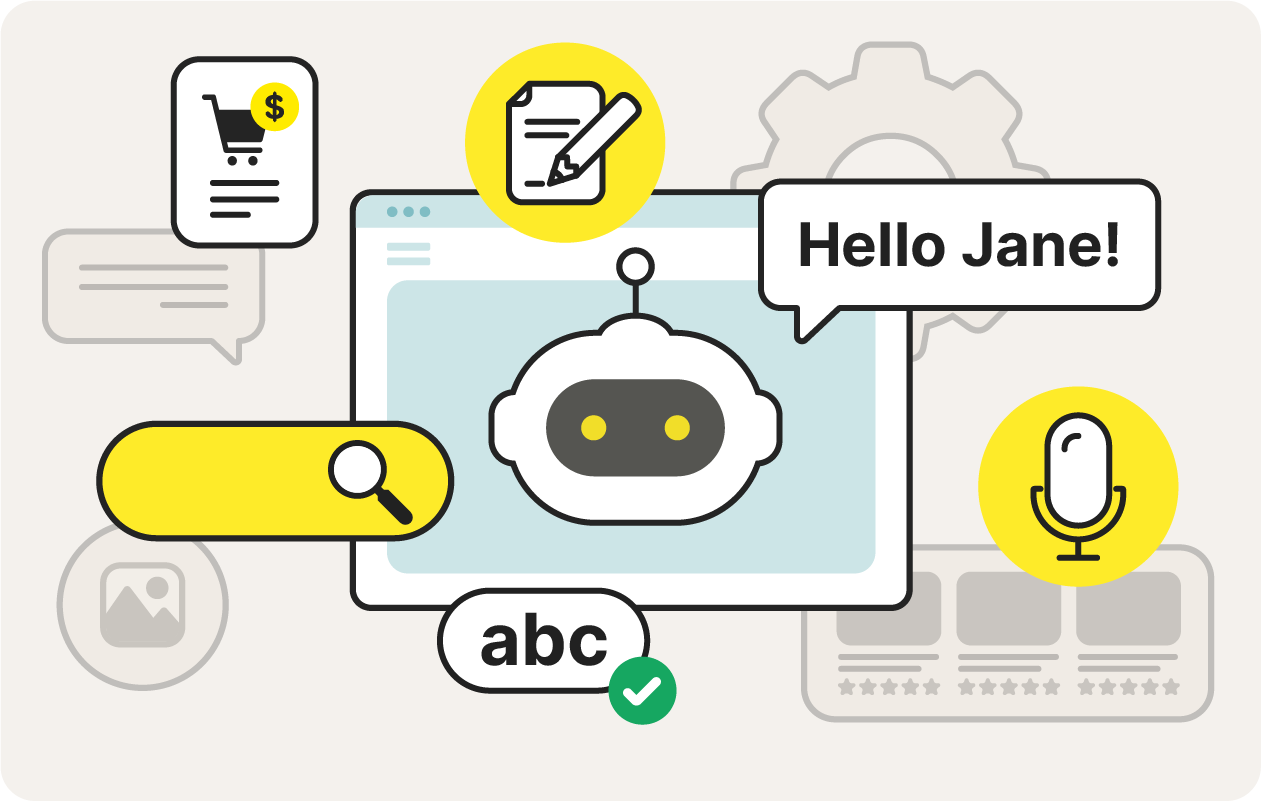
Other common AI browser features include content summarization, writing assistance, and tab management. Some cutting-edge agentic AI browsers go a step further by taking action on your behalf: if asked, they can fill in forms and make purchases for you.
Here are some key features of an AI browser:
- Chatbot interface: Similar to typing prompts into ChatGPT, an AI browser lets you chat, search, and get things done from one window. You can find articles, open apps, take notes, generate content, and handle all your key browsing tasks from one single starting point.
- Intelligent search: AI browsers are changing our relationship to search engines by shifting search from keyword matching to LLM-based results. This lets users get direct, conversational results instead of sifting through links.
- Content summarization: AI browsers let you preview pages without clicking the links. They can also summarize text, audio, and video content, helping you decide whether it’s worth your time to read an article or watch a long YouTube video. They can even translate content into your preferred language.
- Tab management: AI browsers help organize your digital workspace by filtering, grouping, and managing tabs. You can group research tabs, “close all my YouTube tabs” to shut down distractions, or have the browser highlight the most relevant tabs based on what you’re doing.
- Voice interaction: Instead of typing, some AI browsers let you interact with your AI the same way you speak to Alexa or Google Assistant. You can fine-tune a project without clicking on anything, or voice-draft an email hands-free.
- Content generation: Writing assistance features help users craft text. Some AI browsers extend that capability with tools to generate images, graphs, and even code.
- Agentic features: An agentic browser can proactively perform tasks for you, such as putting items into your shopping cart, clearing cookies, booking reservations, filling out forms, or even applying for jobs.
Benefits of using an AI browser
The main benefit of AI browsers is efficiency and enhanced productivity. Instead of just displaying content, AI can navigate the internet on your behalf, saving you clicks, breaking down complex tasks, and quickly sifting through information to bring you clarity.
Here are some benefits of using an AI browser:
- Enhanced productivity: Features like content summarization and AI chat allow you to spend less time surfing the web in search of answers. Others, like writing assistance, help you waste less time staring at a blank virtual page.
- Better search results: An AI browser can perform deep research you can’t easily do on your own, comparing search results and surfacing hard-to-find sources of information. Some AI browsers can even format search results into graphs, tables, or other helpful visual formats.
- More personalized browsing: An AI browser can learn your habits and preferences to suggest articles, locate relevant events, block websites with objectionable content, and customize your experience based on your behavior.
- Task automation: AI browsers can offload small tasks like logging into sites, grabbing download links, cleaning up copied text, or pulling key data from long pages. They handle these steps in the background so you can move through your work with fewer interruptions.
- Improved security: An AI browser built for security can block malicious sites, manage passwords, encrypt communications for a more private browsing experience, and even learn to filter content. But unless the AI prioritizes Cyber Safety, its benefits may be outweighed by still-emerging privacy and security risks.
- Enhanced accessibility: AI can recognize and generate voices and images, and it can translate between speech and text automatically. These capabilities can support users with disabilities by making content more accessible, while also providing real-time translation for smoother, uninterrupted browsing.
Drawbacks of AI browsers
AI browsers share many of the same limitations as AI chatbots — as well as introducing some new ones. Because the technology is still emerging, its full risk profile isn’t yet understood.
Here are some drawbacks and security concerns associated with AI browsers:
- Privacy concerns: AI relies on large-scale data collection. Users may be uncomfortable with how their browsing habits are gathered, stored, or used — whether to train models, target ads, or support undisclosed business purposes.
- Security issues: Because AI browsers are new, their vulnerabilities aren’t fully mapped. A hijacked agentic browser could theoretically disclose payment details or sensitive information. Prompt-injection attacks — where malicious instructions hidden in websites trigger unwanted AI actions — pose an additional threat.
- RAM usage: Some AI browsers demand more memory than traditional browsers, which can slow down older systems. That said, smarter tab grouping and extension management may reduce RAM load for users who keep dozens of tabs open.
- Accuracy and bias issues: AI can hallucinate facts, misinterpret context, or rely on untrustworthy sources. Training data can be biased, manipulated, or intentionally polluted through dark AI techniques, leading to skewed or discriminatory outputs.
- Overdependence: Because AI makes certain tasks effortless, users may over-rely on it for skills they should continue developing — such as reading, writing, research, and critical thinking. Some are concerned that long-term overuse could affect cognitive resilience.
- Mental health impact: Human-like interactions can encourage parasocial bonds. Some users — especially teens — may become overly reliant on AI for companionship or emotional support. Recent cases of vulnerable individuals being influenced by harmful AI responses underscore the risk.
- Environmental impact: AI requires significant energy to train and run models, with data centers consuming large amounts of electricity and water for cooling. As AI browsers scale, so will their environmental footprint.
Examples of current and upcoming AI browsers
The AI web landscape is still taking shape. Some well-known AI companies, such as Perplexity and OpenAI, have created browsers centered around their chat assistants. Meanwhile, browser companies like Microsoft Edge, Chrome, and Brave are adding new AI components to their products. Other companies, like Norton Neo, have built new AI browsers from the ground up.
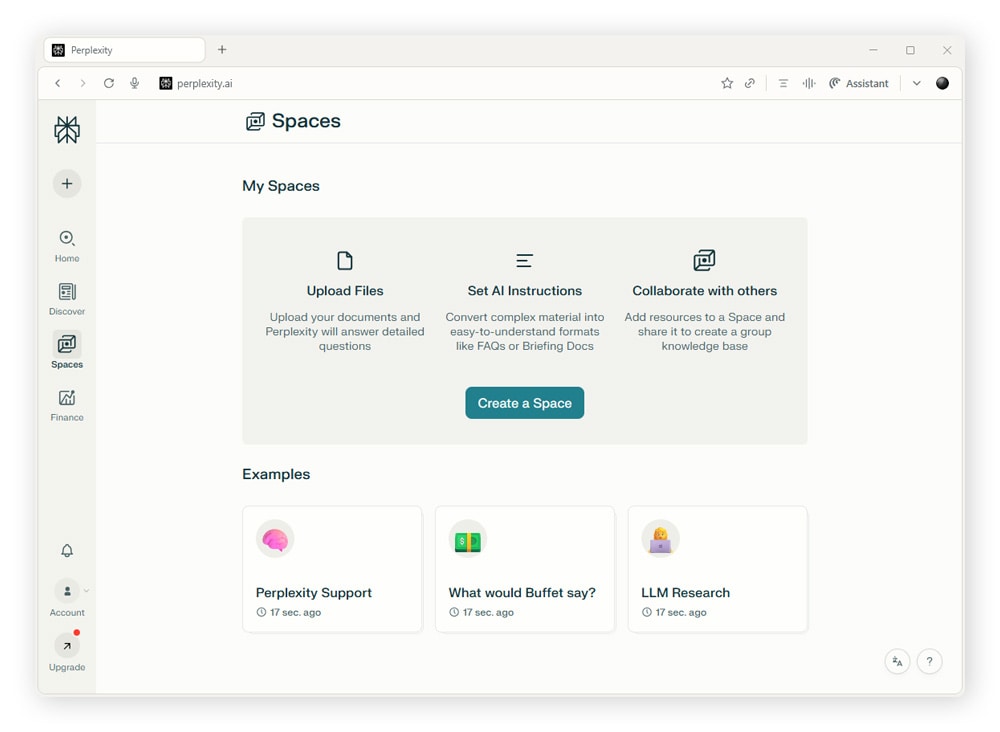
Perplexity Comet
Perplexity Comet is an agentic browser from Perplexity — an LLM-powered answer engine — with a built-in AI assistant. Unlike traditional browsers, Comet can take independent action, perform authorized transactions, and gather context across tabs. It can also interpret what’s on your screen without requiring a prompt.
Comet handles a range of practical tasks: drafting emails, summarizing articles, scheduling meetings, booking restaurants, comparing flights, and more. Initially priced at $200 per month, Perplexity now offers its AI browser for free.
Microsoft Edge
Microsoft offers AI natively in its Edge browser through a sidebar called Copilot. Along with basic search and chat functions, Copilot can summarize current webpages and offer insights. Copilot can also be voice-activated. One of Copilot’s advantages is its integration with Microsoft’s software suite.
Copilot can create an itinerary for you, compare products, locate discounts, and perform other in-context actions based on the page you are browsing. It can also summarize, translate, or generate content within the same window.
Fellou
Fellou is a new internet browser that is fully agentic — designed for deep research and automation. It can perform multi-step tasks without being prompted, authenticate logins, and even bypass CAPTCHAs. It can also create documents, presentations, and spreadsheets, and generate robust reports.
Fellou’s workflow automation can fill out forms, send emails, manage social media accounts, book appointments, and perform other autonomous tasks. Fellou operates locally on the user’s device for increased privacy. On its website, Fellou lists AI browser use cases like designing learning curricula, automating job hunting, and performing market research.
A free version of Fellou is available, but paid tiers include more features and greater capabilities.
Opera Aria
Opera Aria is an AI upgrade to the already existing Opera browser; it features a new AI sidebar and smart tab organization. Aria can analyze current webpage content along with search and chat that works off of training data from existing LLMs. Aria can also generate images using Google’s Imagen.
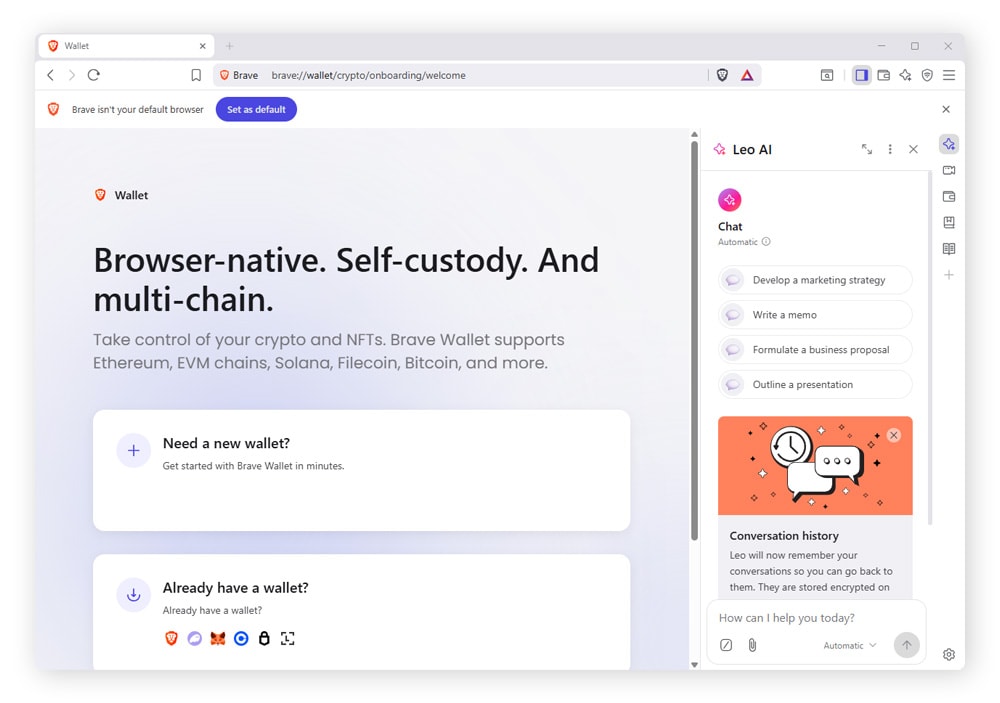
Brave with Leo
Brave, a browser and search engine focused on privacy, has deployed an AI assistant called Leo in its sidebar and address bar. Leo stores chat conversation history locally, and responses can be discarded after being generated for more privacy. There is no server-side IP logging.
Leo works via multiple LLMs, or you can connect your own. It can analyze webpages, PDFs, and YouTube videos and operate across multiple tabs, although it requires an opt-in for browser tasks such as tab management. Leo offers voice-to-text capabilities on iOS and Android.
Dia
Dia is a new internet browser that is built with AI embedded in its architecture from the ground up. Dia is designed to boost productivity by reducing repetitive tasks such as copying and pasting or switching between applications.
Along with content summaries and task automation, Dia acts as a tutor by attempting to explain concepts using flashcards, practice problems, and other educational methods. Dia strives to be context-aware and create an integrated workflow by offering relevant help based on context clues it picks up on.
ChatGPT Atlas
ChatGPT Atlas is a browser built around AI assistance from OpenAI. It lets you open pages, read long articles, and work across multiple tabs, all while ChatGPT helps you in the same window. You can ask it to explain sections, pull out facts, compare sources, or keep track of what you’ve read without jumping between tools.
Atlas also handles practical tasks while you browse, like opening files, working with spreadsheets, summarizing PDFs, and pulling information from search results. At the time of writing, it is only available for Mac computers.
Chrome
While not a native AI browser, Chrome seems to be introducing more AI-powered features every day: Google’s Google Gemini can tailor search results to the page you’re viewing, and Google Lens lets you search using images and get real-time product details.
If you are a Chrome user living in the U.S. or India, you can already opt in to AI Mode, which uses an experimental version of Gemini that gathers browsing context to answer complex questions and make comparisons.
Norton Neo
Norton Neo is an AI browser created by Gen, the parent company of trusted Cyber Safety brands such as Norton, LifeLock, and Avast. What sets Neo apart is that it’s the first browser to be built from the ground up with both AI and user safety in mind.
Users can chat, search, and take action from one interactive “magic box,” get smart summaries of digital content, and lean on a writing assistant that learns from context to write spot-on emails.
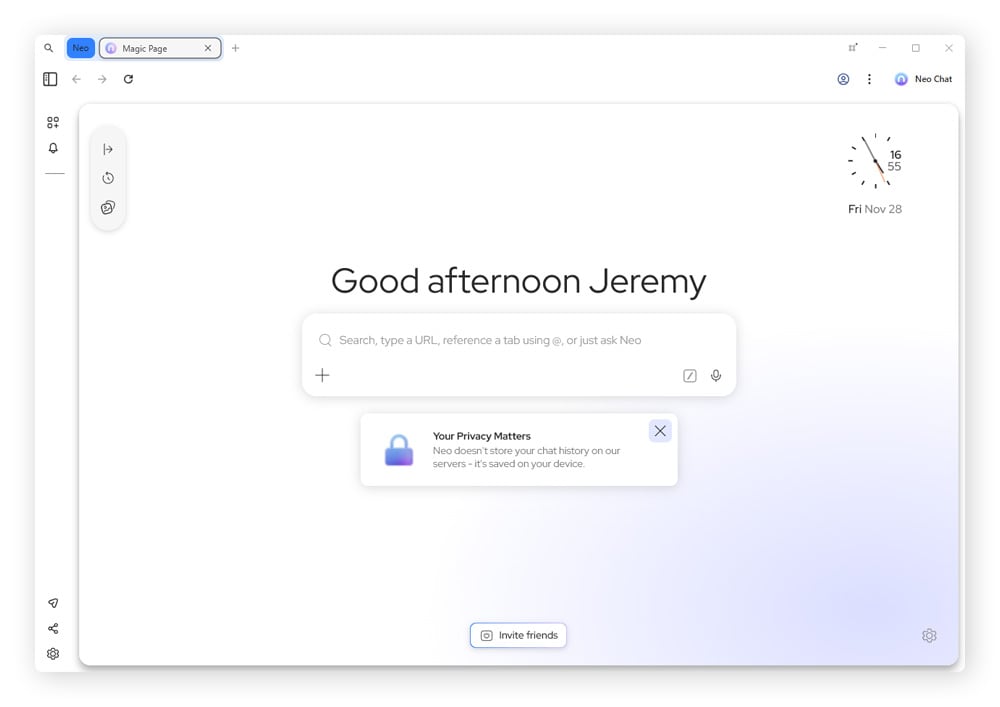
Neo also includes built-in ad and tracker blocking and uses Norton’s proprietary WebShield technology to detect and block malicious URLs, phishing sites, and malware in real time. Thanks to its privacy-first design, it also doesn’t use your browsing history for ad profiling or feed your private data into third-party AI models.
Enjoy the convenience of AI with fewer risks. Install Norton Neo and see what the future has to offer, from a safer digital vantage point.
FAQs
Is Google Chrome an AI browser?
Chrome is increasingly positioned as an AI browser as Google moves into a “new era powered by AI.” While AI isn’t fully integrated throughout the browser, Chrome now includes several AI-driven features, such as smart summaries in the address bar, cross-tab product comparisons, and scheduling automation, that mirror capabilities found in dedicated AI browsers.
Can AI browsers collect your data?
Yes, AI browsers can collect your data depending on the product and the permissions you grant. Many train on information such as your browsing, search, and email history to personalize results — data that may contain sensitive details. Some AI browsers gather this information by default, while others require you to opt in.
Editors’ note: Our articles offer educational information and are written to raise awareness about important topics in Cyber Safety. Norton products and services may not protect against every type of threat, fraud, or crime we write about. For more details about how we research, write, and review our articles, see our Editorial Policy.







Want more?
Follow us for all the latest news, tips, and updates.