






Norton 360 VPN gets its biggest upgrade yet
The VPN included within the Norton 360 suite just got a major upgrade. With new TV apps, a browser extension with built-in ad blocking, faster 25 Gbps servers, and advanced features like Double VPN, Norton 360 now delivers a full VPN experience without requiring a separate subscription. Here’s what’s new — and what it means for you.

Your VPN should work wherever you go, and whatever you do online. The latest Norton 360 update brings a completely revamped VPN experience designed to cover more of your digital life. It features faster speeds, broader global reach, and advanced controls built for how people browse, stream, and stay private today.
Whether you’re streaming on the big screen, browsing on your laptop, or checking in from your phone, Norton 360’s VPN now keeps up with every part of your day.
VPN on every screen
Norton 360’s built-in VPN now extends beyond your computer and phone, helping protect your connection across more of the screens you use every day — including the ones in your living room.
New TV apps allow you to port your VPN protection directly into your Google TV, Apple tvOS, or Amazon Fire TV device. You can stream your favorite content with added privacy right from your remote: install the app, connect, and you’re covered.
On desktop, a new browser extension with a built-in ad blocker is now available for Windows and Mac. It helps block intrusive ads directly in your browser while your VPN works in the background, adding another layer of protection to everyday browsing without requiring a separate tool.
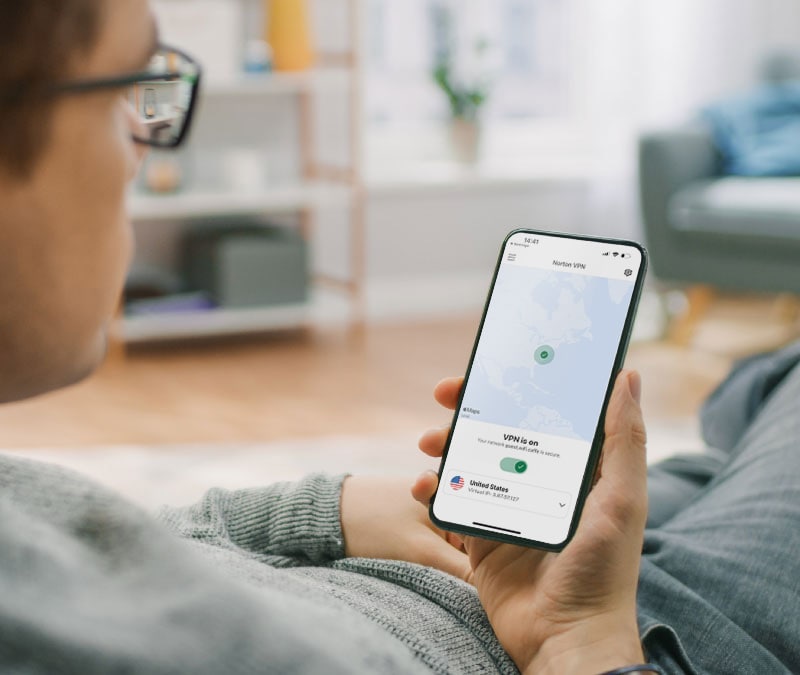
And, on mobile, a new VPN widget puts connection controls directly on your home screen. You can connect, disconnect, or check your VPN status with a single tap, without opening the Norton 360 app.
Faster servers, more locations, always-on protection
The latest updates to the Norton 360 VPN also provide a major boost to connection speeds, reach, and control.
Infrastructure improvements mean the network now runs on 25 Gbps servers, helping deliver faster, smoother connections for streaming, video calls, large downloads, and everything in between.
The server network has expanded significantly, too. Having previously offered around 30 country-level locations, Norton 360 VPN now provides access to all Norton VPN server locations, which comprises 140+ locations across 100+ countries, spanning the Americas, Europe, Asia-Pacific, the Middle East, and Africa.
Finding the right connection is also easier. A redesigned location selector lets you browse and connect to servers at the city level instead of choosing only by country, while a Recents list keeps your go-to locations within easy reach.

Staying protected is simpler as well. AutoConnect now works on any network, automatically activating your VPN when you connect to Wi-Fi, mobile data, or another connection. And when you need a quick break — to access a local service or printer, for example — the new Pause VPN feature lets you temporarily suspend your connection without fully disconnecting, then resume with a single tap.
Advanced privacy tools for power users
This update also introduces advanced VPN features, like Double VPN and Manual IP Rotation, that give you more control over how your connection’s configured.
- Double VPN routes your traffic through two separate VPN servers instead of one, making it even harder for your online activity to be associated with your real IP address. It’s built for moments when you want an extra layer of protection, such as using public Wi-Fi in airports or hotels, or accessing sensitive information while traveling.
- Manual IP Rotation lets you switch to a new VPN-assigned IP address whenever you choose, without ending your session. When a website, streaming platform, or online service limits access from your current IP, you can rotate to another while keeping your encrypted connection active.
Together, these tools give you more ways to tailor your VPN connection to the moment. For even more control, a new protocol selector lets you choose the VPN protocol that best fits your needs, whether you want to prioritize speed, stability, or access in restrictive network environments.
Upgrade your Norton 360 experience today
More screens. More speed. More control over your privacy.
With new TV apps, a browser extension with built-in ad blocking, 25 Gbps servers, and advanced features like Double VPN and Manual IP Rotation, the VPN within Norton 360 is now a full-featured privacy tool built right into the security suite you already trust. Get the latest version of Norton 360 today and see the difference for yourself.
Editors’ note: Our articles offer educational information and are written to raise awareness about important topics in Cyber Safety. Norton products and services may not protect against every type of threat, fraud, or crime we write about. For more details about how we research, write, and review our articles, see our Editorial Policy.







Want more?
Follow us for all the latest news, tips, and updates.