






The 10 best private search engines for anonymous surfing
Private search engines help you browse the internet without your every click being followed. But search engines can only do so much to protect your privacy. Pair a private search engine with a secure browser that reduces tracking to help keep your personal data locked down.

2025
Consumer
Security Innovator





With nearly 90% of the global market share, Google dominates the search engine landscape. But scale doesn’t guarantee privacy. Google has relaxed restrictions on device tracking, extending data collection beyond your browser to other connected devices. Some critics worry it’s another step toward Google tracking you everywhere you go online. This sentiment has resulted in consumer backlash, epitomized by the DeGoogle movement.
Fortunately, Google isn’t your only option: there are alternative search engines that allow you to surf more anonymously — hopefully without storing your data and selling it to advertisers.
Our guide highlights 10 of our favorite private search engines, based on their anti-tracking policies and other privacy-first features. Pair one with a private browser, like Norton Private Browser — it’s search agnostic, so you can use any search engine you like with added protection.
1. DuckDuckGo
DuckDuckGo is one of the more widely recognizable search engines other than Google. Prizing anonymity, it claims not to store personal information, track your searches, or serve targeted ads.
In 2022, DuckDuckGo faced criticism after researchers found that its browser allowed some Microsoft trackers. This was because they use Microsoft’s Bing for search indexing and ads. But while DuckDuckGo couldn’t block certain trackers, no personal data was shared. They’ve since tightened their rules.
DuckDuckGo is a reliable, easy-to-use option for everyday private searches, and its interface is familiarly Google-like. You can use it directly in your browser or set it as your default search engine. It even offers an anonymous email service that removes hidden email trackers.
Pros
- Doesn’t track searches or create user profiles.
- Clean, simple interface similar to Google.
- Apps and browser extensions available.
Cons
- Past Microsoft tracking controversy.
- Relies on Bing and other third-party sources.
- Fewer advanced features than Google.
2. StartPage
StartPage is a Netherlands-based search engine website that delivers Google’s results without Google’s tracking. Acting like a privacy filter, it uses Google’s search index for your queries, but clears away identifying data before showing you the results.
But here’s the trade-off: Startpage is owned by System1, a U.S.-based advertising company. While that seems counterintuitive for a privacy-focused search engine, Startpage insists that it operates independently from System1’s ad operations and enforces a strict no-tracking policy.
Different search engines get their results from different search indexes. If you want Google quality-results without being profiled, Startpage is one alternative — perfect if you’re the kind of person prone to wondering if your phone is listening to you.
Pros
- Delivers Google results without the data collection.
- Doesn’t log IP addresses or search history.
- Includes a proxy feature for anonymous web browsing.
Cons
- Owned by an advertising company, which may concern some users.
- Fewer extra features compared to DuckDuckGo or Brave Search.
- The interface feels a bit dated.
3. Brave Search
Brave Search is the default search engine of the Brave Browser, but you can use it with any other browser, too. Unlike others on this list, Brave uses its own independent search index. Because it doesn’t rely on Google or Bing for its results, principled users can surf the internet without relying on the services of these tech giants.
Brave does collect anonymous usage metrics to improve results (a practice known as telemetry), but it says this data cannot be tied to individual user profiles. Users can also opt in to the Brave Rewards system, which grants users Basic Attention Tokens (BAT), a type of crypto, in exchange for watching ads. This business model gives users more control over their privacy while still providing Brave with ad revenue, helping it remain free for users.
Pros
- Independent search index not tied to Google or Bing.
- Option to stay fully anonymous.
- Works with or without the Brave Browser.
Cons
- Collects anonymous usage metrics.
- Its crypto rewards system may not appeal to all users.
- Its smaller search index may limit results.
4. Qwant
Qwant is a France-based search engine that is seen as a more private alternative to Google. It doesn’t track your searches or sell your personal data, and its interface feels sleek and intuitive.
Currently, Qwant’s results rely on Bing’s search index. However, it has teamed up with Ecosia to start developing a proprietary index to reduce reliance on big tech. Although it is based in Europe, Qwant can handle US and international searches, making it a viable option no matter where in the world you’re browsing from.
Pros
- Privacy-focused and does not track user searches.
- Modern and intuitive interface.
- Working toward an independent search index.
Cons
- Still partially reliant on Bing results.
- Smaller market share than DuckDuckGo or Brave.
- Limited extra features compared to larger competitors.
5. Ecosia
Ecosia is a private search engine with a green twist: it uses most of its ad revenue to fund tree-planting projects around the world, aiming to absorb more CO₂ than it emits. While Ecosia relies on Bing’s search index to deliver results, it is working with Qwant to build a new European index, helping reduce dependence on U.S. tech giants.
On the privacy front, Ecosia doesn’t build user profiles based on searches or trackers. However, it does pass search queries and IP addresses to Microsoft to deliver geographically relevant search results and ads. While this may be a drawback for some users, many are willing to accept the trade-off given Ecosia’s ecological mission.
Pros
- Profits fund global tree-planting projects.
- Transparent financial reporting.
- Growing collaboration on a European search index.
Cons
- Dependent on Bing’s search results.
- Results can feel limited compared to Google’s.
- Privacy protections are not as strict as DuckDuckGo or Startpage.
Meet Norton Neo: The browser for the AI generation
Norton Neo is an AI-first browser that seamlessly integrates classic search with AI chat — while keeping your digital security front and center. With features like tabless browsing, smart link previews, and built-in ad blocking and anti-tracking, Neo helps you harness the power of AI without compromising your privacy.
6. Swisscows
Swisscows is a Switzerland-based offering that’s often featured on private search engine lists. With fewer trackers than Google, it doesn’t store your personal data or serve you personalized ads. It also positions itself as a family-friendly search option by filtering out explicit content.
Swisscows does hold on to some technical data: it stores HTTP connection logs for up to 60 days. Also, account sign-ups involve storing some user information, which may be off-putting for privacy purists.
Backed by Switzerland’s data protection laws, Swisscows offers a unique alternative to more established search engines on our list. Its filtering options make it a safer choice for families — though you should always check if a website is safe before clicking through from your search results.
Pros
- Strong privacy stance and family-friendly results.
- No targeted ads or personal profiling.
- Rooted in Switzerland’s strict privacy regulations.
Cons
- Stores connection logs for 60 days.
- User accounts store some personal data.
- Smaller search index and fewer features than larger search engines.
7. MetaGer
MetaGer is a search engine aggregator that’s run by a non-profit organization. Instead of relying on a single provider, it works as a meta search tool, pulling search results from multiple engines while filtering out personal identifiers. This makes it harder for advertisers and third parties to build a profile on you.
MetaGer aligns its privacy mission with a strong environmental stance, using 100% renewable energy sources. MetaGer also offers map search functions based on OpenStreetMap, helping users sidestep Google Maps.
While MetaGer’s interface is not as refined as others, it makes up for its lack of polish with strong transparency and conviction for its causes. It’s a solid alternative for users seeking independence from big tech.
Pros
- Run by a non-profit.
- Compiles results from multiple engines without trackers.
- Powered by renewable energy.
Cons
- Interface feels dated compared to bigger rivals.
- Slower search performance compared to Google or Bing.
- As a search aggregator, results can sometimes feel less precise.
8. Gibiru
Launched in 2009, Gibiru positions itself as an uncensored private search tool. That means search results aren’t filtered or ranked to serve the ostensibly self-interested, profit-driven motives of big tech companies.
Gibiru uses ultra-secure 256-bit encryption to protect your search queries. And they claim not to keep logs or cookies, so searches are not stored on their servers — a key selling point for users concerned about tracking.
While delivering impressive claims of privacy and uncensored access, Gibiru lacks the transparency offered by others on our list. Unlike DuckDuckGo or StartPage, details of its business model and infrastructure are not openly documented.
Pros
- Focused on uncensored results.
- Uses strong 256-bit encryption.
- No logs or cookies stored on servers.
Cons
- Lack of transparency about operations.
- Smaller search index compared to mainstream offerings.
- Less refined interface and limited features.
9. Mojeek
Mojeek stands out as a private search engine because it runs its own independent search index — it doesn’t just rely on Google or Bing. It has been around for over 15 years, quietly building an alternative model to the more mainstream, tracker-reliant search engines.
Recently, Mojeek added semantic search and AI search summaries to compete with its more established rivals. But still, its search index is comparatively smaller than those rivals, so results for niche queries may be lacking.
Despite its shortcomings, Mojeek’s main appeal is its dogged independence. The private search engine landscape relies heavily on the search indexes of tech giants. Mojeek’s homegrown index makes it one of the most credible options around.
Pros
- Runs its own index (rare amongst private engines).
- No user tracking or profiling.
- Established track record of independence.
Cons
- The smaller search index can feel limited for some inquiries.
- Design feels basic compared to mainstream engines.
- Limited features.
10. Disconnect Search
Disconnect Search was built by ex-Google and ex-NSA engineers to give users a way to use major search engines without being tracked. It works by routing your queries through Disconnect's servers so Google, Bing, and Yahoo can’t trace them back to you.
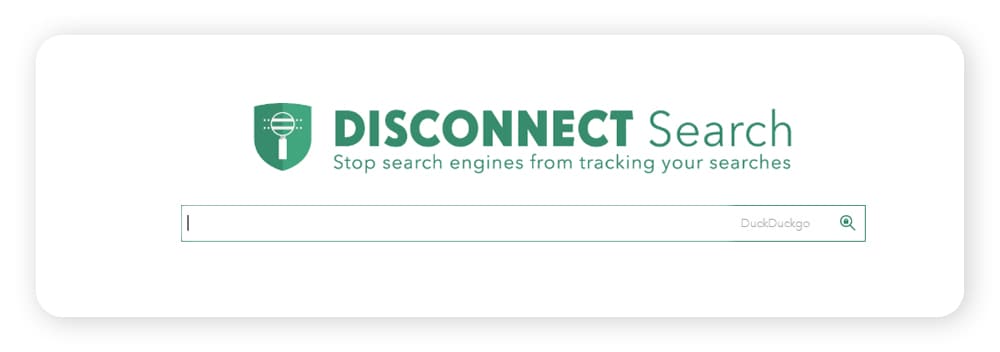
Disconnect’s privacy policy is transparent: it doesn't sell your data, but it does temporarily hold on to some information for 30 days. While that’s worth noting for strict privacy advocates, the policy is still far less invasive than mainstream search sites.
Because it’s part of the wider Disconnect suite of privacy tools, the search engine fits into an anti-tracking ecosystem. For users with strong convictions about tracking, Disconnect offers a comprehensive approach.
Pros
- Let’s you access major search engines anonymously.
- Part of a larger suite of privacy tools.
- Transparent privacy policy.
Cons
- Retains some data for 30 days.
- The interface is plain compared to more popular competitors.
- Not a standalone index — it still relies on Google, Bing, and Yahoo.
What features should you look for in a private search engine?
When choosing a private search engine, check for a no-tracking policy, independent search indexes (when available), transparency about ownership, and clear privacy policies. Extra features like anonymous email or map search functionality can also be helpful, depending on your needs.
Keep all of your browsing data private
A good private search engine helps keep your browsing activity private. But pairing one with a dedicated private browser can unlock an even greater degree of anonymity.
Norton Private Browser has powerful built-in safeguards to help block ads and trackers. And, it’s search agnostic, meaning you can use it without relying on Google or Bing to surf the web. Enjoy a browsing experience that’s more private, more secure, and more free.
FAQs
Are private search engines really private?
Private search engines are never completely private. Your internet provider or the websites you visit can still log your activity. But they are usually more private than Google or Bing because they don’t build user profiles or track your queries.
Does incognito or private mode keep my browsing private?
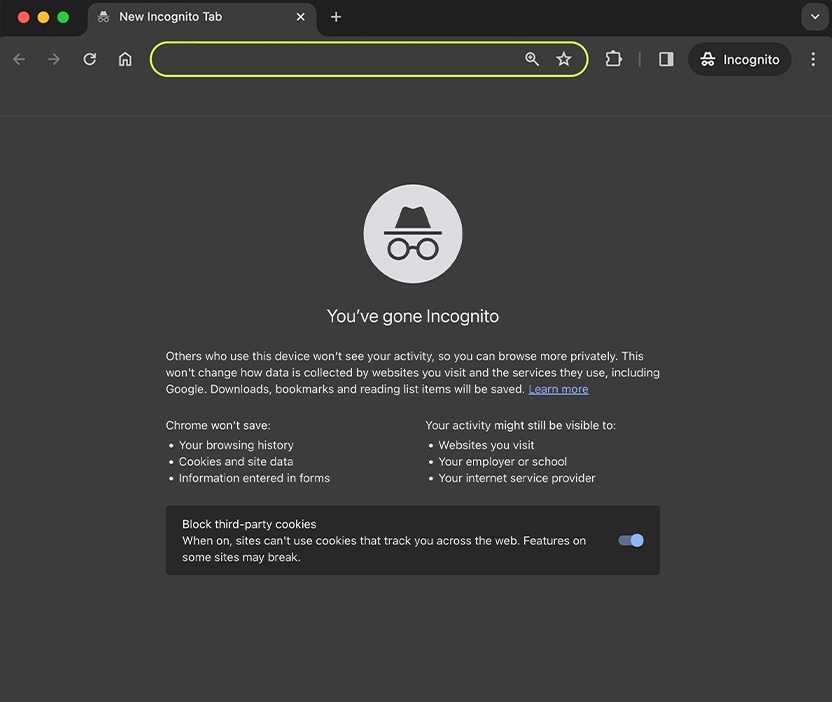
No, incognito or private mode doesn't keep your browsing completely private. They only hide your browsing activity from others using your device. Your ISP, employer, or websites that you visit can still track your activity in incognito or private mode.
How can you search and not be tracked?
To search and not be tracked, use a private search engine along with a privacy-focused browser. Also, consider using a VPN to hide your IP address. These tools work together to keep trackers away and reduce your digital footprint.
How do private search engines make money?
Most private search engines make money by showing non-tracking ads based on your search keywords, not your data. Some also earn a commission with affiliate links, provide premium services, or depend on donations. Unlike Google, however, private search engines don’t sell your data to advertisers.
What search engines do private investigators use?
Private investigators generally use standard search engines, but employ advanced search strategies to dig deeper. They also use a mix of specialized databases and open source intelligence (OSINT) tools beyond what a typical search engine offers.
Editors’ note: Our articles offer educational information and are written to raise awareness about important topics in Cyber Safety. Norton products and services may not protect against every type of threat, fraud, or crime we write about. For more details about how we research, write, and review our articles, see our Editorial Policy.





Want more?
Follow us for all the latest news, tips, and updates.