






Norton Private Browser gets its biggest update yet
Our digital lives are only getting busier, more invasive, and harder to trust. Between sophisticated phishing scams, hidden malware, and online tracking, staying safe online seemingly requires constant vigilance. That’s why we built Norton Private Browser — to cut through the chaos and help you focus on what matters. Today it’s more powerful than ever.


- 1. Built-in antivirus helps stop malware before it reaches you
- 2. A new side panel offers both productivity and entertainment
- 3. Zero-day phishing protection catches unknown threats
- 4. Video Downloader saves content for offline viewing
- 5. Greater customization comes to the New Tab Page
- 6. Redesigned Security & Privacy Center puts you in command
- 7. URL Cleaner removes tracking parameters for safer sharing
- Experience our updated Norton Private Browser today
We’re introducing seven major upgrades to our desktop browser that combine next-generation threat protection, privacy-first design, and intelligent assistance. These features work together to deliver on a simple promise: a browser that’s both smart and safe. No trade-offs. No compromises. Just the browsing experience you deserve.
Here’s a closer look at what's new:
1. Built-in antivirus helps stop malware before it reaches you
Cyber-criminals are constantly finding new ways to sneak threats past traditional defenses. They spin up malicious sites that look pixel-perfect, hide rogue scripts in banner ads, and slip malware into everyday downloads. One careless click can turn an ordinary browsing session into a security nightmare.
That’s why Norton Private Browser now includes built-in antivirus protection that works in real time as you browse. Using a specialized browser version of our award-winning antivirus, this new feature automatically scans files and content to detect and block malicious code before it can run. This means that even if you don’t have desktop antivirus software installed, you’ll still have protection when you surf, post, and shop online. Think of it as an invisible layer of defense that’s always on, so you can worry less.
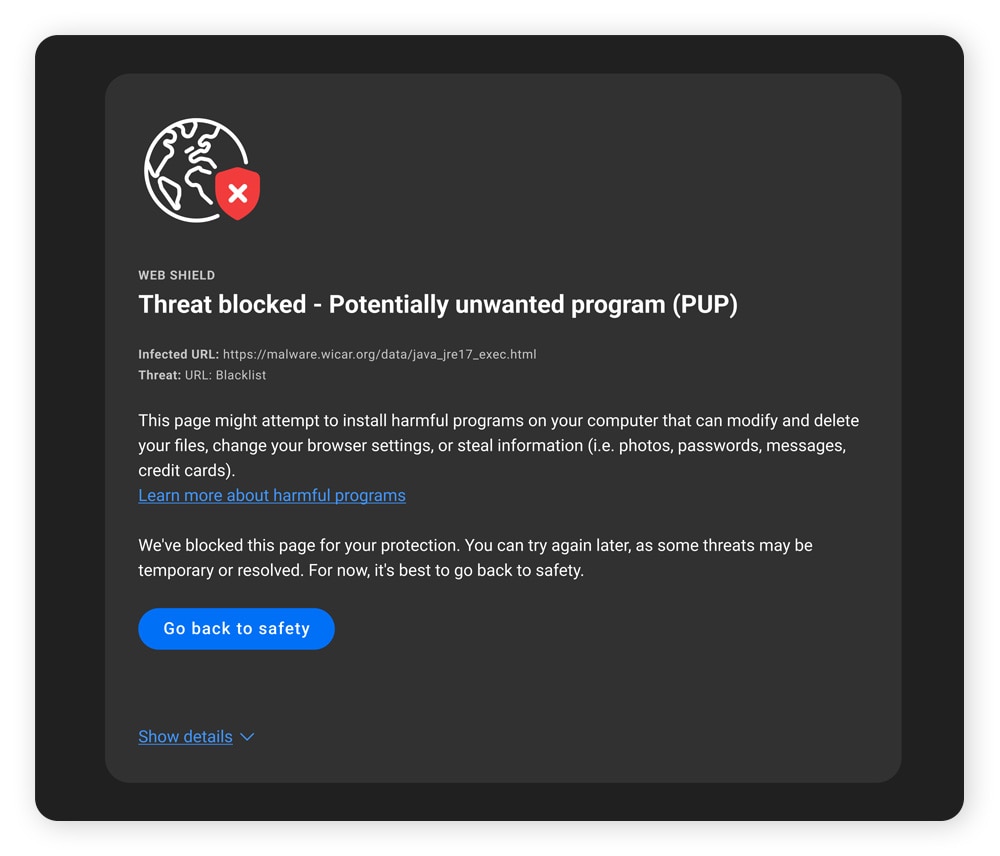
Basic protection is enabled by default, which covers URL and file scanning. For more comprehensive protection, you can activate Advanced Shields in the Web Shield settings, which enables additional scanning of a web page's content and underlying scripts. These settings can be accessed by clicking on the blue shield icon in the top right corner of your browser.
2. A new side panel offers both productivity and entertainment
Norton Private Browser now features a side panel that can be expanded or collapsed from any tab to offer easy access to several new modules:
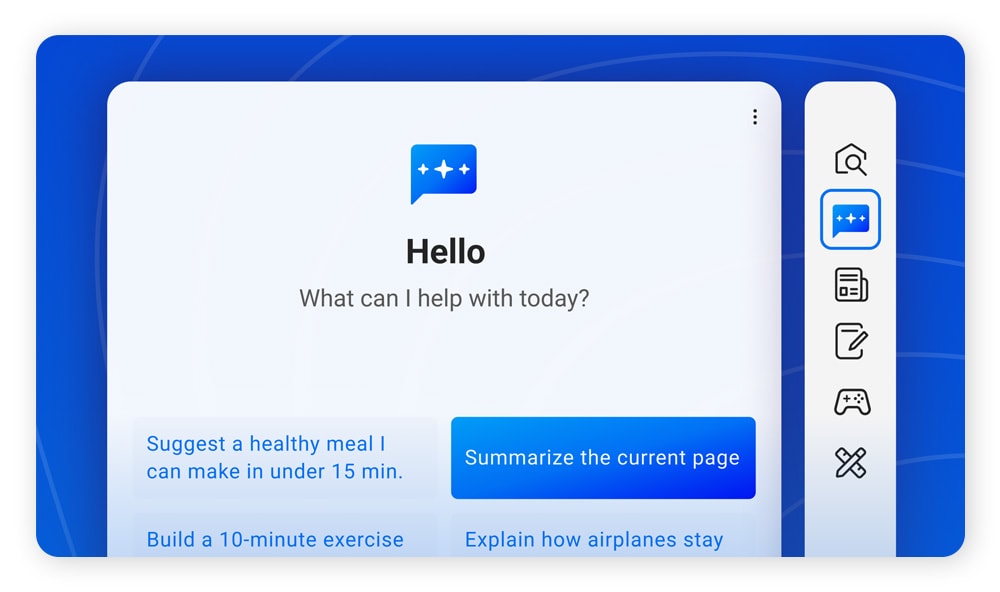
Smart Chat
Our new AI chat assistant can help you search the web, summarize articles, or draft content for your next social post or email. With Smart Chat directly embedded in the side panel, you can access the power of conversational AI from any page without switching tabs or paying for third-party services.
And because it’s built by Norton, convenience doesn’t come at the cost of privacy. This means your data won’t be used for training AI models, and all requests are routed through a secure proxy that hides your IP address from AI providers.
Secure Notes
The side panel includes a notepad that makes jotting things down effortless. You can record quick thoughts while browsing, organize your to-do list, and write yourself reminders before the thought slips away. Your notes stay neatly organized and ready whenever inspiration strikes, right at your side.
Search
A built-in search function lets you start a new search without opening a new tab. You can even open search results directly in the side panel to not interrupt your primary tab.
News
Stay up to date with quick, curated headlines from trending stories around the world via the News module, giving you an at-a-glance view of what’s happening without interrupting your browsing.
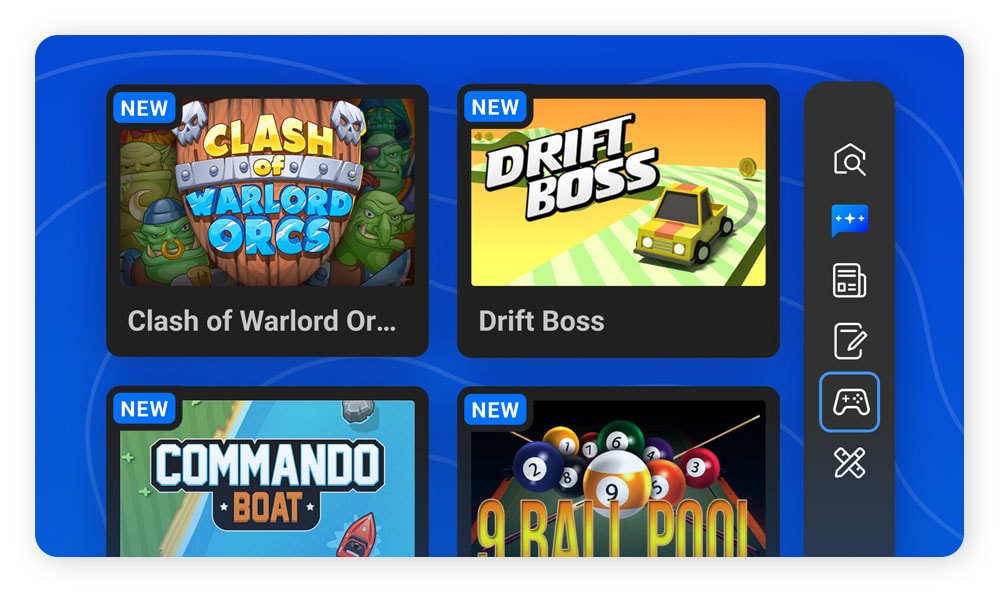
Games
Sometimes you just need a quick entertainment break. Our new Games collection offers several fun, easy-to-play games. These include three classics (Brick Breaker, Snake, and Solitaire) that can be played directly in the side panel, along with more modern games that can be played in the main tab window for larger viewing.
Deals
Explore a curated selection of daily discounts from trusted retailers, discover popular items at standout prices, and save money while you browse (this module is currently only available to users in the United States).
Utilities
Boost productivity and reduce window switching with quick access to practical tools, including a built-in calculator, a world clock showing local times for cities you select, and a unit converter for length, weight, temperature, and other common metrics.
3. Zero-day phishing protection catches unknown threats
Traditional anti-phishing tools rely on "blocklists” of known malicious sites, code patterns, and indicators observed in previous detection campaigns. The problem? By the time a new phishing site makes it onto a blocklist, it may have already tricked hundreds of victims. Meanwhile, the tools and frameworks attackers use are constantly evolving to make these static methods less effective.
We’re even seeing scammers rolling out hyper-realistic phishing sites at a scale never seen before, leveraging AI to clone trusted retail and financial services sites in seconds.
That’s where zero-day protection comes in. A zero-day threat is one that’s brand new, meaning it’s never been seen or cataloged before. But Norton Private Browser’s zero-day phishing protection doesn’t wait for malicious sites to be reported, studied, and added to a list. Instead, it uses AI to analyze web content in real time, detecting and blocking suspicious pages before they can even finish loading.
Like our latest antivirus protection, zero-day phishing defense is enabled by default as part of our Web Shield security suite.
4. Video Downloader saves content for offline viewing
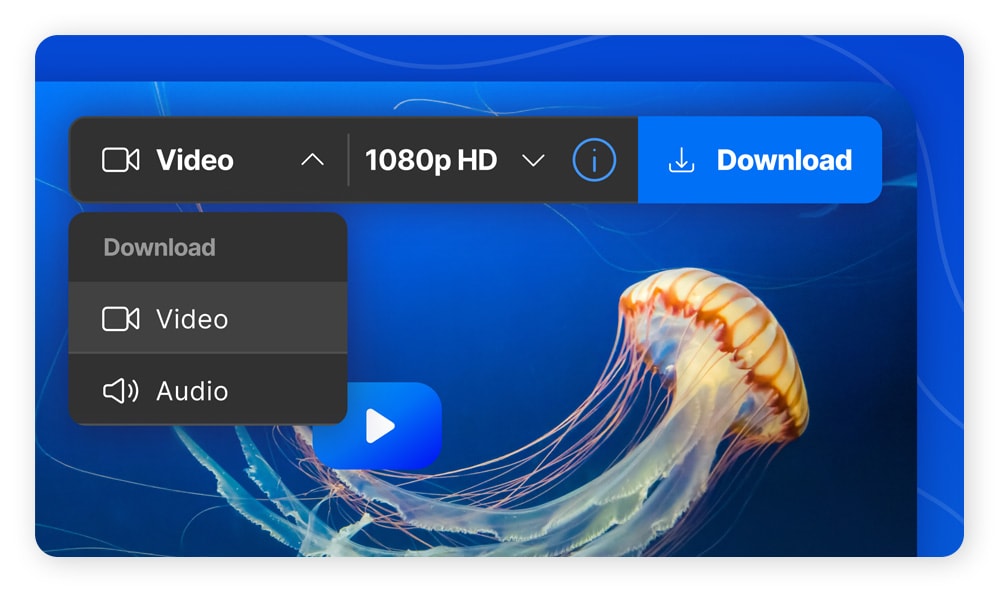
How many times have you wanted to save a video for later, perhaps to watch on a flight — or just in case the original gets deleted? Norton Private Browser now includes Video Downloader which lets you save online videos as high-definition files for offline viewing or listening.
You can queue multiple downloads, choose the resolution that works best for you (highest quality or faster download), or extract audio for a smaller file size and convenient listening on the go. Currently, this feature works for YouTube videos with no known royalty or copyright claims, and we’re working to support additional platforms in the near future. Just hover your mouse over any video and look for the download prompt in the top-right corner of your screen. It’s that simple.
5. Greater customization comes to the New Tab Page
We’ve redesigned our main browser screen, the New Tab Page that’s shown whenever you open a new window or tab, to offer greater customization and new widgets for instant access to local weather, news, and trending stories.
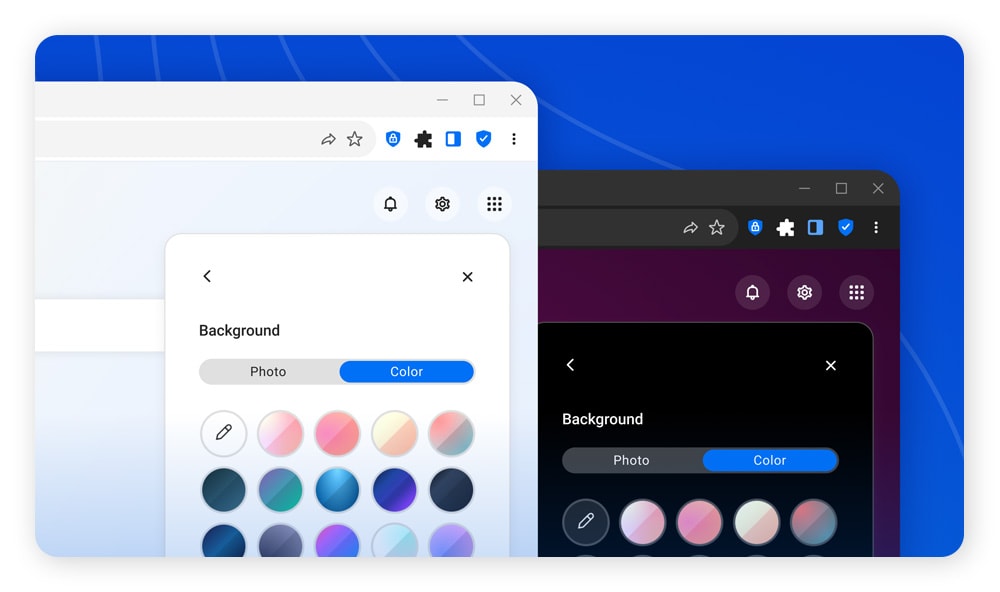
You can now customize the background by selecting between a collection of striking visuals, cycling through them with a rotating daily image, or uploading your own photo or artwork. For a more minimalist view, you can also opt for a solid background color or a soothing gradient. Whatever you’re looking for, we’ve made it easy to customize Norton Private Browser to match your personal style.
The rest of the New Tab Page is just as customizable, with the ability to show or hide new widgets, like a local weather tile and top stories from categories like News, Entertainment, Sports, and Travel.
6. Redesigned Security & Privacy Center puts you in command
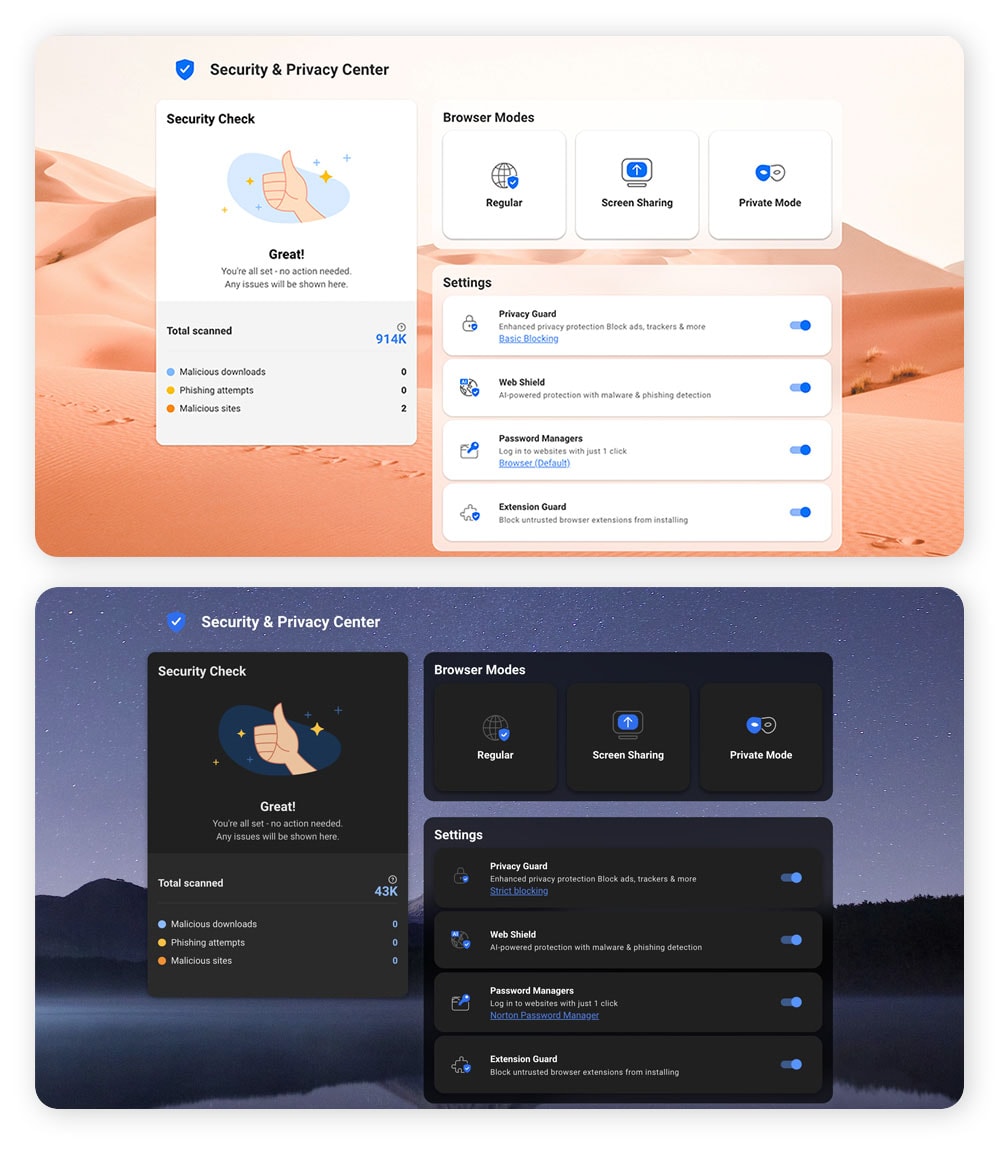
Privacy and security settings should be easy to find and simple to understand. That’s why we’ve completely redesigned our Security & Privacy Center, the central dashboard where you manage your online activity and configure all of Norton Private Browser’s protections.
The updated interface features a cleaner, more modern appearance that works great in both light and dark mode. Every setting is easy to locate, every option is clearly explained, and you can see which protections are active at a glance. It’s a small change that makes a big difference in helping you stay in control of your browsing experience.
7. URL Cleaner removes tracking parameters for safer sharing
When you share a link to a web page, you might be sharing more than you realize. If you’ve ever seen a URL with long, cryptic characters at the end, it’s likely been appended with tracking parameters that marketers and analytics tools use to follow clicks and behaviors across the web. When you share these links with friends or colleagues, you’re unknowingly passing these trackers along.
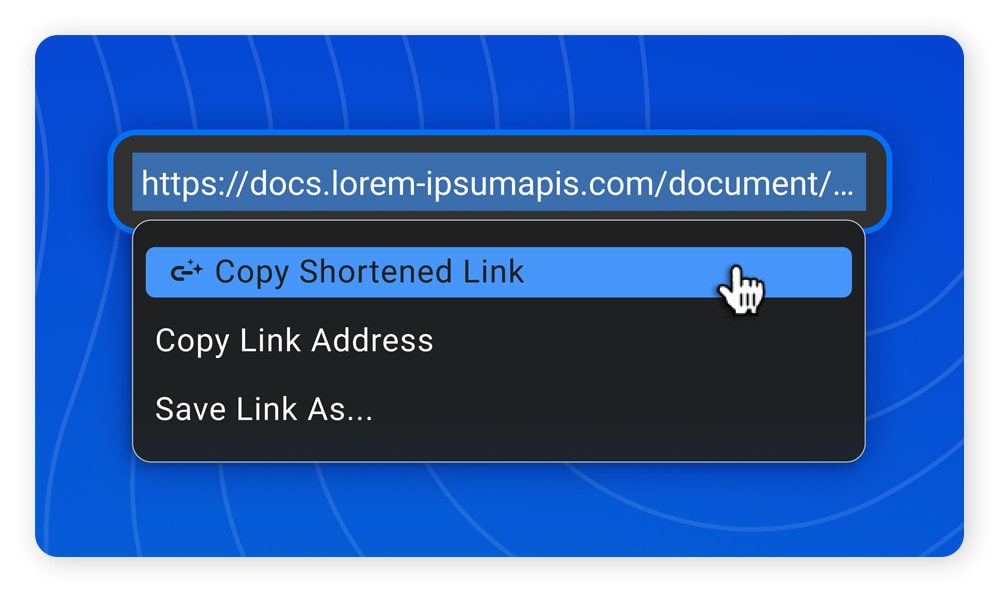
URL Cleaner wipes away these digital footprints with a single click. Just highlight any link, right-click, and choose URL Cleaner – Copy Shortened Link to remove all tracking parameters and replace the link in your clipboard with a shorter, privacy-safe version.
It’s a simple way to keep links clean, protect your privacy, and extend the benefits of private browsing when sharing with friends, colleagues, or on social media.
Experience our updated Norton Private Browser today
With these seven updates, Norton Private Browser proves you don’t have to choose between innovation and protection. We’ve built a browser that’s as intelligent as it is secure, and as convenient as it is private.
All of these features are available now in the desktop version of Norton Private Browser. Download it today and experience browsing the way it should be: smart, safe, and under your control.
Editors’ note: Our articles offer educational information and are written to raise awareness about important topics in Cyber Safety. Norton products and services may not protect against every type of threat, fraud, or crime we write about. For more details about how we research, write, and review our articles, see our Editorial Policy.





Want more?
Follow us for all the latest news, tips, and updates.