






GhostPairing: A new WhatsApp threat explained
GhostPairing is a new WhatsApp account compromise technique that takes advantage of the app’s device-linking feature to give cybercriminals access to your chats and WhatsApp-shared photos, videos, and voice notes. Read on to learn how this attack works, how to recognize the red flags, and what you can do to help protect yourself.
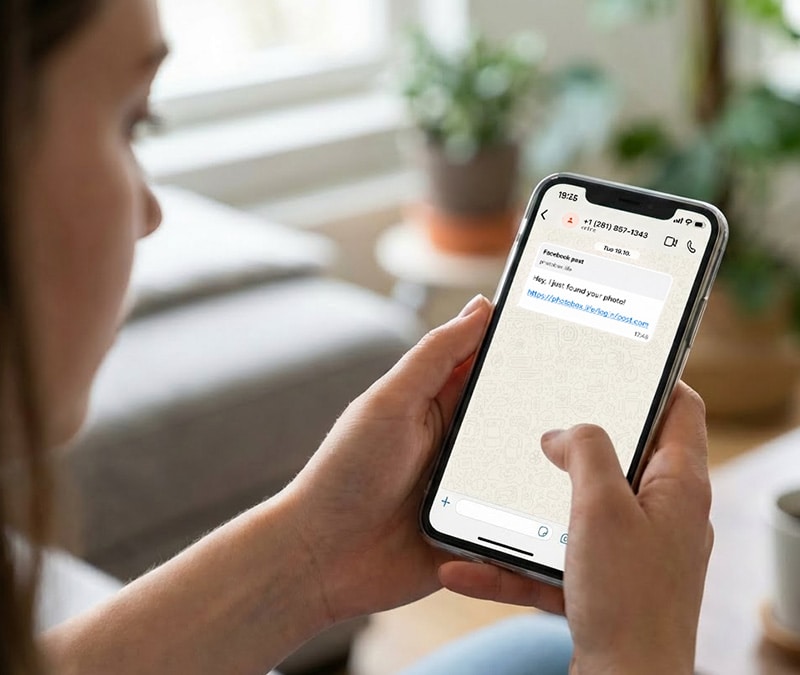

Cybersecurity researchers at Gen, the company behind Norton, have identified a new cyberattack targeting WhatsApp users. Dubbed “GhostPairing,” this technique allows cybercriminals to access your WhatsApp account without even needing a password.
The attack often begins with an innocent-looking message claiming someone found your photo or shared a Facebook post. But the link in the message leads to a phishing page that tricks you into linking your WhatsApp account to an attacker's device.
How GhostPairing attacks work
Ghost pairing works by exploiting WhatsApp’s linked devices feature, which is designed to let you use WhatsApp on more than one device. Instead of guessing or phishing for your password, scammers trick you into completing a legitimate device-linking process using social engineering tactics.
Here’s how the attack unfolds:
Step 1: A message from someone you trust
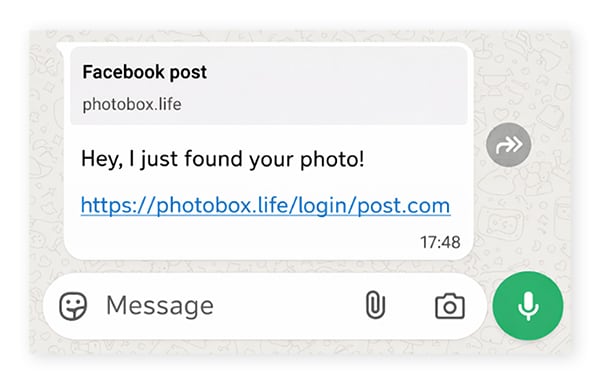
GhostPairing begins with a short, casual message designed to spark curiosity, like “Hey I just found your photo!”, followed by a link. The message often comes from a real contact whose account has already been compromised, which makes it feel trustworthy.
URL elements in the link preview, like /login/post.com or /login/facepost.com, add legitimacy (at least, more legitimacy than a long string of random characters) — bearing some similarities to typosquatting.
Step 2: A convincing fake login page
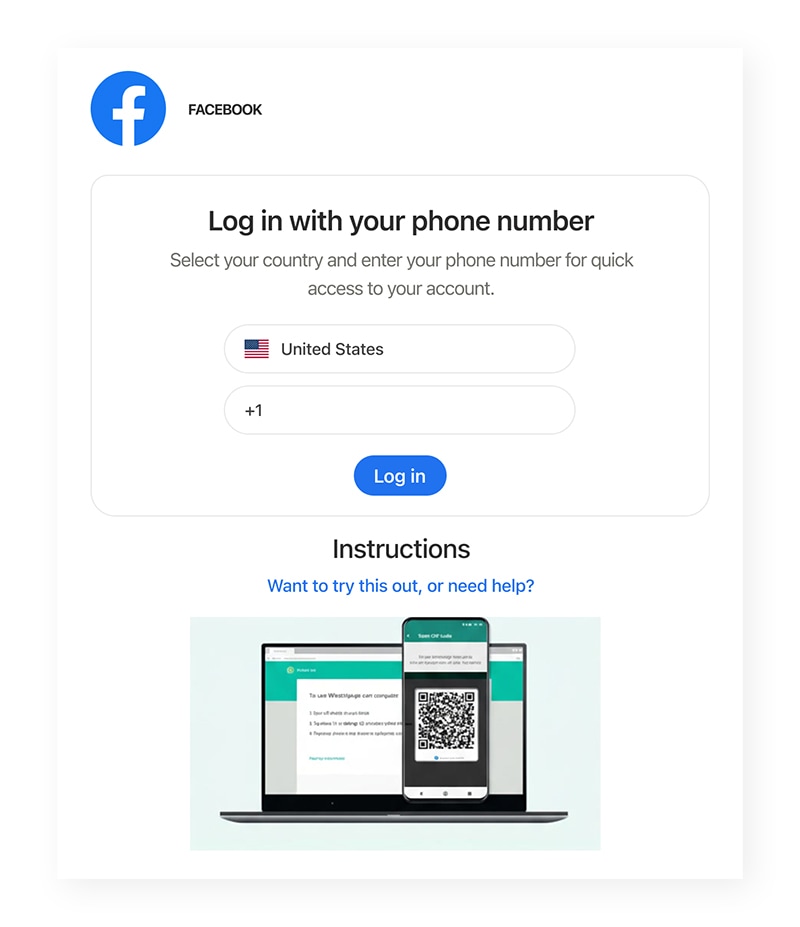
If you click the phishing link, you’re taken to a minimalistic login page that resembles Facebook or another Meta platform. There, you are prompted to verify your identity by logging in using your phone number.
The catch? This isn’t a Facebook login page at all: it’s a malicious site that secretly starts WhatsApp’s device-linking process using the phone number you just entered.
Step 3: A “verification” that links a device
To complete the fake “login” process in the spoofed Meta portal, you’re shown a numeric pairing code and instructed to enter it into WhatsApp to confirm the login and view the photo. In reality, this code is used to approve the addition of a new device to your WhatsApp account.
By entering your phone number, you’ve allowed the attacker to trigger WhatsApp’s legitimate device-linking process. WhatsApp then sends a verification code to the requesting device — in this case, the scam site. That code must be manually entered by you, the account owner, to authorize the new device. The scam site displays the code and manipulates you into entering it in WhatsApp yourself.
Step 4: The attacker gains access to your WhatsApp
When you open WhatsApp and enter the code, you unintentionally grant the attacker access to your account. WhatsApp approves the device that requested the link. The attacker’s device is now connected to your account as an additional linked device.
What attackers gain from GhostPairing
By linking their device to your WhatsApp, the attacker gains access to your personal information and chats, allowing them to impersonate you to spread GhostPairing links further. Once they’re in, the scammer can:
- Read incoming messages in real time.
- Access synced chat history and shared media (including photos, videos, and voice notes).
- Collect personal details shared in chats.
- Message your friends, family, and group chats while impersonating you.
- Spread the same lure to your contacts, which helps the scam propagate further.
What to do if you fall victim to GhostPairing
If you clicked a suspicious link and entered any pairing or verification code, act quickly:
- Remove unknown linked devices: Open WhatsApp > Go to Settings (or tap the three vertical dots ⋮) > then Linked devices > Review the list of active sessions and log out of anything you do not recognize.
- Warn your contacts: If a cybercriminal has accessed your WhatsApp, they may have spread the scam further. Message contacts and group chats that your account was compromised and tell them not to click on recent links.
- Watch for follow-up scams: If criminals have access to your messages, they may target you or your contacts with tailored impersonation attempts. Be on the lookout for phishing attacks, social engineering schemes, and other scams.
How to defend against attacks like GhostPairing
- Treat unexpected links with caution, even if they come from someone you know. Their account may be compromised.
- Never enter a WhatsApp pairing code because a website tells you to. Only use pairing or device linking when you request it yourself inside WhatsApp.
- Check linked devices regularly — whether on WhatsApp, Google, or social media — and remove anything you do not recognize.
- Enable two-step verification in your accounts for added protection. 2FA may not protect against GhostPairing, but it can help defend against more traditional account takeover attacks involving stolen passwords
- Invest in Cyber Safety software. Tools like Norton 360 Deluxe can help alert you to malicious sites, reducing the risk of phishing links.
Editors’ note: Our articles offer educational information and are written to raise awareness about important topics in Cyber Safety. Norton products and services may not protect against every type of threat, fraud, or crime we write about. For more details about how we research, write, and review our articles, see our Editorial Policy.







Want more?
Follow us for all the latest news, tips, and updates.