







Windows Defender vs. Norton comparison guide
Windows Defender, now called Microsoft Defender, provides basic protection for Windows devices, but it lacks advanced features that you can find with Norton, such as AI-powered scam detection. Learn more about how Windows Defender compares to Norton, the benefits of a dedicated online security app, and which solution is best for you.







If you’ve installed a new copy of Windows, you already have Microsoft Defender (previously known as Windows Defender) on your device. It’s free, convenient antivirus software that requires no setup. So, why should you pay for malware protection when you can get it for free? The short answer: more comprehensive coverage.
Paid consumer cybersecurity providers like Norton typically offer more comprehensive protection, including advanced tools such as AI-powered scam detection. Norton 360 Deluxe also adds privacy features like a VPN and dark web monitoring. And, crucially, premium software may deliver stronger malware detection than Windows Defender.
Read on to find out which antivirus is better for you in this Norton vs. Microsoft Defender comparison guide. Check out our review methodology below.
Norton vs. Microsoft Defender overview
Norton AntiVirus and Microsoft Defender are both legitimate antivirus programs, but they offer different levels of protection. Consider Microsoft Defender if you’re on a tight budget and only need basic protection. Norton products are better if you’re willing to pay for high detection rates and more comprehensive features.
Microsoft Defender offers basic, free antivirus protection on Windows devices. Free features include real-time malware detection, anti-phishing protection through SmartScreen, and a firewall. For $100 annually, paid features include some identity theft protection, dark web monitoring, coverage for five devices, full access to Word and Excel, and ransomware protection for OneDrive.
Norton offers enhanced security tools starting at $29.99 for one year. This includes a 100% virus protection promise, a smart firewall that blocks unwanted connections, 2 GB of cloud backup coverage for ransomware protection, and AI scam detection to spot phishing messages and deepfake AI videos and audio (on compatible computers). Norton also has a Trustpilot rating of 4.7 out of 5 with over 60,000 reviews, making it one of the highest-rated consumer cybersecurity products on the platform.
Malware detection and performance
- Norton: 99% detection rate (SE Labs) and 30-minute scan time with 34% performance drop (Tom’s Guide).
- Microsoft Defender: 93% detection rate (SE Labs), 56-minute scan time with 61% performance drop (Tom’s Guide).
Norton and Microsoft Defender offer real-time malware detection proven through third-party testing. The antivirus testing platform AV-Test has shown that both have maintained top detection and performance ratings since February 2018. Going back further, Norton has more consistent detection rates, with Defender occasionally failing to meet the minimum standard prior to 2015.
According to further testing by SE Labs, a scan with Microsoft Defender catches 93% of malware. During performance testing on Tom’s Guide, Defender’s full system scan took around 56 minutes, with a 61% drop in performance indicating high system usage. A Reddit user confirmed these performance issues were resolved only after switching to a different antivirus software.
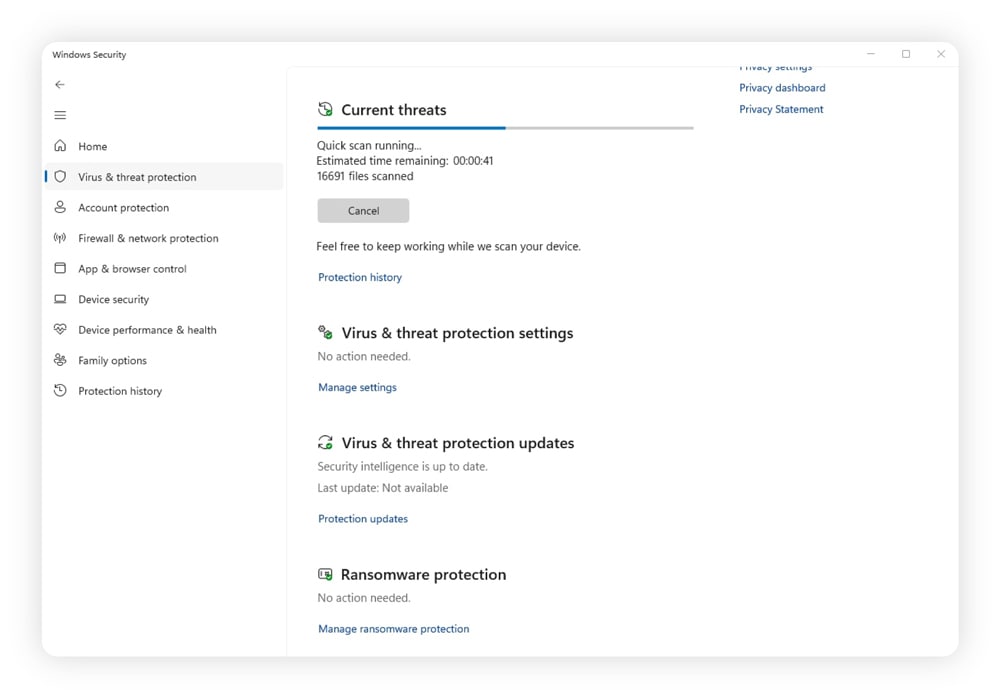
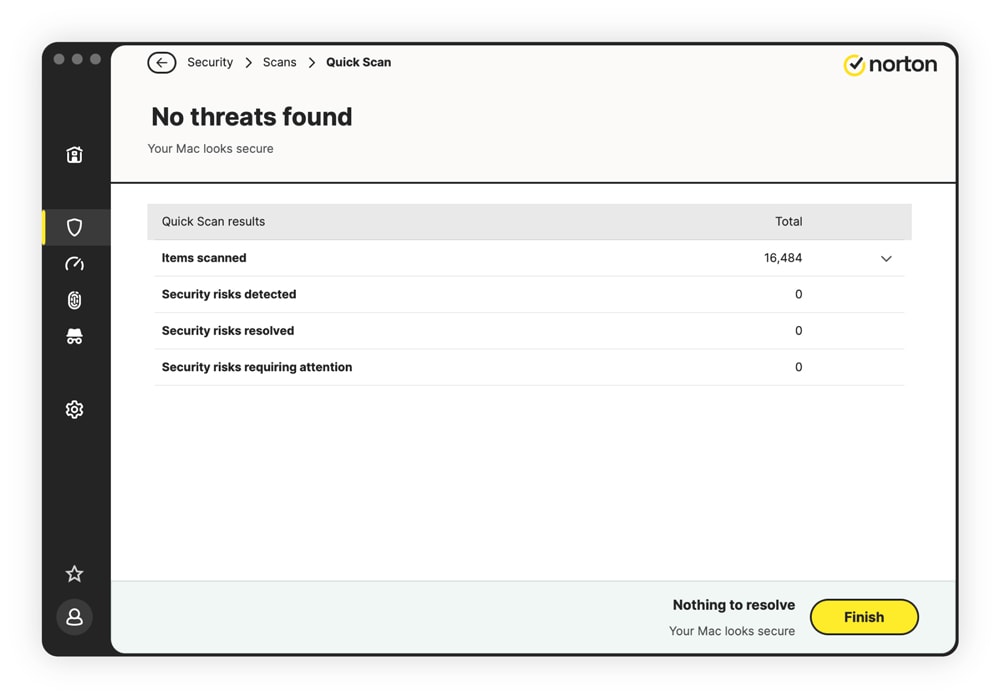
In contrast, SE Labs found that Norton has a 99% detection rate, and Tom’s Guide found it took a bit more than 30 minutes with a 34% drop in performance on an identical device. So Norton not only finishes in about half the time, but its detection rate is also six percentage points higher than Defender. Scan times dropped even further — to around 10 minutes — after the first scan.
User reviews and customer service
Norton mostly has highly positive Trustpilot reviews, with an average rating of 4.7 out of 5, while Microsoft does not have a dedicated review page for Microsoft Defender. Mobile app reviews on Android’s Google Play Store and Apple’s App Store are very close, with Norton receiving slightly higher review scores on Google Play.
According to sentiment on Reddit, Microsoft Defender is “good enough” for most situations. One Redditor appreciates the real-time protection, but questions if it can handle lesser-known malware. Other Redditors recommend more thorough protection when visiting less trustworthy sites.
When looking at customer reviews for Norton, sentiment is mostly positive. One Trustpilot reviewer has been using Norton since the late 90s to protect their whole family. Another reviewer appreciates the quick and knowledgeable staff, as Norton representatives are available 24/7 via phone and chat support alongside self-service articles on Norton’s website.
“...I’ve been with Norton for many years. I am fully protected on every device and computer in my home or possession. Norton has never let me down. They stand behind their name.”
Ransomware protection
Norton and Microsoft Defender can spot ransomware through built-in detection tools. Both platforms also offer cloud backup, so that any saved files aren’t completely lost when stolen in a ransomware attack.
While Microsoft Defender can spot ransomware, it may have difficulty stopping these attacks. Testing through PCMag revealed that it caught five out of six ransomware testing samples through manual scanning, with one bypassing Defender, disabling it, and encrypting nearly 10,000 files, even those within protected folders.
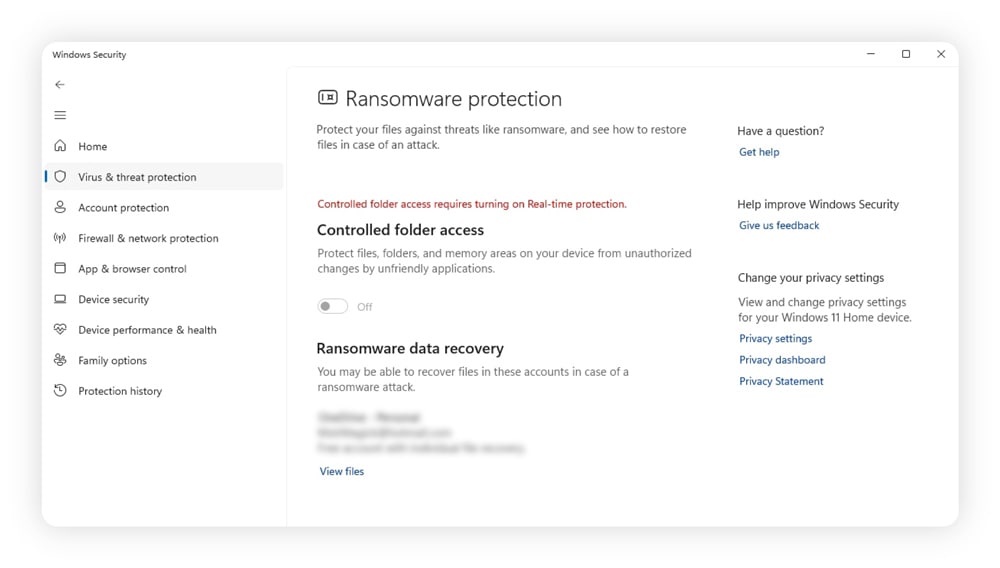
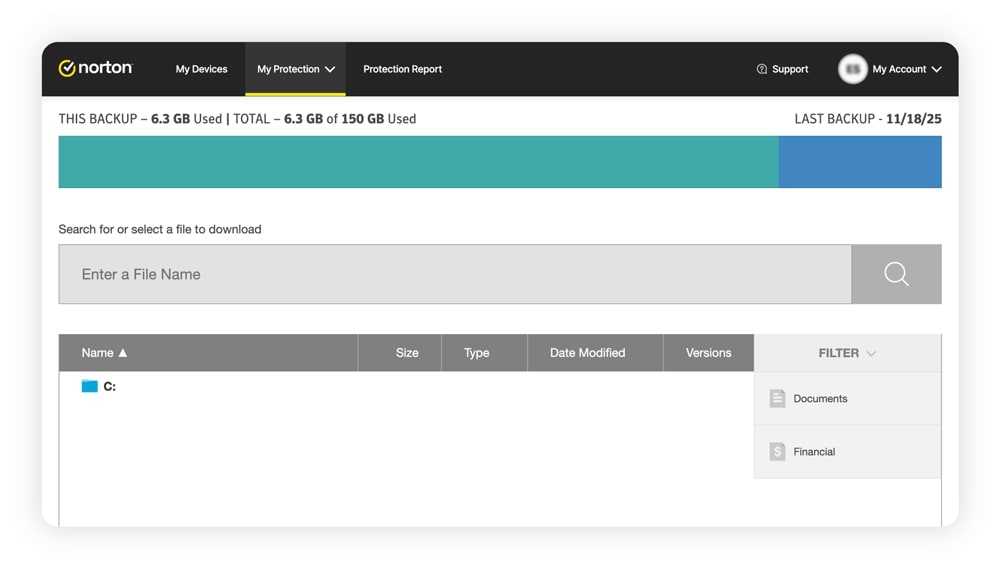
Norton underwent similar testing with PCMag, and it eliminated all ransomware samples when real-time protection was enabled. Without real-time protection, Norton missed one sample. Even so, the ransomware only encrypted files or folders in unprotected folders. As long as you add your folders and files, Norton’s ransomware protection backs up your files with up to 2 GB of storage.
Phishing and web protection
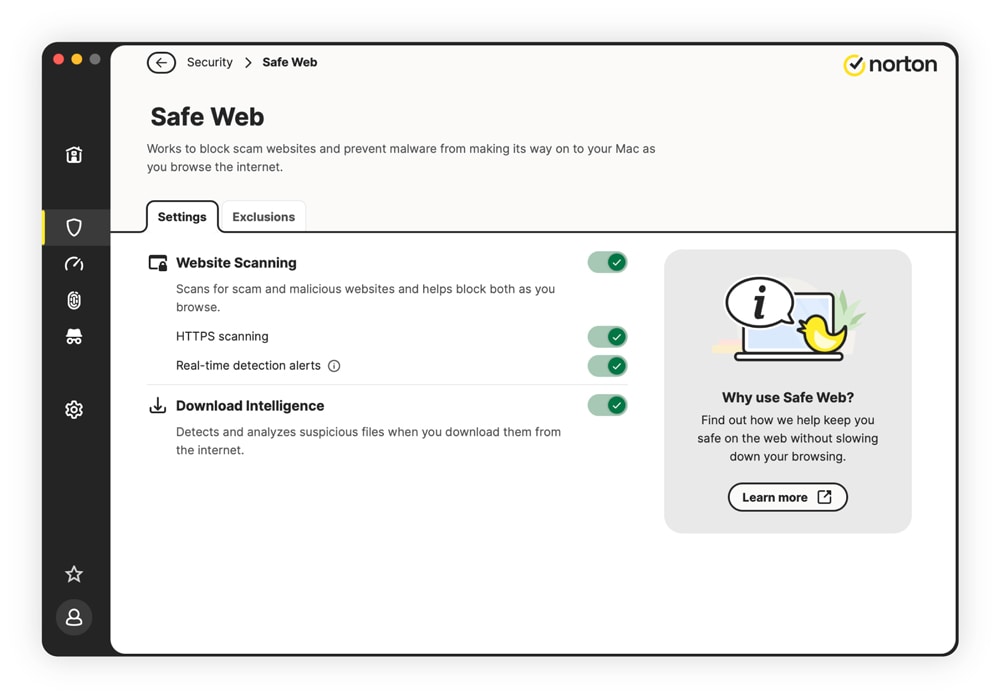
Norton’s SafeWeb feature helps alert you to malicious websites, malvertisements, and phishing links. Microsoft Defender’s SmartScreen tool fulfils a similar purpose.
According to PCMag, Microsoft Defender successfully detected about 75% of phishing sites on Edge and Firefox, with weaker results on Chrome. On the positive side, Enhanced Phishing Protection with Windows 11 alerts you when you use your password unsafely, such as reusing your work or school passwords, to protect against credential theft.
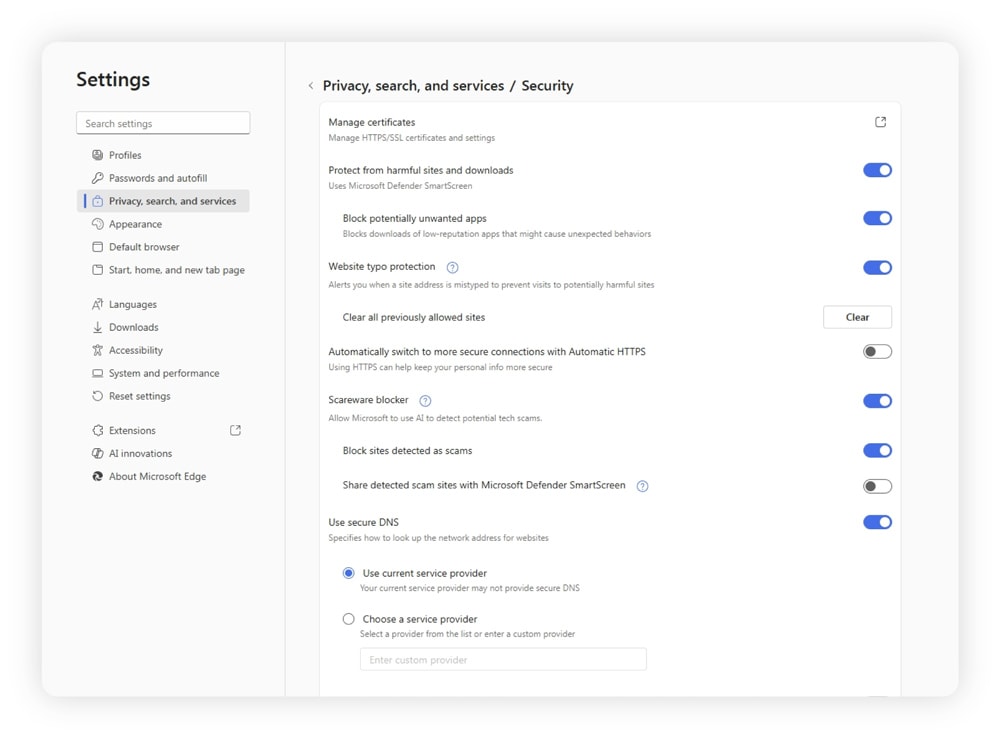
In contrast, PC Mag testing found Norton has a 99% malicious website detection rate across all browsers. Norton’s SafeWeb feature alerts users to potentially malicious advertisements, websites, links, and downloads. Users can also double-check potentially unsafe websites manually through a dedicated SafeWeb page.
Plans and pricing
Microsoft Defender starts for free, while Norton starts at $29.99 for the first year for its entry-level plan. Microsoft Defender’s paid upgrades cost anywhere from around $100 to $130 annually, while Norton’s highest-tier security plan costs $99.99 annually in the first year.
Microsoft Defender is part of Microsoft 365, which includes tools suited for office work. Here’s an annual cost and plan breakdown:
- Microsoft 365 Personal: $99.99 - Coverage for one person and up to five devices, identity theft protection through Experian of up to $1 million, ransomware protection with up to 1 TB of OneDrive storage, and access to Microsoft Teams, Word, Excel, PowerPoint, and other Microsoft products.
- Microsoft 365 Family: $129.99 - Everything with the previous plan, coverage for six people and up to five devices per person, and up to 6 TB of OneDrive storage.
While Microsoft 365 has a wider toolset, Norton is purpose-built for cybersecurity with optional identity theft coverage in higher tiers. Here’s an annual cost and plan breakdown for the first year:
- Norton AntiVirusPlus: $29.99 for the first year. Includes coverage for one device, real-time protection, 2 GB of cloud backup, a password manager, and AI scam protection against messages and deepfakes.
- Norton 360 Standard: $39.99 for the first year. Includes coverage for three devices, everything from the previous plan, a VPN, and dark web monitoring.
- Norton 360 Deluxe: $49.99 for the first year. Includes coverage for five devices, everything from the previous plan, 5 GB of cloud storage, and parental controls.
- Norton 360 with LifeLock Select: $99.99 for the first year. Includes coverage for 10 devices, an online privacy monitor, up to $1 million in identity theft protection, up to $25,000 in stolen funds reimbursement (for victims of identity theft), social security and credit alerts, and credit monitoring for one bureau.
Additional security tools
Norton and Microsoft Defender both offer additional security tools for free or as part of paid plans. Norton offers these tools in various tiers, allowing you to pay only for what you need. Microsoft Defender paid tiers are mostly based on the number of people on your plan.
Here are some additional tools you get with Norton:
- AI scam detection: Available with all Norton plans, AI scam detection helps alert you if an email, text, or website looks suspicious.
- VPN: Norton VPN enhances your privacy by encrypting your web traffic within a secure tunnel. It’s available with Norton 360 Standard and higher tiers.
- Password manager: Norton Password Manager generates strong passwords across all major devices and stores them for secure use. It’s also available for free as a standalone product.
- Parental controls: Norton helps protect children through monitoring software that checks and restricts apps, YouTube videos, websites, and screen time. It’s available with Norton 360 Deluxe and higher tiers, as well as through a Norton Family subscription.
- Dark web monitoring: Norton monitors data breaches and notifies you if it finds that your Social Security number, date of birth, bank account numbers, or other data points have been leaked. Dark web monitoring is available as part of Norton 360 Deluxe and higher tiers.
- Webcam protection: SafeCam alerts you to potential threats to your Windows PC webcam, allowing you to block unauthorized access.
- Identity theft protection: Alongside dark web monitoring, Norton provides up to $1 million in identity theft reimbursement coverage under plans that include LifeLock. Norton 360 with LifeLock tiers also offer stolen wallet protection, Social Security and credit alerts, and credit monitoring.
Windows has a similar lineup of extra tools with different features:
- Password manager: The Microsoft Edge password manager integrates directly with the Edge browser for easy password generation and storage. It’s available for free, but only works if your default browser is Edge.
- Parental controls: Microsoft Family Safety monitors and limits your child’s screen time, website access, and app usage on all major platforms, including Xbox consoles. It’s available as part of a paid Microsoft 365 subscription.
- Dark web monitoring: Subscribers to Microsoft 365 receive alerts when their information is found in a data breach. Tracked information includes email addresses, passwords, dates of birth, SSNs, and driver’s license numbers.
- Identity theft protection: Partnering with Experian, Microsoft provides identity monitoring tools, covering up to $1 million for identity theft costs and up to $100,000 in lost funds. It’s available as part of a paid Microsoft 365 subscription.
- Various other tools: These include Microsoft Word, AI Copilot, Teams, and many more non-security tools.
Protect your devices from sophisticated threats
Microsoft Defender has improved over the past decade and stands as a serviceable free option. However, it still lacks vital protection features that Norton offers.
Norton 360 Deluxe offers advanced protection with enhanced malware detection capabilities, improved ransomware protection, and effective web defense. Beyond excelling at basic defense, Norton stands apart through its AI-powered scam detection features, which can help prevent users from being fooled by scam messages or AI deepfakes.
Methodology
To create this comparison, we evaluated Norton and Microsoft Defender using publicly available, independently verifiable information. We reviewed each provider’s website and documentation for details on malware detection, phishing protection, pricing, and additional support.
We supplemented this with malware testing data from security labs like AVTest, analysis from independent publishers such as Tom’s Guide, and user reviews on platforms like Trustpilot, Reddit, and mobile app stores.
By relying on public resources and applying the same review standards to both tools, we aim to provide readers with an objective comparison they can trust. All information was checked and reviewed at the time of publication, and the analysis reflects the author’s independent evaluation and does not necessarily represent the views of Norton or its parent company.
FAQs
Is Microsoft Defender enough to protect your device?
With its 93% detection rate, Microsoft Defender will protect your device from many threats. However, more sophisticated threats may require more advanced antivirus software, such as Norton 360.
What’s the difference between Windows Security, Windows Defender, and Microsoft Defender?
Microsoft Defender is the current name for Windows Defender, although most still know it as Windows Defender. Windows Security is an app with a suite of tools that includes Microsoft Defender, firewall settings, and other controls.
Does Microsoft offer a VPN?
Microsoft Defender ended support for its dedicated VPN in February 2025. Norton offers a VPN as a standalone product or as part of Norton 360 tiers, starting with Norton 360 Standard.
Editors’ note: Our articles offer educational information and are written to raise awareness about important topics in Cyber Safety. Norton products and services may not protect against every type of threat, fraud, or crime we write about. For more details about how we research, write, and review our articles, see our Editorial Policy.








Want more?
Follow us for all the latest news, tips, and updates.