






What is email spoofing? A complete guide
Does something seem off about an email you received? Someone could be using email spoofing to mask their true identity and trick you into compromising your security. Discover what email spoofing is, how it works, and how to spot a spoofed email. Then get Cyber Safety software to help protect against malicious email attachments and links.







- Email spoofing definition
- How does email spoofing work?
- Why scammers spoof emails
- Common types of email spoofing attacks
- How to spot a spoofed email
- Risks of email spoofing
- How to help protect against email spoofing
- What to do if you fell for a spoofed email
- Detect suspicious emails with Norton
- FAQs
If you’re scrolling through your inbox and see an email from your favorite brand or another “trusted source”, pause before you open it. In 2025, over 70% of phishing attacks involved brand spoofing. Responding to one of these emails could lead to serious consequences, such as accidentally downloading malware onto your device or becoming the victim of financial fraud.
Read on to learn more about what email spoofing is, how it works, and how you can protect yourself.
Email spoofing definition
Email spoofing is a deceptive technique that makes an email appear to be from a trusted source, such as a friend or a legitimate organization. Scammers commonly use spoofed email addresses in phishing attacks to trick recipients into sharing sensitive personal information or clicking dangerous links that install malware.
Email spoofing vs. phishing
While email spoofing and phishing are related, they are not interchangeable. Email spoofing is the act of altering the sender’s address to make an email appear as if it came from a trusted source. Email phishing is a form of social engineering that often uses spoofed emails to trick recipients into sharing sensitive information, clicking malicious links, or downloading malware.
In short, although the two are often deployed together by attackers, email spoofing isn’t necessarily a phishing technique, and not all email phishing attempts involve address spoofing.
How does email spoofing work?
Email spoofing works by creating a fake email address that mimics a real person’s or a trusted institution’s address. The attacker then alters email header metadata, such as the sender’s address and subject line, crafts their message, and sends the spoofed email to their target.
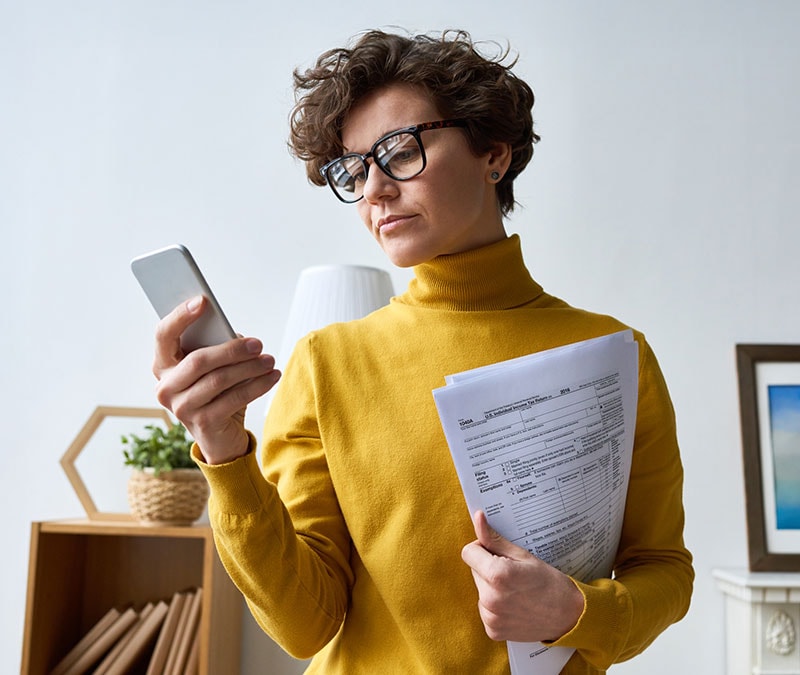
For example, a criminal might send an email impersonating the IRS, claiming you owe back taxes, when their real goal is to steal your money.
Here’s a breakdown of how email spoofing works:
- A scammer creates a fake email: A cybercriminal creates a bogus email address that closely resembles that of the person or organization they’re impersonating.
- They forge email headers: The attacker then modifies the email’s header information—such as the From, Reply-To, and Sender fields — to make it appear the email originated from a trusted source.
- They create email content: A bogus message is crafted to dupe the recipient into believing it’s legitimate and engaging with the scam.
- The spoofed emails are sent: If it’s convincing enough, the target may be tricked into clicking a malicious link or providing their personal details.

Why scammers spoof emails
Scammers use email spoofing to deceive recipients into believing a message is from a trusted source, which makes it easier for them to steal sensitive information, spread malware, or perpetrate a scam for financial gain.
Here’s a closer look at the most common reasons for email spoofing:
- Phishing: By impersonating trusted individuals or organizations, attackers can manipulate victims into revealing sensitive information, such as login credentials, sending money or gift cards, or downloading malware.
- Spreading disinformation: A bad actor could spoof an email to spread disinformation and fake news. This could damage the reputation of the impersonated organization or individual.
- Bypassing email filters: By imitating trusted email structures and domains, spoofed emails can sometimes evade email spam filters.
- Staying anonymous: Email spoofing lets scammers carry out attacks while concealing their true identity. When combined with sophisticated technologies like a VPN, spoofing can be difficult to trace.
- Spreading malware: Spoofed emails may contain malicious attachments or links that install malware on a victim’s device, allowing attackers to steal data or gain unauthorized access to systems.
- Financial fraud: Cybercriminals may spoof the email addresses of executives, coworkers, or vendors to trick victims into paying fake invoices or changing payment details.
A recent phishing campaign targeting LastPass users shows how scammers spoof emails to steal login credentials. Attackers sent messages that appeared to be legitimate support communications, including links to fake login pages that mimicked the real site. Victims were urged to act quickly to “secure” their accounts, but anyone who entered their details risked handing their credentials directly to cybercriminals.

Common types of email spoofing attacks
Email spoofing often involves impersonating trusted figures such as your boss, a government agency, or a well-known brand. These messages typically rely on urgency or authority to pressure you into acting quickly. Below are some of the most common types to watch for:
- CEO fraud: Attackers spoof a company executive’s email address and send urgent requests to employees, often asking for wire transfers or gift card purchases. Because the message appears to come from a senior authority figure, employees may act without verifying the request.
- Fake invoice scams: Scammers impersonate vendors, contractors, or service providers and send spoofed invoices requesting payment. These emails may include altered payment details, redirecting funds to the attacker instead of the legitimate business.
- Account verification scams: A spoofed email claims there’s an issue with your account and asks you to verify your identity or reset your password. It typically includes a link to a fake login page designed to capture your credentials.
- Government impersonation scams: Attackers may spoof email addresses from government agencies, such as the IRS or other official institutions. These messages often claim you owe money, need to verify tax information, or must respond to an urgent legal matter.
- Brand spoofing: Cybercriminals impersonate well-known companies to trick recipients into clicking malicious links or downloading infected attachments. Common examples include Amazon scams and scam tech support emails posing as legitimate brands like Geek Squad.
- Password reset scams: Attackers send spoofed password reset notifications from popular platforms to trick users into entering their login credentials on fraudulent websites.
- Internal IT impersonation: In workplace environments, scammers may spoof an IT administrator’s email address and request login credentials, MFA codes, or system access to compromise company accounts.
How to spot a spoofed email
The most effective ways to identify a spoofed email involve looking for irregularities in email addresses, identifying mismatches between a sender’s display name and their email address, detecting unnecessary urgency in the message, and spotting failures in security protocol checks.
Keep your eyes peeled for the following signs that a spoofed email landed in your inbox:
- Suspicious email addresses: Check for slight misspellings, extra characters, or unusual domains that don’t match the organization the sender claims to represent.
- Display name and email address mismatch: Be wary if the display name looks familiar but the actual email address doesn’t align with the claimed sender.
- Sense of urgency: Creating a false sense of urgency is a common scammer tactic. They often pressure recipients to act quickly by threatening account closures or legal consequences.
- Security protocol failure: Look for warnings from email clients about failed authentication checks, such as SPF, DKIM, or DMARC, which may indicate the email is spoofed.
Risks of email spoofing
By impersonating trusted sources, attackers can manipulate you into taking actions that compromise your own or your organization’s security. Here’s a closer look at the consequences of replying to a spoofed email.
- Identity theft: Spoofed emails can trick victims into providing personal information, such as Social Security numbers or login credentials, which attackers can use to steal identities and commit fraud.
- Financial fraud: Victims stand to lose money if they respond to a spoofed email with payment or banking details.
- Malware infections: Clicking links or opening attachments in a spoofed email can install malicious software on a device, giving attackers access to sensitive information.
- Data breaches: Compromised credentials or unauthorized access obtained via spoofed emails can lead to larger-scale data breaches, exposing sensitive company or customer information.
In 2025, scammers stole over $750,000 from a Knox County government agency by sending a spoofed email that appeared to come from a regular vendor. A minor alteration to the sender’s address tricked staff into updating the bank routing information, allowing the attackers to redirect the funds. So, before responding to any email, it’s worth checking the sender’s address to ensure you’re not getting scammed.
How to help protect against email spoofing
Knowing how to spot spoofed emails is the first step in protecting yourself from the dangers they pose. But there may be times when a fake email is so sophisticated that there aren’t any obvious red flags. Here are some additional tips to help you stay safe:
For users:
- Don’t rush: If you’re unsure whether an email is legitimate, take time to review it. Don’t let urgent or threatening language pressure you into acting quickly.
- Don’t click: Avoid clicking links or downloading attachments if you’re uncertain. Spoofed emails often contain links to malicious websites or malware.
- Don’t respond: Not all spoofing attacks rely on malware — some aim to extract information or money directly. Don’t respond to or call any contact details provided in the message.
- Verify through another channel: If the sender appears familiar but something feels off, confirm through a separate channel — call, text, or use official contact information from the company’s website.
- Use antivirus software: The best antivirus software can help protect against phishing, malware, and identity theft linked to spoofed emails.
For domain owners:
- Implement SPF, DKIM, and DMARC: These email authentication protocols help prevent attackers from spoofing your domain and alert you to suspicious activity.
- Monitor for unauthorized use: Regularly review email activity and watch for signs your domain is being spoofed or misused.
- Educate employees: Train staff to recognize spoofed emails and follow proper verification procedures before responding to financial or sensitive requests.
- Set up alerts: Configure your email system to notify administrators of failed authentication checks or other suspicious activity.
What to do if you fell for a spoofed email
Even the most careful users can sometimes fall for a spoofed email. Acting quickly can limit damage and help protect your accounts and personal information. Take the following steps if you engage with a scam email:
- Change passwords: Immediately update passwords for any accounts that may have been exposed, using strong, unique passwords for each account.
- Contact financial institutions: Notify your bank, credit card company, or other financial institutions if sensitive payment information may have been compromised.
- Scan devices for malware: Run a full antivirus or anti-malware scan on any device that interacted with the spoofed email to detect and remove potential threats.
- Report the incident: Inform your IT department if applicable, and report the email to relevant parties, such as your email provider, the impersonated company, or a government cybersecurity agency.
Detect suspicious emails with Norton
No matter how careful you are, spoofed emails and other malicious messages can still land in your inbox. Norton 360 Deluxe provides a rock-solid layer of defense against advanced spoofing attacks, with automatic unsafe link detection and a heuristic threat-detection engine to help stop malware attacks before they do damage.
FAQs
Is email spoofing illegal?
Yes, email spoofing is illegal when it’s used to commit fraud, steal personal information, or launch cyberattacks. Laws such as the U.S. Computer Fraud and Abuse Act (CFAA) and anti-fraud statutes make it a crime to impersonate someone online for malicious purposes.
However, spoofing itself is generally not inherently illegal. For example, using a fake email for testing or role-playing is typically allowed, as long as no fraud or harm is involved.
Can someone spoof my email address without accessing my account?
Yes, someone can spoof your email address without ever logging into your account. Attackers manipulate email headers to make a message appear as if it was sent from your address, even though it wasn’t. Your account remains secure, but scammers can still use your address to try to gain others’ trust.
Can spam filters stop spoofed emails?
Spam filters can catch many spoofed emails, especially when the sender fails authentication checks such as SPF, DKIM, or DMARC. However, some spoofed messages are sophisticated enough to bypass these filters and appear legitimate. Filters reduce risk, but they’re not foolproof, so it’s still important to watch for warning signs and verify suspicious emails before clicking links or sharing information.
Editors’ note: Our articles offer educational information and are written to raise awareness about important topics in Cyber Safety. Norton products and services may not protect against every type of threat, fraud, or crime we write about. For more details about how we research, write, and review our articles, see our Editorial Policy.





Want more?
Follow us for all the latest news, tips, and updates.