







What is an internet service provider (ISP)?
An internet service provider is your gateway to the online world, connecting your devices to the internet and enabling browsing, streaming, and messaging. They’re essential, but unless you encrypt your connection with a trustworthy VPN, your ISP may know more about your browsing habits than you might like.

2025
Consumer
Security Innovator





Your internet experience begins with your ISP. From watching videos to checking emails, your data travels through the network connection your ISP supplies. Learn more about how ISPs connect you to the internet and how your provider can influence factors like speed, reliability, and overall performance.
What is an ISP?
An internet service provider (ISP) is a company like AT&T, Spectrum, Verizon, or Xfinity that connects your home and devices to the internet. To do this, ISPs create and maintain network infrastructure like fiber-optic cables, coaxial lines, cellular towers, and satellites that carry data between your device and the wider internet. This connection allows you to browse websites, stream videos, send emails, and communicate online.
In addition to providing internet connectivity, many ISPs offer bundled services such as email, web hosting, and phone service.
ISP vs. Wi-Fi provider
An ISP delivers internet to your location, while a Wi-Fi provider (your router or gateway) distributes that connection within your home or office. ISPs control the source and speed of your internet connection, whereas Wi-Fi determines how devices share that connection locally.
Some ISPs also provide a Wi-Fi router or gateway when you sign up for service. In these cases, the modem and router may be combined into a single device that both receive the internet signal from the ISP and broadcast the Wi-Fi network locally.
How do I find my ISP?
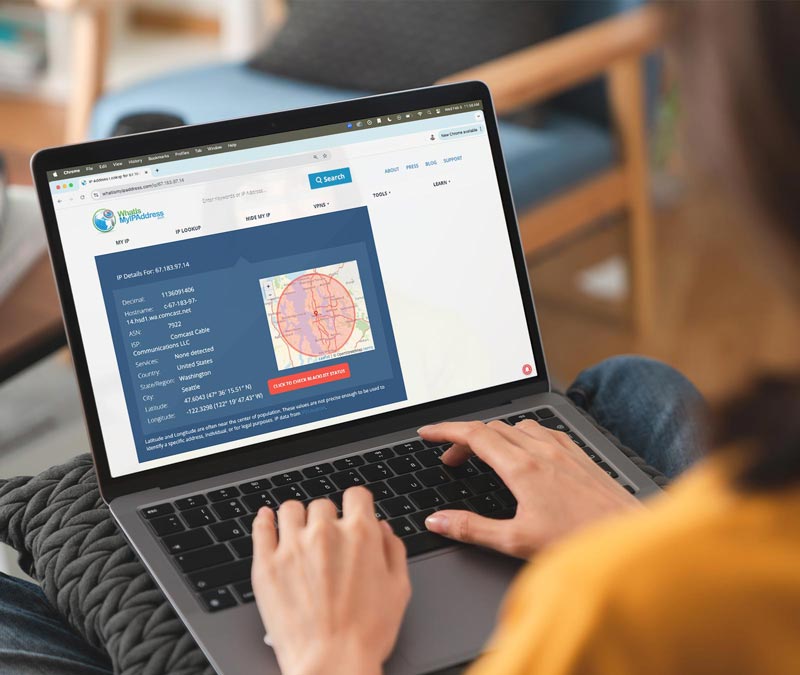
You can find your ISP by checking the labels on your router or modem, reviewing your monthly internet bill, or using an online ISP lookup tool. If you opt to use a lookup tool, you’ll just need to enter your IP address to see which provider is assigned to your connection.
On Windows computers, you can also open Command Prompt, type ipconfig /all, and check the network details for your ISP’s name.
Types of internet connections ISPs offer
ISPs offer several connection types, each with different speeds, reliability, and coverage. Here’s a quick overview of each to help you decide which is right for your home or business.
Internet connection |
Description |
Speed and reliability |
Typical cost |
|---|---|---|---|
Fiber |
High-speed data over fiber-optic cables |
High speed, low latency |
Moderate-high |
Cable |
Internet via coaxial TV lines |
Fast, may slow during peak hours |
Moderate |
Cellular |
4G or 5G mobile networks |
Variable, depends on coverage |
Moderate-high (data limits possible) |
DSL |
Digital Subscriber Line over phone lines |
Moderate, stable |
Low-moderate |
Satellite |
Signals transmitted from space |
Moderate, high latency |
High |
Dial-up |
Uses standard phone lines |
Slow, limited to basic browsing |
Low |
Fiber
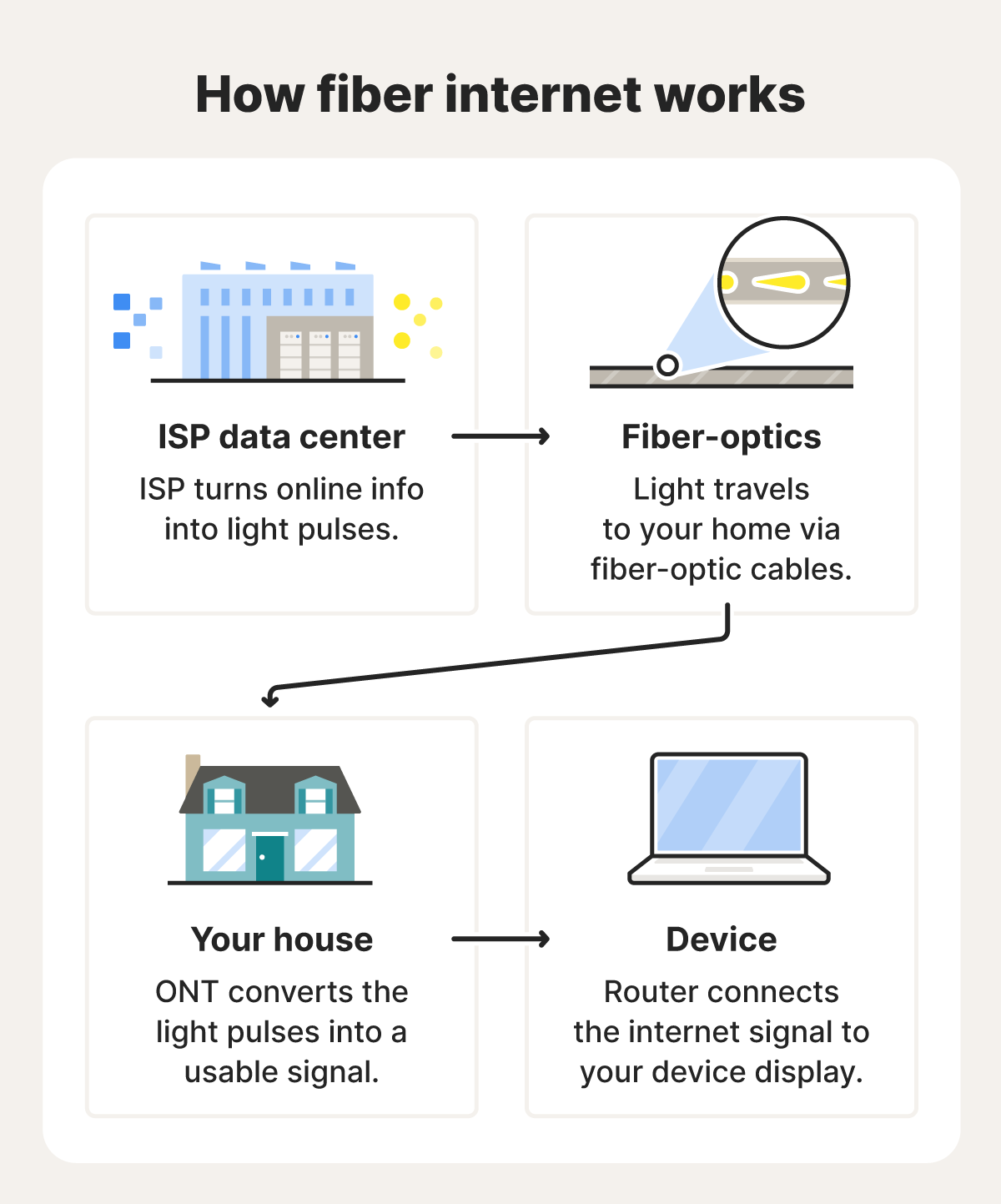
Fiber internet, also called fiber-optic broadband, uses cables filled with tiny glass fibers to send data as pulses of light. It’s faster than other copper-wired internet connections because it’s immune to electrical interference and experiences far less signal loss over long distances.
When to use it: Choose fiber if it’s available in your neighborhood and your household needs sufficient data speeds to support remote work, video calls, or streaming with the lowest possible latency (ping).
Cable
Cable internet runs through the same coaxial copper wiring used for cable TV. Because most homes already have cable, it’s widely available in most suburban and urban residential areas.
It’s also great value, offering plenty of bandwidth for high-speed streaming and browsing, despite being copper-based. This is because modern cable networks use DOCSIS technology to transmit large amounts of data over coaxial cables designed to carry high-frequency signals.
However, performance can be asymmetric, meaning upload speeds are generally significantly slower than downloads, and bandwidth may fluctuate more during peak evening hours when neighborhood usage is highest.
When to use it: Choose cable if fiber-optic service is unavailable or outside your budget, and you still need a reliable, high-bandwidth connection.
Cellular / fixed wireless (4G/5G)
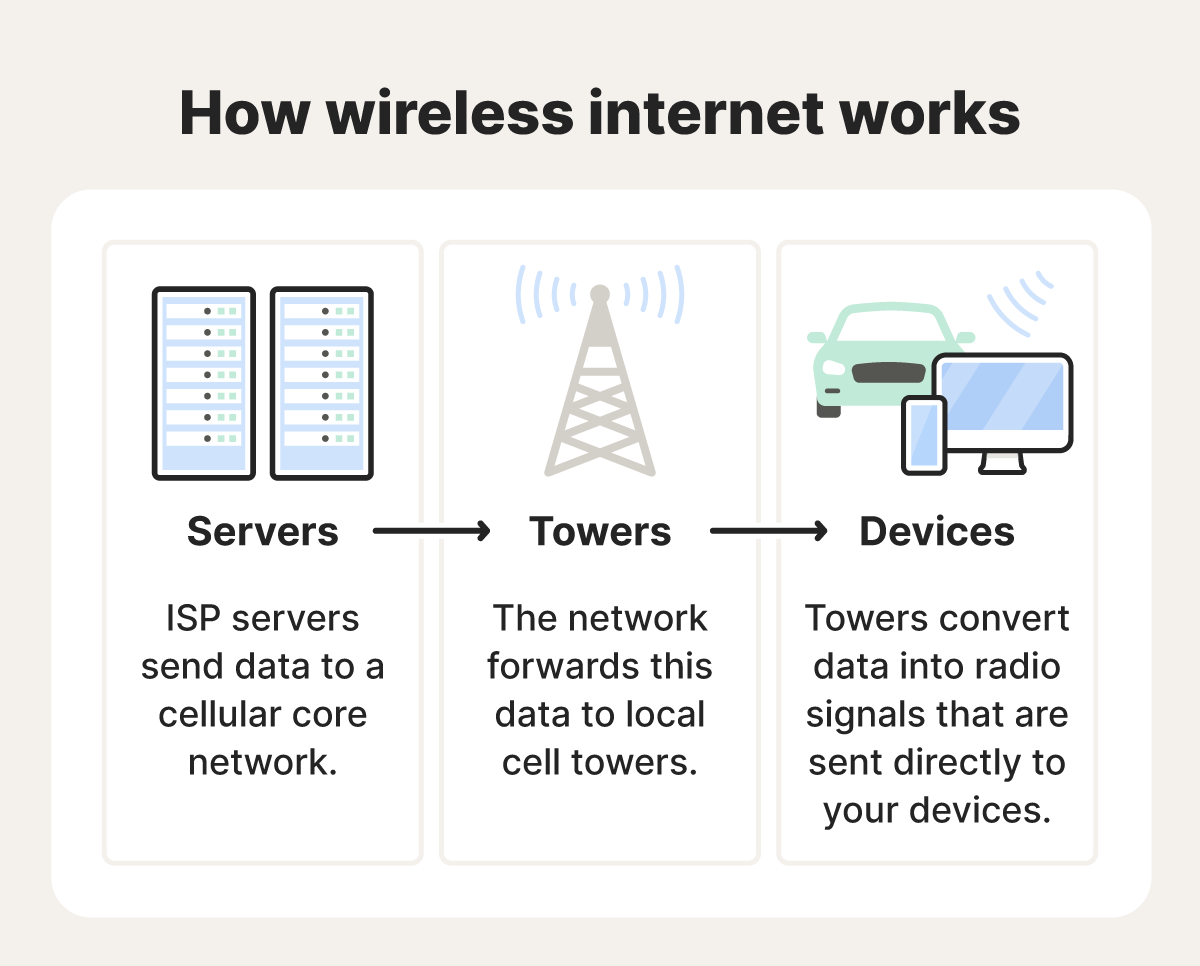
Fixed wireless internet uses signals from nearby towers (often 4G or 5G cellular networks) to deliver internet to your home through a plug-in router. Many providers are expanding 5G networks, which can offer higher speeds and lower latency, although 4G LTE versions are still widely used.
Because fixed wireless internet doesn’t require a physical cable to be installed at your home, it’s typically faster to set up than traditional wired connections. However, performance can vary. Speeds may drop if too many users share the same cell tower or if physical obstacles — such as trees, terrain, or buildings — interfere with the signal.
When to use it: Choose cellular if you’re a renter who prefers a simple setup or if you live in a “5G pocket” where cellular speeds outperform aging DSL or cable lines.
DSL
DSL (Digital Subscriber Line) delivers internet through traditional copper telephone lines. Since most homes are already wired for phone service, it is one of the most accessible options, and is primarily used in rural areas that don’t yet have cable or fiber.
However, it relies on older phone system infrastructure, so DSL tends to be slower than other types of broadband (high-speed, always-on internet). Service degradation may worsen the farther you live from your internet provider’s local network hub.
When to use it: Choose DSL if your household is smaller, you mainly use the internet for email and basic web tasks, and your home isn’t equipped for cable or fiber-optic connections.
Satellite
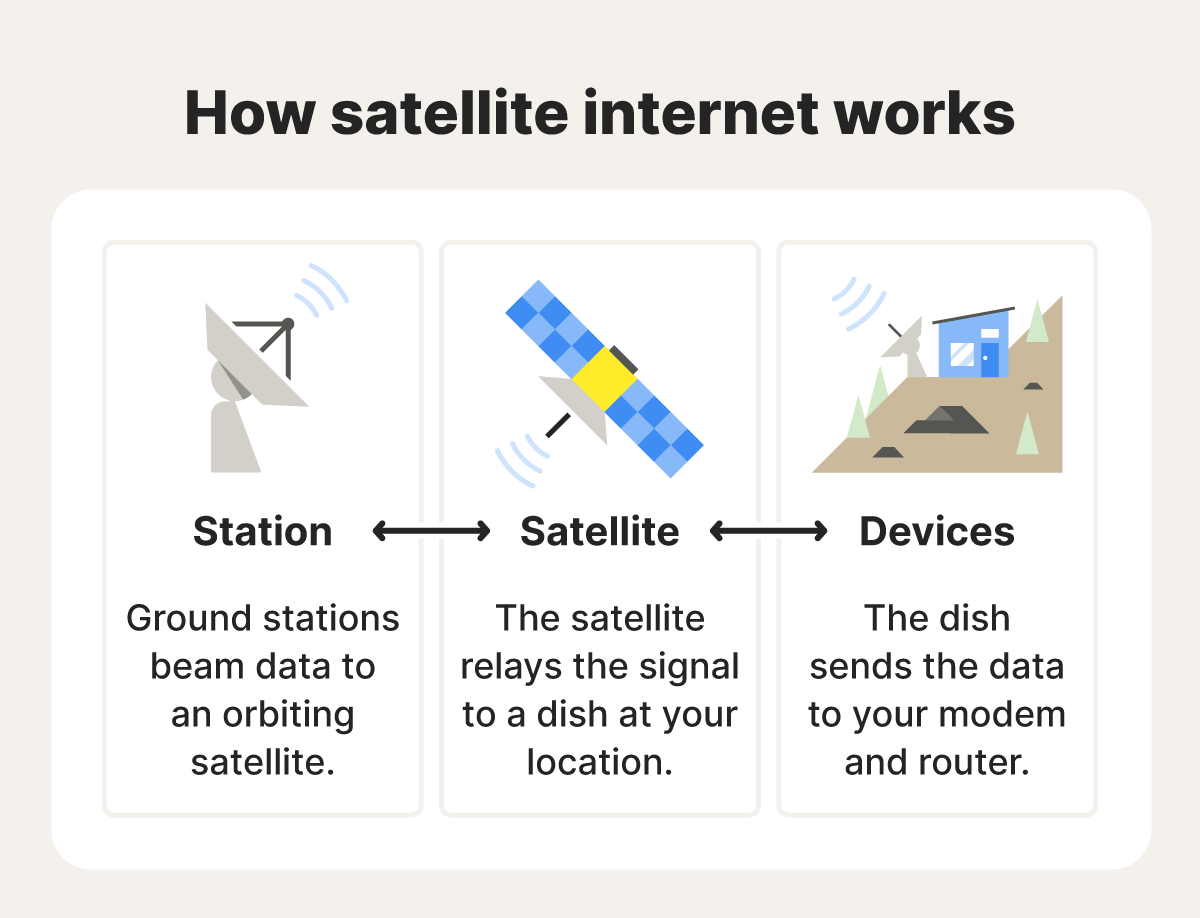
Satellite internet works by transmitting data between a dish at your home and satellites orbiting the Earth. It’s designed to provide internet access in places where traditional connections—like cable or fiber—are difficult to install, such as dense forests, mountains, remote islands, or disaster-prone areas.
Older satellite services relied on geostationary satellites positioned far above the Earth, which often resulted in high latency and slower response times. Newer systems use low Earth orbit (LEO) satellites — such as those used by Starlink — which operate much closer to the planet and can deliver faster speeds and lower latency.
However, satellite internet still has some drawbacks. It can be expensive due to equipment and installation costs, and connections may be affected by heavy rain, snow, or physical obstructions like tall trees or buildings.
When to use it: Choose satellite if you live in a rural or remote area where other high-speed internet options aren’t available.
Dial-up
Dial-up is an older internet technology that connects to your internet service provider by dialing a number over a standard copper telephone line. Because it operates over the same line as your home phone, you can’t use the phone and the internet at the same time.
It’s much slower than modern broadband connections, and offers very limited bandwidth, making activities like streaming, video calls, or large downloads impractical. Dial-up is no longer available in many regions, although some U.S. households in rural or underserved communities still utilize the technology.
When to use it: Use dial-up internet only as a last resort when there’s no other modern internet infrastructure, and you need low-cost access to the internet.
Additional services ISPs often bundle
Many ISPs bundle extra services with internet plans. Here are some options you can potentially add on:
- Email and web hosting: ISPs may give you a free email address and a small amount of online storage to create a personal website.
- Phone services: Many ISPs also offer phone services. You can add a traditional landline, a VoIP (Voice over Internet Protocol) line that runs over your internet connection, or even a mobile phone plan.
- Equipment rental and setup: Most providers rent out modems (which bring the internet in) and gateways (which combine a modem and router to connect multiple devices) for a monthly fee to ensure your hardware is compatible with their network.
Can my ISP see what I search?
Unless you’re using a VPN, your internet service provider (ISP) can see the websites you visit and when you connect to them. However, if you’re on a website using HTTPS encryption, your ISP usually can’t see the exact pages you view or the information you enter on the site.
When it comes to searches, the situation is similar. Your ISP can see that you visited a search engine like Google or Bing, but HTTPS encryption typically prevents them from seeing the specific search terms you entered.
Because ISPs route all of your internet traffic, they may still collect certain metadata, such as browsing activity, app usage, device identifiers, and sometimes approximate location information.
Do ISPs share your search history?
Yes, in some cases, ISPs do share your search history. According to a Federal Trade Commission (FTC) report, certain U.S. internet service providers collect large amounts of customer data and use or share it for advertising and analytics purposes.
And, under certain circumstances, ISPs may be obliged to transmit that browsing data to the government. For example, in the U.S., law enforcement can obtain browsing records with a subpoena or court order if there’s probable cause or an ongoing investigation.
Using a VPN that encrypts your traffic can help you conceal your browsing data from your ISP. Every VPN masks your real IP address by routing your connection through its servers. And some VPNs, like Norton VPN, also offer IP rotation (or dynamic IPs), which change your IP address periodically during a session, making it harder for websites, advertisers, or trackers to monitor your activity over time.
ISP internet performance
Your internet service provider plays a big role in how fast and reliable your connection feels. Ideally, ISPs should offer high speeds and good bandwidth, so you can stream videos, play games, or connect multiple devices without lag.
Their download speeds determine how quickly you can receive data and complete actions like loading websites or streaming movies. Upload speed affects how fast you can send data, which covers tasks such as uploading files or video conferencing.
Generally, anything above 25 Mbps download and 3 Mbps upload is considered sufficient for most households, but you may need higher speeds for heavy streaming, gaming, or working from home.
ISPs also control internet access. Some may throttle your connection during peak hours or after you hit a data cap, slowing speeds for certain activities.
Policies such as net neutrality determine whether ISPs must treat all internet traffic equally. Without net neutrality rules, providers may prioritize certain services or types of traffic — giving faster speeds to preferred partners or slowing competing services. This can affect performance for activities such as streaming, gaming, or video calls.
How to choose an ISP and internet plan
Choosing the right internet service provider often comes down to region, performance capabilities, and cost. Here’s what to consider as you make your decision:
- Regional availability: Start by identifying which ISPs operate in your area. Major providers such as Comcast Xfinity or AT&T cover large parts of the U.S., but rural or mountainous regions may rely on satellite or other alternative providers.
- Speed requirements: Match your plan to how you use the internet. Basic activities like email and browsing work fine with lower-tier speeds. But households with multiple people streaming, gaming, or working remotely should look for plans with higher download speeds, strong upload speeds, and consistent performance.
- Connection types: Fiber internet is typically the best option if it’s available, offering the fastest and most stable speeds. Cable is a solid alternative. DSL and cellular connections can still provide high-speed access but may be affected by distance or network congestion. In very remote areas, satellite or even dial-up may be the only available options.
- Cost and contracts: Compare the full price of service, including monthly fees, equipment rental, installation costs, and contract terms. Check for early-termination fees or promotional pricing that increases after the initial period.
- Data caps: Review whether the plan offers truly unlimited data, throttled speeds after a usage limit, or strict data caps. Heavy streaming, gaming, or remote work typically requires an unlimited plan to avoid slowdowns.
- Service reliability: Look beyond advertised speeds. Check uptime guarantees, customer reviews, and the quality of technical support. Reliable service and responsive support can matter as much as raw speed.
Hide your online activity from onlookers
Your ISP provides the connection that gets you online, but it can also see the websites you visit and how your connection is used. A VPN helps add a layer of privacy by encrypting your internet traffic and masking your IP address.
With Norton VPN, your connection is protected by strong encryption and supported by features like IP rotation, an independently audited no-logs policy, and built-in ad blocking that helps reduce tracking. It’s a simple way to browse with greater privacy and control over your online activity.
FAQs
What is the primary function of an internet service provider?
The primary function of an internet service provider is to connect users to the internet and route their traffic so they can access websites, apps, and online services.
Is a Wi-Fi router an IP?
No, a Wi-Fi router is not an IP address. A Wi-Fi router is a physical device that connects your home network to the internet and allows multiple devices — such as phones, laptops, and smart TVs — to connect wirelessly. An IP address (Internet Protocol address) is a numerical identifier assigned to routers and other devices on a network so they can send and receive data.
Are ISP and IP addresses the same?
No, an ISP is the company that provides your internet connection. An IP address is the numerical label assigned to a device or connection on the internet, typically by your ISP or local network, so it can be identified and exchange data online.
Editors’ note: Our articles offer educational information and are written to raise awareness about important topics in Cyber Safety. Norton products and services may not protect against every type of threat, fraud, or crime we write about. For more details about how we research, write, and review our articles, see our Editorial Policy.







Want more?
Follow us for all the latest news, tips, and updates.