






What is an obfuscated vpn and why do you need one?
An ordinary VPN can hide what you do online, but it can’t hide the fact that you’re using one. That’s where VPN obfuscation comes in. By making VPN traffic look more like a regular internet connection, obfuscated VPNs can help bypass VPN blockers and reduce unwanted scrutiny. Learn how obfuscation works and when it can make a difference.

2025
Consumer
Security Innovator





VPNs encrypt your internet traffic and mask your real IP address by routing your connection through a VPN server, making it practically impossible for third parties to link your internet activity back to you based on your public IP address. However, they can often still recognize that you’re connected to a VPN and may block it or attempt to monitor your connection more closely.
Some services, such as Netflix, restrict VPN use to enforce licensing and geographic content agreements. Schools and workplaces may block VPNs to enforce network or acceptable-use policies, while some governments restrict VPN access as part of broader internet censorship.
An obfuscated VPN disguises VPN traffic so that it looks more like regular internet traffic, making VPN use harder for network admins, internet service providers, and web services to detect, monitor, or block.
What is an obfuscated VPN and how does it work?
An obfuscated VPN makes a VPN connection look more like regular HTTPS-encrypted internet traffic by disguising the patterns and signatures commonly associated with VPN protocols. By hiding these tell-tale signs, VPN obfuscation can make it harder for firewalls and Deep Packet Inspection (DPI) systems to detect and block VPN traffic.
Like a standard VPN, an obfuscated VPN encrypts your internet traffic and routes it through a VPN tunnel before forwarding it to its destination. The difference is that standard VPN traffic can have recognizable characteristics that reveal a VPN is being used. Obfuscation disguises those characteristics so the traffic more closely resembles ordinary internet traffic.

VPN obfuscation can work in several ways, depending on the VPN provider and protocol. These include scrambling packet metadata to remove recognizable VPN signatures, wrapping VPN traffic inside another protocol, or using dedicated obfuscated VPN protocols designed to resemble ordinary web traffic.
Here’s a more detailed look into what obfuscated VPNs actually do:
1. Disguises VPN traffic
All obfuscated VPNs disguise VPN traffic to make it more difficult to identify as such. However, VPN providers use different obfuscation techniques to achieve this.
Here are the three main VPN obfuscation methods:
TCP/IP wrapping
One way an obfuscated VPN can mask VPN traffic is by wrapping the VPN connection in a standard TCP/IP protocol layer, such as Secure Socket Layer (SSL) or TLS (the technology used to secure HTTPS connections). This can make VPN traffic resemble ordinary encrypted web traffic, making it harder for network monitoring tools to identify and block.
VPN scrambling
Another approach is to scramble identifying characteristics of VPN traffic, sometimes called VPN scrambling. VPN protocols can produce recognizable patterns or signatures that DPI and other detection methods can use to identify VPN connections. Scrambling modifies or removes these identifying characteristics, making the traffic more difficult to distinguish from other internet traffic.
Stealthy VPN protocols
Obfuscated VPNs can also use specialist VPN protocols designed to mimic standard internet traffic, such as HTTPS. Instead of producing the recognizable patterns associated with some VPN protocols, the connection is designed to resemble ordinary web traffic and reduce the likelihood of detection. This is the approach used by our proprietary Mimic protocol, available with Norton VPN.
2. Bypasses firewalls and censorship
One of the main applications of an obfuscated connection is the ability to bypass some firewalls and censorship systems that restrict VPN traffic. These systems may detect and block VPN connections using signals such as known VPN server IP addresses, ports, protocol characteristics, or recognizable traffic patterns.
By disguising some of these identifying characteristics, VPN obfuscation makes it harder for firewalls and network monitoring tools to detect and block VPN traffic. This can be useful on school, workplace, hotel, or public Wi-Fi networks that restrict VPN connections. It may also help travelers access services they use at home or users in countries where governments or ISPs restrict VPN traffic as part of broader internet censorship.
However, obfuscation doesn’t guarantee access. More advanced blocking systems may also target known VPN IP addresses and other network-level controls that disguising the traffic itself won’t necessarily overcome.
3. Maintains privacy
While an obfuscated VPN doesn’t strengthen the encryption or data privacy protections of a standard VPN, it can provide additional privacy by helping to conceal the tell-tale signs that a VPN is being used.
Obfuscation can help prevent third parties from making assumptions about what you’re doing online based simply on your VPN use. It may also reduce the likelihood of VPN-specific traffic management, such as throttling or blocking, on networks that treat VPN connections differently from ordinary encrypted web traffic.
This can be particularly useful in places where VPNs are legal but closely monitored or restricted. By making VPN traffic resemble ordinary internet traffic, obfuscation can help draw less attention to VPN use while retaining the underlying privacy protections of the VPN.
Benefits of using an obfuscated VPN
The main benefit of using a VPN with an obfuscation layer is that it can help prevent your connection from being blocked, throttled, or scrutinized simply because you’re using a VPN. This can be useful on networks that restrict VPN traffic, in countries where VPN use is monitored or limited, and when accessing online services that attempt to detect VPN connections.
Here’s where VPN obfuscation can help:
- Internet censorship: In some countries, VPN traffic is restricted or blocked as part of broader internet censorship. Obfuscation makes VPN traffic harder to identify, which can help journalists and activists who rely on VPNs get through network-level filtering.
- Networks that block VPNs: Schools, workplaces, hotels, and other managed networks may restrict VPN connections. Obfuscation can make VPN traffic resemble ordinary internet traffic, potentially allowing the connection to work on networks that would otherwise block it.
- Services that detect VPN traffic: Some websites and streaming services attempt to identify and restrict VPN connections. Obfuscation can help unblock websites, although it won’t necessarily prevent a service from identifying the VPN server’s IP address or using other detection methods.
- Greater privacy around VPN use: Even though third parties can’t see the encrypted contents of your VPN traffic, obfuscation helps conceal VPN usage itself, making it harder for network observers to infer information about your activity simply because you’re using one.
- Reduced scrutiny: In places where VPN use is legal but closely monitored or treated with suspicion, disguising VPN traffic as ordinary encrypted internet traffic can help avoid drawing additional attention to your connection.
- VPN-specific throttling: If an ISP or network deliberately slows traffic because it detects a VPN connection, obfuscation may make that traffic harder to identify and selectively throttle. It won’t prevent other forms of throttling, such as congestion-based or data-cap-related slowdowns.
Obfuscated VPN vs regular VPN
A regular VPN hides your IP address and encrypts your internet traffic, but your ISP, network administrator, or other network observers may still be able to identify the connection as VPN traffic. An obfuscated VPN provides the same core VPN protections while disguising the characteristics that can reveal you’re using a VPN, making the connection harder to detect and block.
Here’s how regular and obfuscated VPN connections compare:
Function |
Regular VPN connection |
Obfuscated VPN connection |
|---|---|---|
Traffic appearance |
May contain recognizable VPN signatures or patterns |
Designed to resemble ordinary HTTPS, UDP, or TCP traffic |
Geo-restriction bypass |
May help access geo-restricted content |
More likely to help bypass geo-restrictions with VPN-traffic detection |
Privacy & security |
VPN use is visible, but IP address and activity are private |
VPN use is harder to detect, and IP address and activity remain private |
Speed |
Can reduce connection speed |
May cause additional slowdown because of the extra processing involved |
Availability |
Standard feature of VPN services |
Specialized feature that isn't offered by every VPN provider |
Best use cases |
Everyday privacy, public Wi-Fi protection, and changing your virtual location |
Situations where you want to conceal VPN use, such as on restrictive networks |
It’s also important to note that an obfuscated VPN isn't the same as using two VPNs. A double VPN routes your traffic through two VPN servers instead of one, which enhances your privacy by adding an extra layer of IP masking and encryption. Obfuscation has a different purpose: it disguises the VPN connection itself so it’s harder to recognize as VPN traffic.
How to choose an obfuscated VPN
If you need a VPN with obfuscation capabilities, choose a service combining effective obfuscation technology, strong encryption, reliable performance, and fast connection speeds. You should also choose a reputable provider with a clear privacy policy and a proven track record of protecting user data.
Some criteria for a quality obfuscated VPN include:
- Effective obfuscation technology: Look for a VPN that uses dedicated obfuscation features or protocols designed to disguise VPN traffic as ordinary internet traffic. The technology should be actively maintained so it can adapt as VPN detection methods evolve.
- Server availability: Your provider should offer multiple server locations that support obfuscation, giving you more options when a particular server is blocked or congested. Being able to connect to nearby servers can also help keep latency low.
- Device compatibility: Your obfuscated VPN should be usable across different device types, like mobile phones, computers, tablets, TVs, and multiple operating systems.
- Speed and performance: Obfuscation can add some overhead, so look for a VPN that maintains good speeds, connection stability, and overall performance, even when obfuscation is enabled.
- Security features: Privacy is paramount in restrictive environments, so look for industry-standard encryption, DNS leak protection, and features such as a kill switch. A clear no-log policy and recent independent audits can provide additional assurance about the provider’s privacy practices.
- Ease of use: Obfuscation should be simple to enable, with straightforward controls for switching servers and protocols. Clear connection-status information is also useful when troubleshooting.
- Customer support: Reliable and accessible support can be especially valuable if obfuscated connections stop working on a particular network or service.
- Reputation and reviews: Choose a well-established provider with a strong privacy and security reputation. Independent reviews can help you assess how well its obfuscation features perform in real-world use.
How to mask your VPN connection with Norton
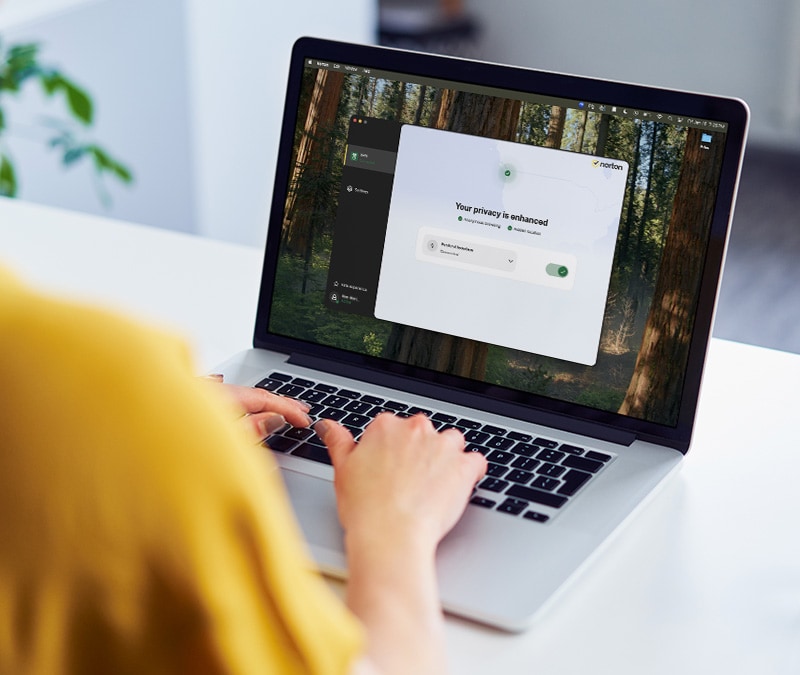
Mimic is a proprietary obfuscation protocol that disguises the data you send and receive via Norton VPN as ordinary HTTPS traffic, helping you bypass VPN detection and stay protected on networks that restrict VPN use. Mimic is also compatible with our cutting-edge post-quantum cryptography, designed to help protect your connection against future decryption threats from quantum computers.
To connect to Mimic on mobile:
- Open the Norton VPN app and tap the gear icon in the top right-hand corner to open VPN Preferences.
- Tap Advanced settings and select Mimic from the list of protocols.
- Then return to the main screen, choose a server location, and tap Connect.

Protect your security with Norton VPN
Norton VPN helps you browse and stream more privately and flexibly, with tools designed to make your connection harder to trace. Use standard VPN protection for everyday privacy, or switch to our advanced Mimic protocol when you need the extra protection of an obfuscated connection. Get a stealthier VPN with Norton today.
FAQs
Is an obfuscated VPN better than a double VPN?
It depends on what you need. An obfuscated VPN is generally better if you want to make VPN traffic harder to detect or connect on networks that restrict VPN use. A double VPN that routes your traffic through two VPN servers may be more useful if you want to make it even harder for your online activity to be linked to your real IP address.
How do you know if a server is obfuscated?
VPN providers usually label obfuscated servers or offer a specific obfuscation feature, mode, or protocol in their apps. You could also test whether a server works on a network that normally blocks VPN connections, but this is not a reliable way to confirm genuine obfuscation. The connection may simply be using a VPN IP address that has not yet been blocked.
Can obfuscated servers impact your internet speed?
Yes. Obfuscation can affect your internet speed because it adds extra processing to your VPN connection, which may increase latency or reduce throughput. In some situations, however, an obfuscated connection could perform better — for example, if a network is specifically slowing or restricting identifiable VPN traffic. Results depend on your VPN provider, protocol, server, network, and location.
How do ISPs know when you’re using a VPN?
An ISP may be able to tell that you’re using a VPN even if it can’t see the contents of your encrypted VPN traffic. It can identify VPN use through factors such as connections to known VPN server IP addresses, traffic patterns, port usage, and protocol characteristics that can distinguish some VPN connections from ordinary internet traffic. VPN obfuscation is designed to make these identifying characteristics harder to detect.
Editors’ note: Our articles offer educational information and are written to raise awareness about important topics in Cyber Safety. Norton products and services may not protect against every type of threat, fraud, or crime we write about. For more details about how we research, write, and review our articles, see our Editorial Policy.







Want more?
Follow us for all the latest news, tips, and updates.