






What is a dictionary attack?
A dictionary attack is an online account hacking technique that involves systematically trying common passwords until one finally works. These attacks rely on curated lists of passwords, often built from breached data. Learn how to protect yourself with smarter password practices and Cyber Safety software.







Dictionary attacks are a serious threat for anyone who reuses passwords across accounts, or uses common passwords in general. Hackers build lists of passwords that get exposed in data breaches and try them, one at a time, in combination with email addresses or usernames, hoping to stumble upon a combination that works.
Every new data breach that involves passwords makes dictionary attacks more effective, as attackers incorporate the newly-exposed information into their existing password lists. There are some effective ways to keep your accounts safer, but first, you have to understand the threat.
How does a dictionary attack work?
To launch dictionary attacks, hackers first have to build their “dictionary” of passwords. They compile databases of passwords, using public resources like Wikipedia’s list of the most common passwords combined with leaked passwords found on the dark web.
Attackers can then try those passwords in combination with known email addresses to try and hack into email, social media, or banking accounts. Their hope is to find a working combination that gives them access to an account housing sensitive data or money.
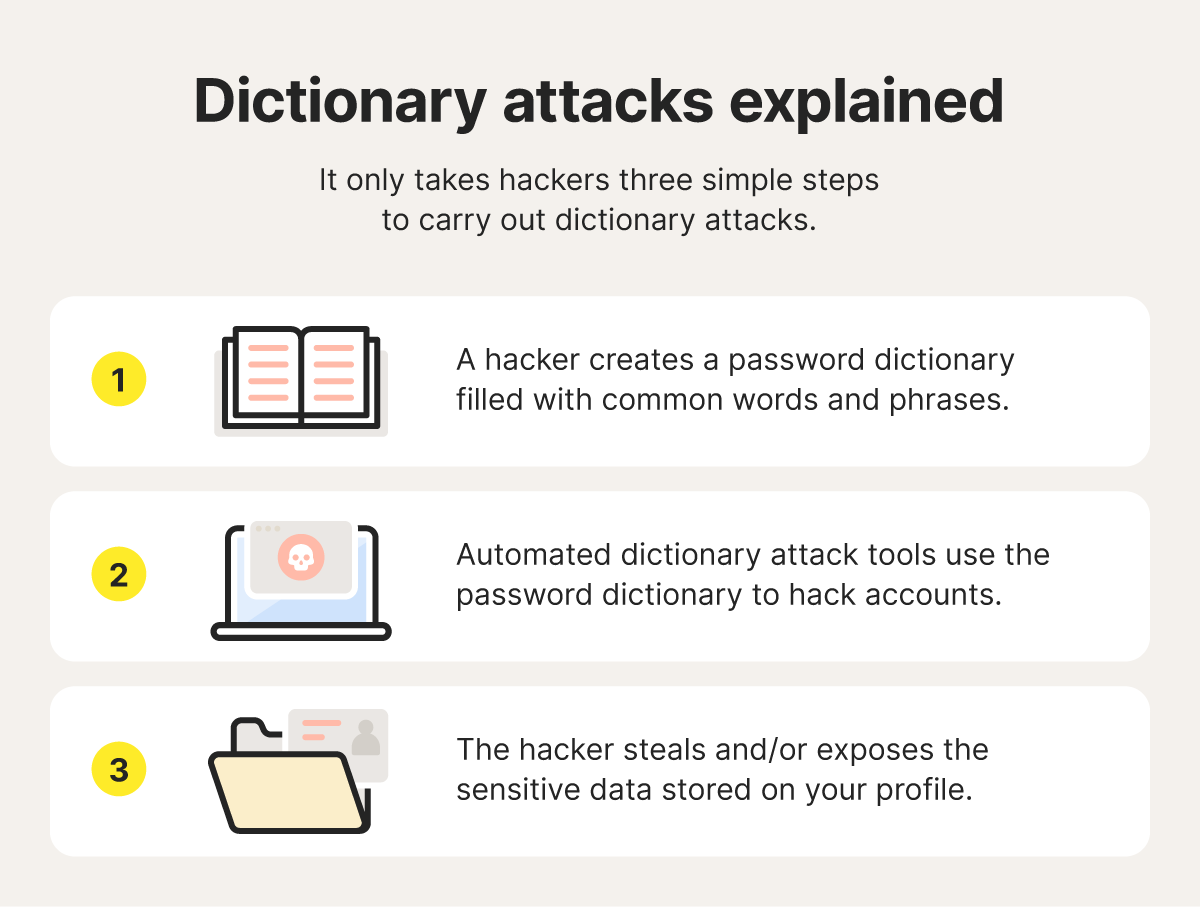
Here’s a step-by-step breakdown of the process:
- A hacker builds a password dictionary, combining common and leaked passwords into a single database.
- Automated software combines each password on the list with a known email address or username and tries the combinations in rapid succession, attempting to find a working combination.
- If an attempt is successful, the hacker gets access to an account where they can steal sensitive data to use in fraud or identity theft, or steal money directly.
Types of dictionary attacks
There are three main types of dictionary attack, simple, hybrid, and targeted. Here’s a quick overview of how each type works:
- Simple dictionary attack: A basic dictionary attack uses a curated list of commonly used and leaked passwords.
- Hybrid/rule-based attack: More advanced attackers might start with a basic list, then modify it by creating variants of each password, adding digits to the end of words or capitalizing letters.
- Targeted/localized attack: Using information pulled from social media and public websites, these attacks use curated lists of passwords that include personal info like birthdates, pets’ names, city names, or workplaces.
Dictionary attacks are also similar to password spraying attacks, where a cybercriminal takes a single common password and tries combining it with an email address across several accounts in the hopes of gaining access.
Why dictionary attacks are effective
Dictionary attacks are a particularly effective type of password attack because using curated lists of known passwords offers better odds of success than randomly guessing them.
This is partly because many people still use common passwords, like “12345” or “password.” In a study by Forbes Advisor in 2024, it was reported that people, on average, reuse a password for four accounts or more. This means if their password for one account gets leaked in a breach, it could leave their other accounts vulnerable.
Weak account protections, like not using a security key or two-factor authentication (2FA), also make it easier for hackers to access your information.
What’s the difference between dictionary attacks and brute force attacks?
Brute force attacks involve hackers testing every possible combination of letters, numbers, and other characters until they find the right password to break into an account. They use “brute force” in the sense that there’s no real technique, just systematic repeated attempts.
Dictionary attacks, on the other hand, are more targeted. They begin with a list of common or leaked passwords, like:
- Default passwords like “admin” or “user.”
- Commonly used passwords such as “12345” or “abc123.”
- Variations of common passwords like “p@ssword.”
- Common words or phrases like pet names, celebrity names, and sports teams.
- Keyboard patterns like “qwerty” or “asdfasdf.”
- Real passwords that were exposed in a data breach.
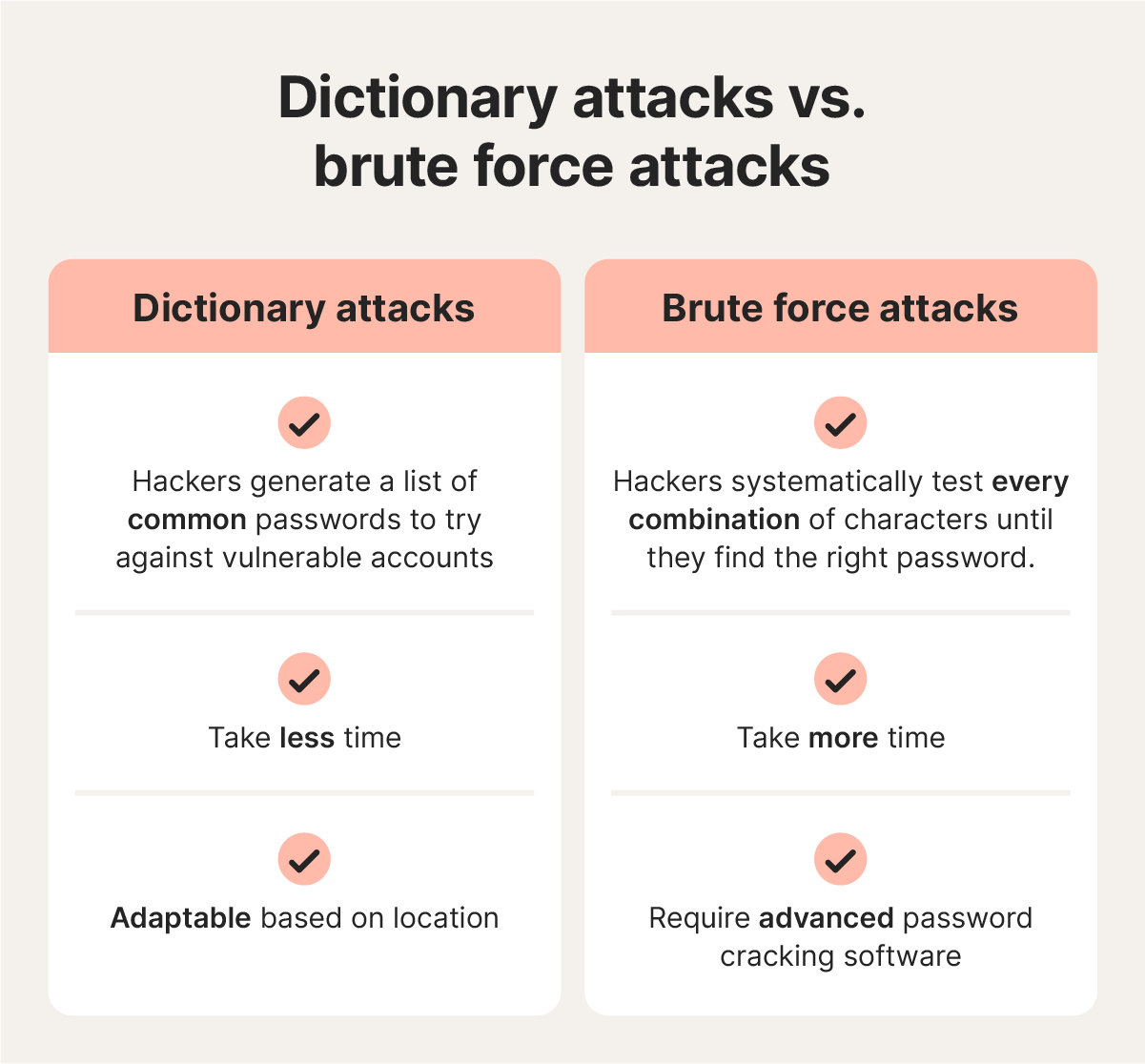
Even though dictionary attack lists can include thousands or even millions of potential passwords, they’re typically more efficient than brute force attacks, because dictionary attacks focus specifically on passwords people are already likely to use.
How to protect against dictionary attacks
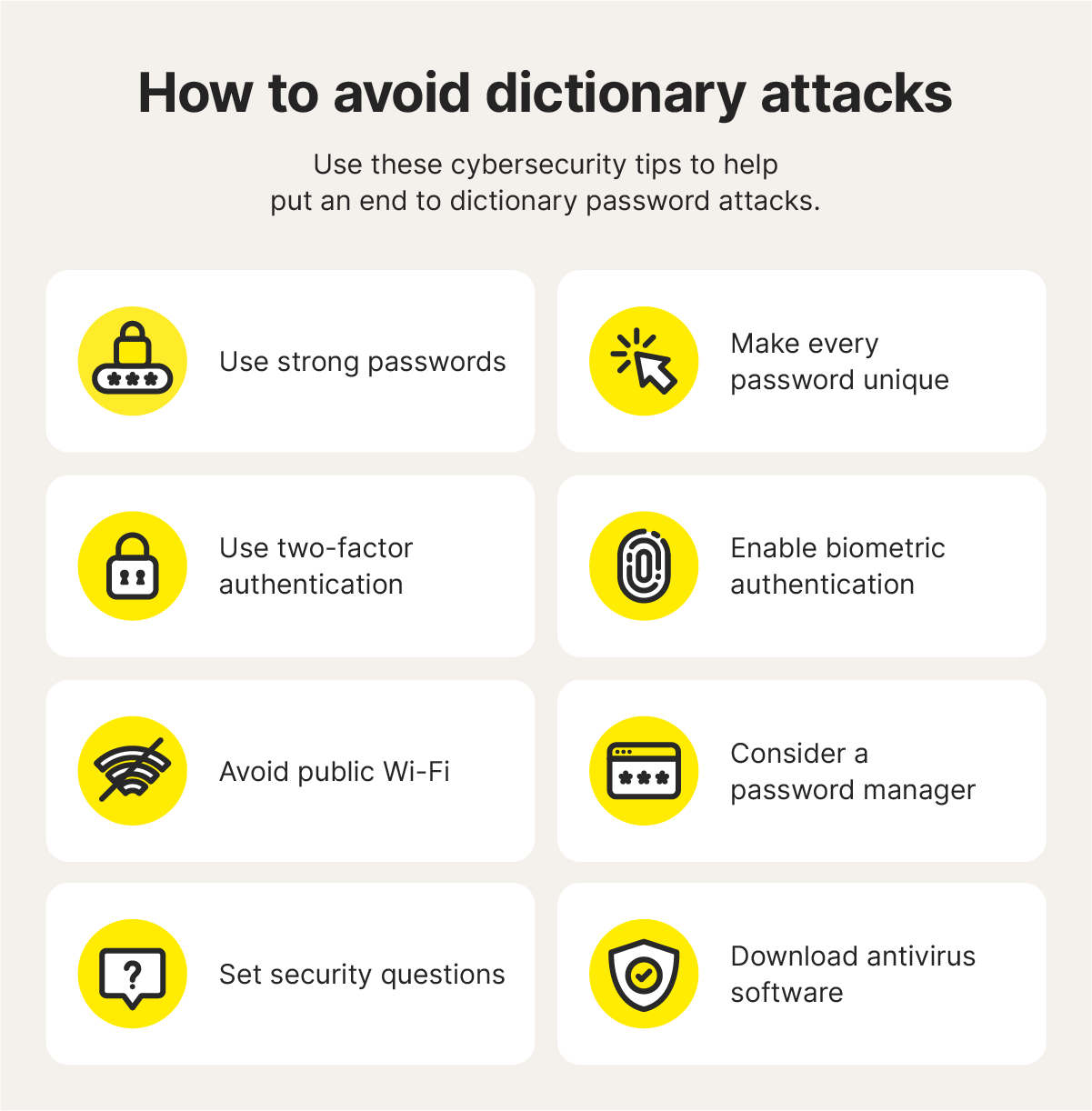
As with any other type of password attack, the best way to protect against dictionary attacks is to practice better password security habits. Then, take it a step further to protect your data online. Here are eight tips you can use to keep your accounts safer.
- Use strong passwords: Create strong passwords that follow expert guidance. The National Cybersecurity Alliance recommends at least 16 characters. A mix of different character types can also make you less vulnerable to dictionary attacks, as long as the passwords are truly randomized and don’t just substitute similar characters, like “l” for “1” or “@” for “a ” — this is where a password manager can help.
- Make every password unique: Never reuse the same password on more than one account. This significantly reduces the risk that one of your passwords will appear on a password dictionary list based on a previous data breach.
- Use two-factor authentication: Also known as multi-factor authentication (MFA), this security feature requires that you provide an extra verification method alongside your password (such as a one-time passcode, your fingerprint, or a code from an authentication app). MFA reduces the risk of account takeovers by 99% according to Microsoft, even if a hacker guesses your password.
- Enable biometric security features: Biometric security passkeys like facial recognition and fingerprint logins make it incredibly difficult for hackers to get unauthorized access to your accounts.
- Avoid public Wi-Fi: Using public Wi-Fi without security measures like a virtual private network (VPN) can leave your internet traffic exposed, potentially making it easier for cybercriminals to steal your passwords without you realizing.
- Consider a password manager: Good password habits, like using 16+ characters and unique passwords for every account, make it harder to remember them all. Password managers can help by providing a secure way to generate, store, and access them.
- Set security questions: Enabling security questions on your most sensitive accounts can add an extra layer of protection against hackers, but only if you’re positive that the answers can’t be found. Because the answers to these questions are often the targets of social engineering attacks, relying solely on security questions for account security is no longer best practice.
- Download antivirus software: Antivirus software can help you protect your devices against malware that could steal data, including passwords or banking information.
Protect your passwords and keep your data safer
Password security is the first line of defense against many cybercrimes. But you don’t have to handle it all alone. Norton 360 Deluxe includes a Password Manager that can help you generate strong and unique passwords for each account and store them securely across up to five devices. Plus, you’ll get a powerful antivirus, real-time scam protection, and more for a comprehensive Cyber Safety toolkit.
FAQs
Why are dictionary attacks successful?
Dictionary attacks succeed by exploiting lists of commonly used passwords, leaked data, and personal information. They’re more efficient than simple brute force attacks that use endless character, letter, and number combinations.
How long does a dictionary attack take?
Hackers could potentially crack simple passwords in a matter of seconds with dictionary attacks. Complex passwords, on the other hand, could take days to break or require more advanced cyberattacks.
What’s the hardest password to crack?
Unique passwords that are 16+ characters long and use a random combination of letters (uppercase and lowercase), numbers, and symbols in a non-repeating fashion are generally hardest to crack.
Editors’ note: Our articles offer educational information and are written to raise awareness about important topics in Cyber Safety. Norton products and services may not protect against every type of threat, fraud, or crime we write about. For more details about how we research, write, and review our articles, see our Editorial Policy.








Want more?
Follow us for all the latest news, tips, and updates.