






What is a zero-click attack? Examples, risks, and protection tips
Zero-click attacks are dangerous cyber threats because they can compromise devices without any user interaction. These stealthy exploits target hidden vulnerabilities and often operate silently in the background. Learn how zero-click attacks work, why they’re so difficult to detect, and how an advanced security app can help defend against them.







Despite the rise of social engineering as a primary attack vector, cybercriminals are still looking out for ways to exploit software and automated systems directly. For example, in 2025, researchers disclosed a flaw in Google Gemini for Workspace that allowed hidden instructions embedded in Gmail, Google Calendar, and Google Docs to be interpreted and executed by AI assistants as legitimate actions.
In fact, these so-called zero-click attacks are far more common than many people realize. So much so that government agencies have been forced to issue warnings about vulnerabilities in popular messaging platforms like iMessage and WhatsApp that enable exploits without any user interaction.
And, as AI agents gain broader system access and operate with increasing autonomy, security experts only expect these threats to become more acute in the coming years.
How does a zero-click attack work?
A zero-click attack works by exploiting software that automatically receives and processes data in the background, meaning victims don’t need to click a link, open a file, or take any action for the attack to activate. Once triggered, attackers may steal data, install malware, or gain remote access to the device without obvious signs of compromise.
Applications that automatically process images, videos, documents, voice calls, or message previews can be especially attractive targets. Platforms like iMessage, WhatsApp, and email apps have all faced zero-click vulnerabilities because incoming content may be processed before the user even sees it.
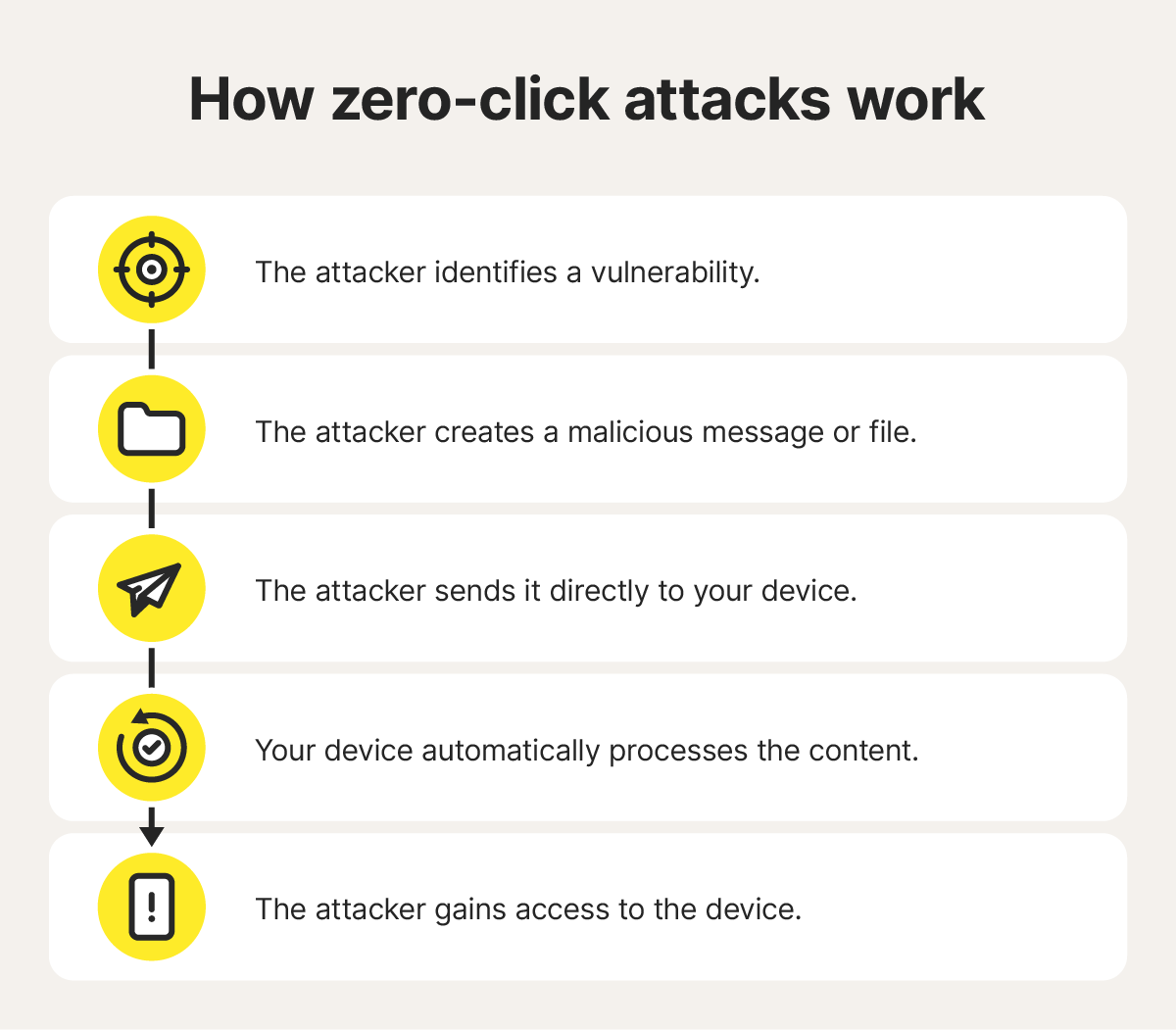
Here’s how a typical zero-click attack unfolds:
- The attacker identifies a vulnerability: The attacker finds a flaw in an app, operating system, or IoT device that processes data automatically, such as a bug in image rendering, media playback, or message parsing.
- The attacker creates malicious content: They embed exploit code inside content that appears harmless, such as an image, video, document, calendar invite, or text message attachment.
- The content is delivered to the target: The malicious payload is sent through a trusted communication channel, such as a messaging app, email service, or network connection.
- Your device automatically processes the content: When the device receives the message or file, the software containing the vulnerability processes it in the background. The exploit triggers during this stage without requiring user interaction.
- The attacker gains access: Successful exploits may install spyware, steal data, monitor activity, or create persistent access to the device, often without obvious signs of compromise.
While zero-click attacks are still relatively rare compared to other digital threats, they are considered especially dangerous because they can impact even the most cautious user and are often difficult to detect.
Zero-click attack examples
Over the past few years, zero-click attacks have surfaced across consumer apps, AI tools, and even mobile OS. These zero-click attack examples show how scammers can exploit everyday software without users clicking (or even noticing) anything unusual.
WhatsApp, 2019 and 2025
WhatsApp has experienced two notable zero-click security incidents in recent years. First, in 2019, attackers exploited a bug in WhatsApp’s calling feature that allowed malicious code to run simply by placing a call. The target didn’t need to answer, and in some cases, the call never even appeared on screen. Once the device processed the data, it was already compromised.
Then, in 2025, WhatsApp was again forced to rapidly patch another zero-click vulnerability. Meta said the flaw, when combined with a weakness in Apple’s operating system, could have been used to run zero-click spyware without any user interaction.
In both cases, the vulnerabilities were eventually fixed — highlighting why keeping apps and operating systems updated remains one of the most effective defenses against zero-click attacks.
ChatGPT, 2025
In September 2025, researchers demonstrated how AI assistants like ChatGPT could introduce new forms of zero-click-style risk through automation and third-party integrations. Unlike traditional zero-click attacks that exploit software vulnerabilities directly, this technique relied on hidden instructions, or “prompt injections.”
The attack, dubbed ZombieAgent, reportedly abused ChatGPT’s integrations with services like Gmail, Google Drive, and GitHub. Hackers concealed instructions inside emails or documents, which the AI later interpreted and acted on when users requested routine assistance. In some cases, the chatbot could access or retrieve information from connected services without the user realizing what had triggered the behavior.
Although the issue was patched, the incident highlighted a growing security challenge. While ChatGPT is generally safe, as AI assistants give way to AI agents and gain broader access to personal and workplace tools, they can unintentionally create new pathways for subtle, hard-to-detect attacks, highlighting the need for AI agent protection.
Android, 2026
Many Android devices now automatically process incoming audio messages so they can generate transcripts or previews before the user even opens them. That background decoding improves convenience, but it can also introduce new attack surfaces. In January 2026, researchers from Google Project Zero demonstrated how vulnerabilities in audio processing could potentially be abused in zero-click attacks.
Their proof-of-concept exploit chain targeted the Pixel 9 using flaws related to Dolby Digital (DD) and Dolby Digital Plus (DD+) audio formats. Although the attack required specific conditions and exploits were not observed in the wild, it highlighted how ordinary smartphone features, such as automatic media processing, can become pathways for sophisticated zero-click Android spyware attacks.
How to protect yourself from zero-click attacks
While zero-click attacks are difficult to detect and prevent completely, several security habits can reduce your risk and limit the damage if a device is compromised.
- Use strong passwords: Using strong, unique passwords makes it harder for attackers to reuse stolen credentials across multiple accounts.
- Enable multi-factor authentication (MFA): Adding multiple layers of verification can help block unauthorized access even if credentials are exposed.
- Keep software updated: Many zero-click attacks exploit known vulnerabilities that already have security patches available. Regularly update your operating system, apps, and devices.
- Segment networks: Separating smart devices, guest networks, and primary devices can help limit how far an attacker can move within a network after a compromise.
- Limit app permissions: Only grant apps access to the data and features they truly need. Limiting app permissions lowers the potential impact of exploited apps.
- Use anti-malware software: Modern cybersecurity tools can help detect suspicious behavior and unusual activity, even in attacks that require no user interaction.
- Enable advanced security features: For particularly high-risk individuals, features like Apple’s Lockdown Mode help reduce available attack surfaces by restricting certain functionalities.
Defend your devices against cyberattacks
Zero-click attacks are designed to operate silently, often without any obvious warning signs. That’s why staying protected means more than avoiding suspicious links — it requires security that can detect abnormal behavior in real time, even when no clicks or downloads are involved.
Norton 360 combines real-time threat detection, exploit protection, AI agent protection, and behavior monitoring to help identify stealthy attacks before they can cause damage. With added firewall protection and dark web monitoring, it strengthens your defenses and reduces the impact of even ultra-stealthy attacks.
FAQs
What’s the difference between “zero-click” and “zero-day”?
Zero-click attacks compromise a device without requiring any user interaction — no clicking links, opening attachments, or downloading files. A zero-day exploit, by contrast, refers to a software vulnerability that developers are unaware of or haven’t patched yet. Attackers exploit the flaw before a fix is available, leaving defenders with “zero days” to prepare.
Can a zero-click attack happen over a regular phone call?
Yes, zero-click attacks can hack regular phone calls, although it’s less common than messaging-based attacks. Phones automatically process certain call-related data, such as caller information and audio protocols, before the user answers. Attackers may exploit vulnerabilities during this process to compromise a device without requiring the victim to pick up the call.
Who is most at risk from zero-click attacks?
Zero-click attacks are typically expensive and technically sophisticated, so they are most often used against high-profile targets such as journalists, activists, politicians, dissidents, and business executives. While ordinary users are less likely to be targeted directly, the underlying vulnerabilities can still affect mainstream devices and apps.
Can antivirus software detect zero-click exploits?
Security software may not detect the exploit itself before compromise, but it can help identify suspicious behavior, malware activity, or unauthorized changes that occur afterward. Modern cybersecurity tools increasingly rely on behavioral analysis and AI-assisted detection to help limit the impact of sophisticated attacks.
Editors’ note: Our articles offer educational information and are written to raise awareness about important topics in Cyber Safety. Norton products and services may not protect against every type of threat, fraud, or crime we write about. For more details about how we research, write, and review our articles, see our Editorial Policy.









Want more?
Follow us for all the latest news, tips, and updates.