






What is remote security, and why does it matter for small businesses?
Remote work offers flexibility, but it can also expand the risks facing small businesses. A single stolen laptop or successful phishing attack can expose sensitive data, disrupt operations, and create costly security challenges. Cybersafety solutions tailored to small businesses can help protect devices, data, and employees wherever they work, making it easier to stay secure in a distributed workplace.

2025
Consumer
Security Innovator





Remote collaboration is now a routine part of modern business. The flexibility it comes with offers clear benefits, but this also introduces new cybersecurity challenges. Employees working outside a traditional office environment may unknowingly expose sensitive company data to cybercriminals through unsecured networks, personal devices, or phishing attacks.
And, for many smaller organizations with limited budgets and lean IT resources, the consequences of a successful attack can be especially difficult to manage.
Understanding how cyberattacks occur, why remote workers are particularly vulnerable, and what steps can reduce risk is essential for any business with a distributed workforce. This guide explains the importance of remote work security and shares practical cybersecurity best practices to help prevent the most common threats.
What is remote work security?
Remote work security refers to the policies, tools, and cybersecurity practices organizations use to protect company data, systems, and devices when employees work outside a centralized office environment. As remote and hybrid work become more common, businesses must secure a wider range of networks, devices, and access points than ever before.
This includes measures such as securing home internet connections, protecting company-issued devices, enforcing strong authentication requirements, and implementing access controls to prevent unauthorized users from accessing sensitive information. Effective remote work security helps organizations maintain productivity while reducing the risk of data breaches, malware infections, and other cyber threats.
Why remote security matters for small businesses
Small businesses are frequent targets for cybercriminals, often because attackers assume they have fewer IT resources and weaker security controls than larger organizations. According to a 2025 Mastercard survey, 46% of small businesses have experienced a cyberattack. Nearly one in five of those affected reported serious consequences, including business closure or bankruptcy.
The shift toward remote and hybrid work has expanded the attack surface even further. Instead of targeting a single office network, cybercriminals can now exploit personal devices, unsecured home Wi-Fi networks, and cloud-based applications used by remote employees. These vulnerabilities can increase the risk of small business data breaches, ransomware attacks, and other security incidents.
For small businesses with limited resources, the impact of a successful attack can be especially damaging. Downtime, lost revenue, reputational harm, and recovery costs can quickly strain an organization. Strong remote work security practices help reduce these risks by creating multiple layers of protection around employees, devices, and company data.
Common remote work security threats
Remote and hybrid employees often face security risks that differ from those encountered in a traditional office environment. Understanding these threats is the first step toward reducing risk and strengthening your organization’s security posture.
Here are the top remote work security threats to bear in mind:
- Social engineering attacks: Cybercriminals use manipulative social engineering techniques to gain trust and persuade employees to reveal sensitive information. For example, an attacker may impersonate a company executive, IT support representative, or trusted vendor to obtain login credentials or financial data.
- Phishing messages: One of the most common forms of cybercrime, phishing involves fraudulent emails, text messages, or other communications designed to trick users into clicking malicious links, downloading malware, or entering credentials on fake websites.
- Unsecured home networks: Home Wi-Fi networks with weak passwords or outdated security settings can provide attackers with an entry point to company data and connected devices.
- Public Wi-Fi: Unsecured public Wi-Fi networks, such as those found in coffee shops, airports, hotels, and coworking spaces, can expose users to threats including man-in-the-middle attacks and packet sniffing.
- Device loss or theft: Laptops, smartphones, and tablets used for work can contain sensitive business information. If a device is lost or stolen, unauthorized individuals may be able to access company data unless proper security controls are in place.
- Account takeovers: Stolen or compromised credentials can allow cybercriminals to gain access to business accounts, including phone, email, cloud storage, and payroll systems. The risk increases when employees reuse passwords or connect through unsecured networks.
- Shadow IT: Remote employees may adopt unauthorized applications, devices, or online services to improve productivity. While often well-intentioned, these tools can create security blind spots because they fall outside the organization’s approved and monitored technology environment.
Remote work security best practices for small businesses
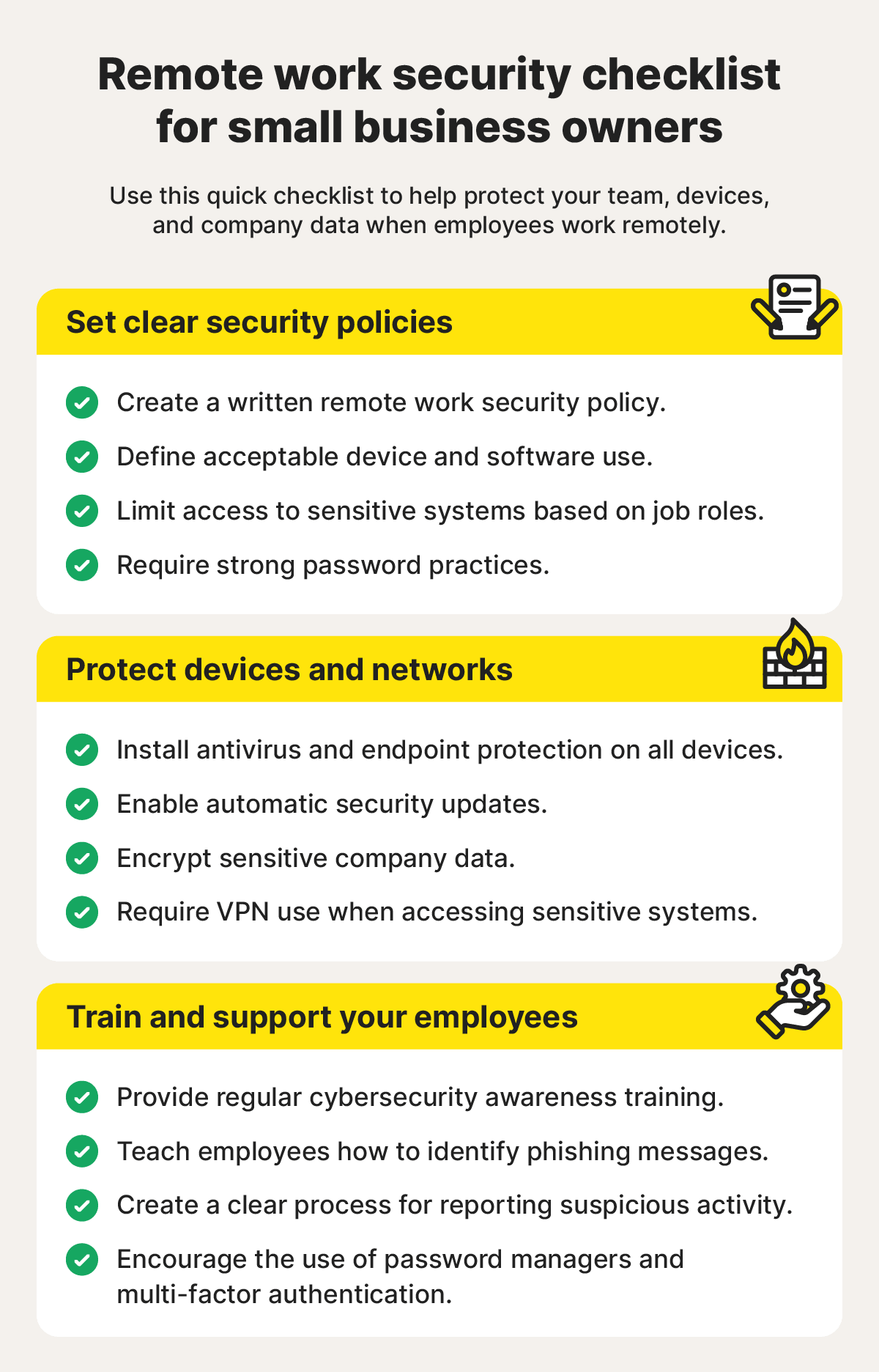
While remote teams face outsized cybersecurity risks, protecting your small business doesn’t require an enterprise-grade IT department or a massive security budget. What matters most is establishing clear policies and implementing multiple layers of protection. Here are some of the most important remote work security best practices for small businesses.
Create a remote work security policy
A strong remote work security strategy starts with clear expectations. Establish a written security policy that outlines how employees should protect company data and systems when working remotely.
Key elements to include:
- Define acceptable device usage, including whether employees must use company-managed devices or managed browser profiles to ensure software remains secure and up to date.
- Provide guidance on handling sensitive information and setting strong passwords.
- Specify approved software applications and collaboration tools for business use, and identify situations where employees must connect through a VPN.
- Clearly document access permissions so employees understand which systems they can access and their responsibilities for safeguarding company data.
Secure devices and endpoints
Once policies are in place, the next step is protecting the devices employees use every day. This includes installing effective endpoint security solutions that include antivirus software to help defend against malware, ransomware, and other threats before they have an opportunity to cause damage. You should also enable automatic security updates, and use encryption to protect data in both transit and at rest.
Norton Small Business is an option designed specifically for small organizations. It provides malware protection, firewall safeguards, and cloud-based management tools that allow business owners to deploy and monitor security protections across remote teams from a central location.
Require strong authentication
Weak passwords remain one of the most common ways attackers gain access to business systems. Require employees to create strong, unique passwords for every account and encourage the use of password managers to simplify secure password management.
Multi-factor authentication (MFA) should also be enabled wherever possible. By requiring an additional form of verification, MFA significantly reduces the likelihood of unauthorized access, even if a password is compromised.
Have employees use a VPN
A VPN helps protect data by encrypting internet traffic, reducing the risk of interception when employees connect through public or unsecured networks.
While employees may not need to use a VPN at all times, requiring VPN access for sensitive activities can strengthen security. For example, employees may need to connect through a VPN when accessing HR systems, payroll platforms, confidential business applications, or company resources while traveling or working in public locations.
Train employees regularly
Security tools are most effective when employees understand how to use them properly. Regular cybersecurity training helps remote workers recognize threats and respond appropriately.
Employees should know how to use tools such as VPNs, password managers, and security software. Training should also cover phishing attacks, social engineering tactics, suspicious links, and other common threats. Regular refresher sessions can reinforce good security habits and ensure employees know how to report potential incidents quickly so threats can be addressed before they escalate.
Build a secure remote work environment with Norton
Remote work is here to stay, but cyberthreats show no sign of letting up. Fortunately, the right protection can help your team stay connected and productive without creating unnecessary security risks.
A remote workforce security solution like Norton Small Business helps keep your team protected from malware, ransomware, and other cyber threats — wherever work happens. Premium plans also include an integrated VPN, helping employees connect more securely from home, the office, or on the go. Best of all, it’s designed to be simple to deploy and manage, even for small businesses without dedicated IT staff.
FAQs
Is it possible to be 100% secure while working remotely?
No system is completely immune to cyberthreats, but businesses can significantly reduce their risk by implementing a layered security strategy. Combining strong security software with safeguards such as multi-factor authentication, password managers, VPNs, and employee training can help protect remote workers and company data from the most common threats.
What happens if an employee’s laptop is lost or stolen?
A lost or stolen laptop can expose sensitive company information if proper protections are not in place. To reduce the risk, businesses should enable full-disk encryption, require strong authentication, and use remote management tools that can lock or wipe devices if they go missing. These measures help keep company data secure even when hardware falls into the wrong hands.
How can I tell if my remote team is secure?
Regular security audits, device monitoring, and access reviews can help identify vulnerabilities before they become serious problems. Security platforms such as Norton Small Business can provide visibility into device health and potential threats across your workforce. Ongoing employee training is equally important, ensuring team members understand current risks and follow established security practices.
What’s the easiest way to improve remote security quickly?
One of the fastest and most effective ways to improve security is to enable MFA across all business accounts. MFA adds an extra verification step that makes it much harder for attackers to gain access, even if a password is compromised. Ensuring every device is protected with up-to-date antivirus software can further strengthen your defenses and reduce remote work security risks.
Editors’ note: Our articles offer educational information and are written to raise awareness about important topics in Cyber Safety. Norton products and services may not protect against every type of threat, fraud, or crime we write about. For more details about how we research, write, and review our articles, see our Editorial Policy.






Want more?
Follow us for all the latest news, tips, and updates.