Credential phishing: How to spot it and secure your accounts
Phished credentials (stolen login details like your username, password, and 2FA codes) can lead to compromised accounts, lost funds, and even identity theft. And credential phishing is getting harder to spot. Read on to learn how it works, and how online Cyber Safety tools can help stop these attacks before they can do damage.







Credential phishing isn’t new, but it’s a constantly evolving threat. To steal your login details, attackers have moved well beyond mass-blast emails with obvious red flags (like spelling mistakes) to highly convincing messages that can slip past some security tools, not to mention human instincts.
At the same time, the infrastructure behind these campaigns is becoming easier to scale. AI website builders make it simple to automatically generate and deploy a fake website designed to steal login credentials — a process dubbed VibeScamming by Norton’s threat researchers.
This puts sophisticated credential phishing attacks within reach of less-than-sophisticated cybercriminals. According to our threat researchers, this problem is growing rapidly. In the first three quarters of 2025 alone, products by Gen, the company behind Norton blocked over 140,000 AI-generated phishing sites according to the Q3/2025 Gen Threat Report.
Let’s explore how credential phishing works, how to spot it, and how to keep your accounts secure.
What is credential phishing?
Credential phishing is a type of cyberattack that aims to steal your login information. This can be your username, password, and even multi-factor authentication (MFA) codes. Unlike broader phishing attacks that might try to install malware, or scams that trick you into sending money to fraudsters directly, credential phishing can be subtler. There’s no immediate visible impact, like a virus that spams your device with pop-ups. By the time you realize something is wrong, attackers may already have access to your accounts.
For individuals, falling victim to credential phishing means a bad actor has access to private email, banking, or personal accounts. For businesses, the stakes are even higher: a single compromised login can open the door to large-scale data breaches or ransomware attacks.
Why credential phishing is an increasingly serious problem
Today’s credential phishing attacks can be grammatically flawless, contextually convincing, and sometimes tailored to the specific person receiving them. And it’s a growing problem. Verizon’s 2025 Data Breach Investigation Report found that synthetically generated text in malicious emails has doubled over the past two years.
This can be at least partially attributed to the growth of ready-made phishing kits — known as phishing-as-a-service, or PhaaS — which are sold complete with fake login templates and automated infrastructure. According to a report by Infosecurity Magazine, Tycoon2FA (a popular PhaaS) accounted for 62% of the phishing attempts Microsoft blocked by mid-2025. Even after a major Europol-coordinated takedown in early 2026, researchers reported that the platform was back to full activity within days.
How credential phishing attacks work
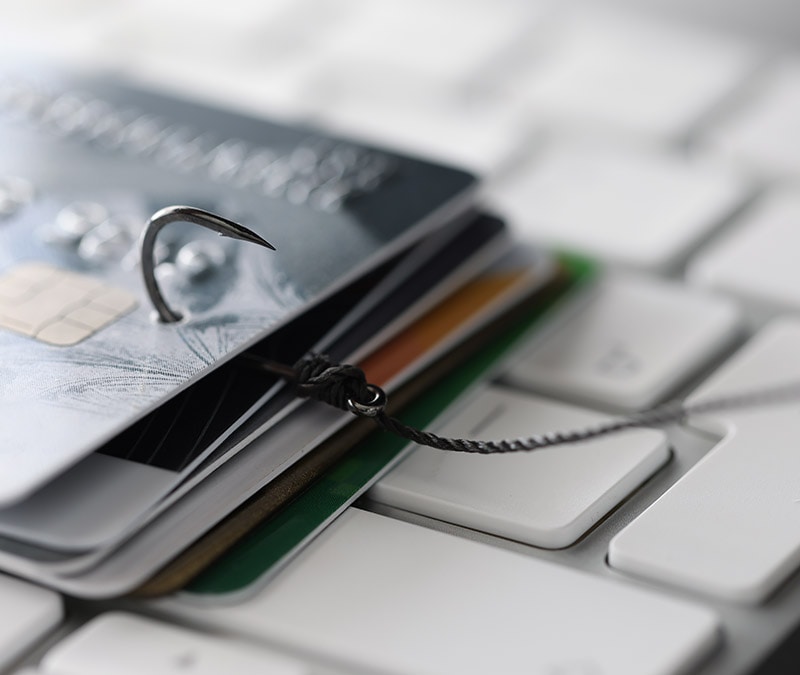
At its core, credential phishing is a social engineering attack. Cybercriminals create a convincing reason for you to click a link, land on a fake login page, and enter your details before you realize anything is wrong.
Here’s how a typical credential phishing attack unfolds:
- The hook: You receive an email, text, or social media message impersonating a trusted source. This can be your bank, employer, or a service you use regularly.
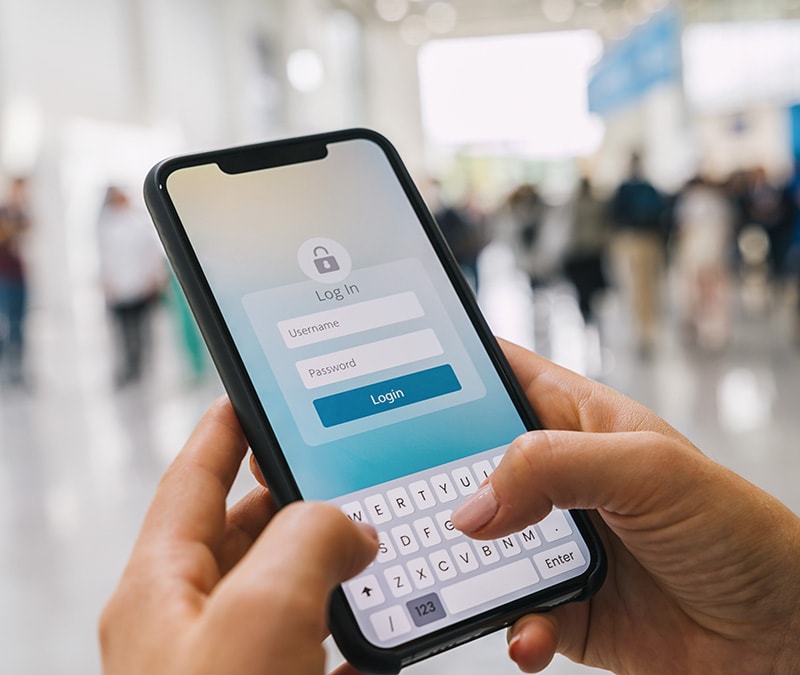
- The link: The message contains a link to a fake login page that looks identical to the real one and is often hosted on a typosquatted domain.
- The harvest: You enter your credentials. The fake page captures them instantly and may even redirect you to the real site so you don’t suspect anything.
- The takeover: The attacker uses your compromised credentials to access your account or sells them on dark web marketplaces where they can be bought and reused by pretty much any cybercriminal.

Credential phishing can occur on numerous platforms and through many different mediums, including fake texts, fraudulent QR codes, and even malicious websites that can appear as paid ads in Google or social media. Here are some ways you might encounter a credential phishing attack:
- Fake emails and texts: Attackers impersonate trusted brands (like your bank, Microsoft, or a delivery service, for example) and send you urgent emails or texts (smishing) that pressure you to click a link.
- Quishing: This is phishing via a QR code, which could redirect you to a fake login page when scanned. Quishing is effective because it bypasses your email spam filters, moving you directly to the malicious website. A quishing code could be found on a restaurant table, urging you to sign in with Google and enter your credit card details to pay for your meal, for example.
- Website spoofing: These are fake login pages built to look identical to the real thing. Spoofed websites use the same logo and layout, and sometimes even detect your browser and device to serve more polished pages. In July 2025, Okta researchers found that hackers were using Vercel’s generative AI tool v0 to clone login pages (including Okta’s own) in about 30 seconds. Malicious websites could appear in Google search results, as paid ads, or on social media.
- Phishing on social media: On social media, credential phishing attacks could reach you via paid ads, DMs from strangers, or links in posts. Norton research on social media risks found that in the first quarter of 2025, phishing accounted for 22% of all social media threats blocked by Gen products.
- Malvertising: Attackers buy real ads to target victims on platforms they trust. Findings by our threat researchers on malvertising indicate that this is a major problem on Meta platforms, where nearly one in three ads were found to be potentially malicious. These ads can link to fake login pages instead of the real site. In early 2025, cybercriminals ran Google Ads impersonating Google’s own ad platform to steal advertiser credentials.
- Business email compromise and thread hijacking: First, attackers compromise a legitimate email account — often through a prior credential phishing attack. Then they insert themselves into existing email threads, swapping out links or payment instructions. Because the conversation history is real and the sender is trusted, there’s almost nothing to tip you off.
- Tech support scams: Attackers can impersonate legitimate support teams via email. They might then ask you to provide remote access so they can guide you to a fake login page to fix the problem.
Will MFA keep you safe from phishing? Many people assume that multi-factor authentication (MFA) makes credential phishing a non-issue. And it certainly goes a long way to reduce phishing risks. However, some phishing attacks are sophisticated enough to bypass standard MFA. In Adversary-in-the-Middle (AiTM) attacks, instead of a fake login page, attackers set up a hidden middleman that intercepts your login in real time — grabbing your password, your MFA code, and the token that keeps you logged in, all at once.
Credential phishing vs. credential harvesting
Although the terms are sometimes used interchangeably, credential phishing and credential harvesting are different. Credential phishing is a collection mechanism that tricks you into handing over your details, through fake emails or login pages, for example. Credential harvesting is the broader act of collecting login credentials, one method being through credential phishing.
Once your login details are captured, attackers check whether they actually work, sort them by account type, and prepare them for use or sale on dark web marketplaces. In 2024 alone, Verizon found more than 2.8 billion passwords posted for sale or for free in dark web criminal forums.
There are two things attackers may do with your stolen credentials:
- Password spraying: Instead of using known passwords, attackers take usernames gathered through phishing or breaches and try a small set of common passwords across many accounts to reduce the chance of triggering account lockouts.
- Credential stuffing: Attackers take username–password pairs obtained through credential phishing or other breaches, and auto-test them across multiple services, since many people reuse credentials.
Both password spraying and credential stuffing increase the chances of more of your accounts being broken into, turning a single case of credential phishing into multiple entry points.
Real-world examples of credential phishing
Credential phishing has played a role in the attacks against some of the biggest names in business. Here’s how some of the more recent attacks actually played out, and their impact.
Aura data breach (2026)
In early 2026, Aura, an identity protection provider, experienced a data breach that reportedly began when an employee fell victim to a voice phishing, or vishing, attack. By posing as a trusted party over the phone, the attacker was apparently able to manipulate the employee into providing access for around one hour, either by sharing credentials or approving a request tied to internal systems.
According to Aura’s own disclosures, the incident exposed roughly 900,000 records, primarily names and email addresses. Aura also confirmed that more detailed contact information, including home addresses and phone numbers, was exposed for around 20,000 current customers and 15,000 former customers.
This serves as a major reminder that even users of security products need to stay on their toes. It highlights why exposed contact details can create follow-on risks, including more targeted phishing attempts and identity scams.
Starbucks Partner Central phish (2026)
Between January and February 2026, attackers used fake websites impersonating Starbucks’ internal HR portal (Partner Central) to trick employees into handing over their login credentials. Once inside, they allegedly accessed Social Security numbers, dates of birth, and financial account and routing numbers belonging to 889 employees.
The breach went undetected for nearly three weeks, leaving employees at real risk of identity theft and financial fraud. Starbucks provided them with 24 months of Experian credit monitoring and identity theft protection to help reduce the risk of further harm.
MGM and Caesars help desk phish (2023)
In September 2023, Scattered Spider, a cybercrime group, reportedly called MGM’s IT help desk, impersonated an employee, and obtained access to internal systems. That was enough to get into Okta, the identity platform controlling access across MGM’s systems. From there, they escalated privileges, moved through the network, and deployed BlackCat ransomware.
MGM refused to pay the ransom and instead worked with law enforcement. However, attackers claimed to have stolen 6TB of data, and MGM took about 10 days to restore normal operations. Caesars was hit by a similar social engineering attack around the same time. They reportedly paid $15 million to attackers after they stole personal data.
Expedia and Cloudbeds phishing campaign (2025)
In September 2025, Mimecast’s threat research team found emails from phishers impersonating Expedia Partner Central and Cloudbeds. These are two platforms hospitality staff interact with daily, and attackers used subject lines like “New guest message – Ref: 3779748” to seem real.
For hotels, compromised Expedia and Cloudbeds accounts could expose guest data through bookings and reservation systems. This may include names, contact details, Social Security numbers, passport details, trip details, and payment information. This makes hospitality businesses a prime target, as they constantly process and collect this sensitive data.
2026 saw the rise of Reservation Hijack scams, where cybercriminals use stolen trip details to target hotel guests with targeted phishing attacks.
How to defend against credential phishing
The best way to reduce the risk of credential phishing is to combine good habits with the right tools. For businesses, stronger access controls and employee training also help. Here’s where you can start:
- Know the red flags: Urgency, unexpected login requests, mismatched sender addresses, and URLs that are slightly off are all warning signs. If an email is pushing you to act fast, slow down.
- Use a strong, unique password for every account: Reused passwords turn one compromised account into many. So pick different secure passwords for each account.
- Use a password manager: Remembering unique passwords for every account can be tricky. A password manager handles that for you by both generating and storing all your passwords. An added benefit is that password managers won’t autofill your credentials on lookalike sites.
- Monitor for leaked credentials: Use a Dark Web Monitoring service that checks whether your credentials have appeared in known data breaches.
- Go directly to the official website: Take a zero-trust approach and avoid clicking login links in emails, texts, or ads. Type the URL directly into your browser or use a saved bookmark, especially for banking, email, or work platforms.
- Get scam protection: AI-powered scam protection can help warn you if you encounter a link, website, or scam message that’s part of a credential phishing attack.
Help stop credential phishing in its tracks
One of the best ways to protect against credential phishing is to make sure you have the right Cyber Safety tools in place when it happens. Norton 360 Deluxe can help block credential phishing websites, notify you about suspicious links, and spot hidden scams.
You also get a built-in password manager to keep your logins strong and unique across all your accounts. And if you do fall for a credential phishing attack, it can alert you if your personal information is found on the dark web.
FAQs
Is MFA enough to stop credential phishing attacks?
MFA can help stop many credential phishing attacks, but there is a caveat. You need to pick a phishing-resistant option, like FIDO2 passkeys or hardware security keys that are tied to the legitimate domain. Other MFA tools, such as one-time codes or push approvals, can be intercepted by Adversary-in-the-Middle (AiTM) attacks.
If I use a passkey, am I still vulnerable to credential phishing?
Passkeys are one of the strongest defenses against credential phishing available today. Unlike passwords, passkeys are cryptographically tied to a specific website or app. If you land on a fake login page, your device won't offer the passkey for the legitimate site, making traditional credential phishing attacks far less effective.
Can I be phished just by opening an email, even if I don’t click anything?
It’s rare, but opening an email can still expose some information. Some attacks use tracking pixels or malicious HTML that load automatically when the email opens, revealing your IP address or device details. But credential phishing usually requires you to click a link and enter your login details on a fake page.
How can I tell if my credentials are already being sold on the dark web?
One of the easiest ways is to use Dark Web Monitoring with a tool like Norton 360 Deluxe. It scans known criminal forums and dark web sources, and alerts you if your information appears.
Editors’ note: Our articles offer educational information and are written to raise awareness about important topics in Cyber Safety. Norton products and services may not protect against every type of threat, fraud, or crime we write about. For more details about how we research, write, and review our articles, see our Editorial Policy.






Want more?
Follow us for all the latest news, tips, and updates.