







What to do if your email gets hacked and how to recover it
So, a scammer has broken into your email. Learn nine essential steps to take after your email is hacked — and how to secure your account ASAP. Then, get ironclad Cyber Safety software to help protect your email, block hackers, and get alerts if your data surfaces on the dark web.







- 1. Change your password and security questions
- 2. Attempt account recovery
- 3. Set up 2FA
- 4. Review your account settings
- 5. Alert your contacts
- 6. Scan for malware and viruses
- 7. Monitor connected accounts
- 8. Stay alert for follow-up scams
- How to keep your email secure moving forward
- Lock down your inbox and identity
- FAQs
Email providers like Gmail and Microsoft Outlook come with strict security protocols, but a small mistake, like staying logged in on a public device, or clicking a phishing link and exposing your login credentials, can put your email account at risk of hacking. And, with email addresses getting leaked more and more often as a result of data breaches, almost everyone is a potential target.
In this article, we’ll explore what to do if your email is hacked and how to protect your email from hackers in the future.
1. Change your password and security questions
If you suspect your email has been hacked, changing your password is your most urgent task, even if you’re still figuring out what else might have been compromised.
Choose a new secure password that’s unique and long (at least 15 characters). Then, update your security questions to kick hackers out of your account. When setting security questions, use answers that are hard to guess. This can help protect your account during brute force attacks.
Keeping track of dozens of different login credentials can be a headache, but unique passwords are an essential aspect of digital hygiene. A password manager can make this task easier.
2. Attempt account recovery
If you’ve been locked out of your account and the hacker has already changed your recovery email address, contact your email provider directly.
Most email providers have an account recovery page where you can answer a few questions, such as when you created the account or what previous passwords you’ve used in the past, to prove you’re the real owner of the account. According to Google, it’s also helpful if you attempt account recovery from a familiar location and device.
3. Set up 2FA
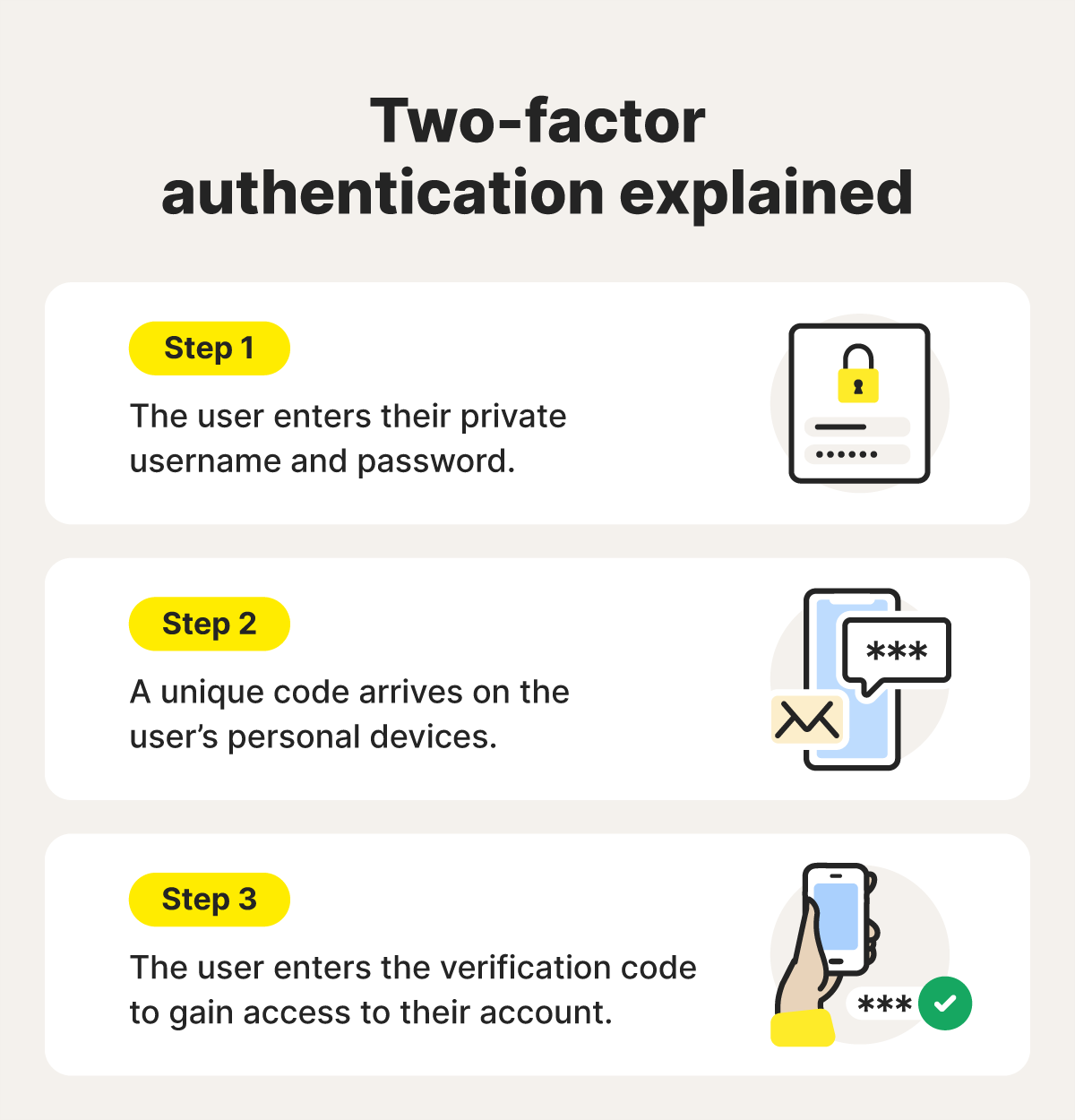
Setting up two-factor authentication (2FA) adds an additional layer of protection against hacking and keylogging spyware. With 2FA or MFA, you must provide a second form of verification in addition to your password. This could be a biometric scan, a code from an authenticator app, or an SMS code sent to your phone.
This means that even if a scammer knows your password, they still can’t access your account without your second verification method. For the strongest security, use an authenticator app or a physical security key rather than SMS or email codes.
Here’s how to set up 2FA on Gmail:
- Go to your account’s Security and sign-in section.
- Click 2-Step Verification.
- Select Get started.
- Follow the prompts to complete setup.
Gmail supports several 2FA options, including passkeys (the most secure option), one-time passcodes by text or phone call, Google Prompt on a trusted device, and backup codes.
4. Review your account settings
Once you regain access to your email account, check your account settings for changes you didn’t initiate. Hackers can rig your settings to maintain access even after you’ve changed your password, or to quietly monitor your emails without you knowing.
Here’s what to check:
- Forwarding rules: Hackers may set up auto-forwarding to secretly send all new emails to their own address. Delete any unfamiliar forwarding addresses.
- Email filters: Look for new filters that delete or move emails automatically — these can hide password resets or bank alerts.
- Connected apps and third-party access: Revoke permissions for any unfamiliar or unused apps.
- Recovery email and phone number: Confirm these belong to you; update them immediately if not.
- Signature and auto-reply messages: Check for any added phishing links or fake automated responses that could be used to spread malware or scams.
5. Alert your contacts
Notify everyone in your contact list that your email has been hacked. The attacker might have sent phishing messages, so they need to know not to click on suspicious links or share their personal information.
For example, if your email has been hacked, a cybercriminal can send a scammy OneDrive file to all your contacts, making it look like the messages come from you. The email may seem legitimate, with lines like “Check out this document” or references to a shared project. Clicking the link can redirect your contacts to a phishing page designed to steal their credentials.
If possible, also warn your contacts about the hack via a different communication channel, like text message or social media, and don’t forget to let them know once you’ve taken back control of your account, so they know future emails will be from you.
6. Scan for malware and viruses
A hacked email could indicate that your device has also been infected with malware. To check if this is the case, scan your device using a dedicated malware scanning tool. Skipping this step could allow hackers to regain access to your accounts even after you change your passwords.
Different types of malware, like keyloggers, spyware, and remote access Trojans (RATs), can capture your account credentials, leading to a hacked email account. Keyloggers capture everything you type, while spyware and RATs can monitor your activity or even take control of your device. Removing these threats with trusted antivirus software helps ensure attackers can’t keep accessing your inbox in the background.
7. Monitor connected accounts
Your email sits at the center of your digital footprint. If hackers get into it, they can reset passwords for any account that uses your email as the recovery address, including banking, payment apps, social media, and even other email accounts. Once you regain control of your inbox, make sure the breach hasn’t spread to your other accounts.
Prioritize the accounts that use your email as the login or recovery address, as these are most at risk. Begin with your most sensitive accounts, such as mobile banking, credit cards, PayPal, other email accounts, and social media. Look for anything unusual: unauthorized transactions, unfamiliar login alerts, changes to account settings, or social media posts and messages you didn’t send.
8. Stay alert for follow-up scams
A hacked email can be a sign that your personal information has been leaked or exposed in a data breach. Once your private data is circulating on the dark web, scammers may target you with additional phishing attempts, impersonation scams, or fraud.
Stay cautious with unexpected emails, texts, and calls, even if they seem legitimate. Consider using a dark web monitoring service, like the one included in Norton 360, to get alerted if your email address, passwords, or other personal details are found on known dark web marketplaces, so you can act quickly to secure your accounts.
How to keep your email secure moving forward
Recovering your email is just the first step. Now you need to strengthen its defenses to prevent future break-ins. A few proactive habits can make your email far harder to attack. Here are some best practices to help keep your inbox secure in the long term:
- Secure your account: Use a long, unique password that you don’t use anywhere else, and enable 2FA.
- Look out for phishing: Don’t click links or download attachments from unexpected emails, even if they look legitimate. AI scam detection tools can help you identify phishing messages and alert you to dangerous links.
- Log out of shared devices: Never leave your email account logged in on public or shared computers. Always sign out and avoid using Remember me on devices that aren’t yours.
- Keep recovery information up to date: Ensure your backup email and phone number are current and belong to you. This is your lifeline if you get locked out. Review these settings every few months, especially if you change your phone number.
- Use a VPN on public Wi-Fi: Public networks at cafes, airports, and hotels are vulnerable to hackers who can intercept your data. A VPN encrypts your connection, keeping your email and other activity private.
- Use email filters and security tools: Set up filters to catch spam emails before they reach your inbox. Enable your provider’s security features, such as alerts for unusual login attempts or sign-ins from new locations.
- Encrypt sensitive emails: For confidential communications, use email encryption to scramble message content so only the intended recipient can read it. Most providers offer basic encryption, and third-party plugins, such as Mailvelope and Virtru, can provide stronger protection.
Lock down your inbox and identity
While there are ways to mitigate the damage from a hacked email account, it’s best to try to stop takeovers from happening in the first place. To help prevent hacks, consider trusted Cyber Safety software like Norton 360 Deluxe.
This powerful suite of tools includes dark web monitoring to warn you if your email or credentials surface in new breaches, a password manager to create and store strong logins, anti-scam and malware protection to help block the threats that steal email passwords, and a VPN to help keep your accounts safer on unsecured or public networks.
FAQs
How do I know if my email has been hacked?
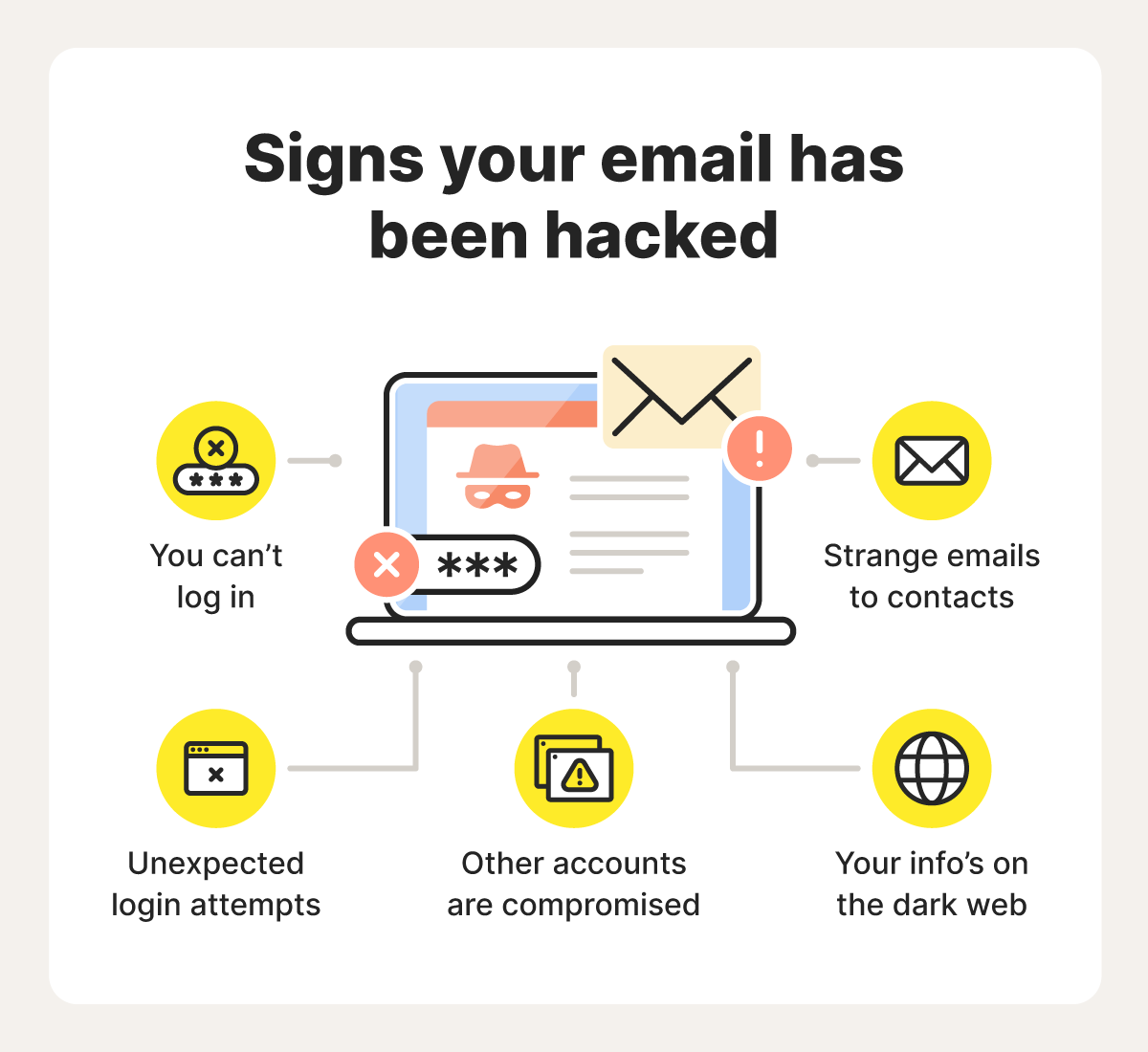
Some signs that someone has hacked your email account include being locked out of it, seeing emails in your “Sent” folder that you didn’t write, or hearing from contacts that they’re receiving spam from you. Your email provider might also notify you of suspicious login attempts from unknown devices or locations.
Should I delete my email if I was hacked?
No, it’s usually not advised to delete your email account if it’s hacked, as you’ll lose access to all linked services and accounts. Instead, try contacting your email provider for help recovering your account.
Who should I contact if my email has been hacked?
If your email is hacked, first contact your email provider. They can help you recover your email address. You can also file a complaint with relevant authorities like the FTC in the United States, or Action Fraud in the United Kingdom.
Can someone hack your email with just your email address?
No. Hackers will need more information to hack into your email account than just your email address, chiefly your password, but possibly also a valid 2FA code. However, once they know how to reach you, hackers could attempt to trick you into revealing your login credentials via phishing emails or social engineering tricks.
Editors’ note: Our articles offer educational information and are written to raise awareness about important topics in Cyber Safety. Norton products and services may not protect against every type of threat, fraud, or crime we write about. For more details about how we research, write, and review our articles, see our Editorial Policy.




Want more?
Follow us for all the latest news, tips, and updates.