







Is a VPN worth it in 2026? How to protect your privacy and feel safer online
Every time you go online, your data is more exposed than you might think. A VPN adds a layer of privacy, helping protect your activity from prying eyes. This guide explains when a VPN is worth using, how it keeps you safer online, and how to identify a trustworthy provider. Then get Norton VPN for fast, private browsing backed by Norton’s security expertise.

2025
Consumer
Security Innovator



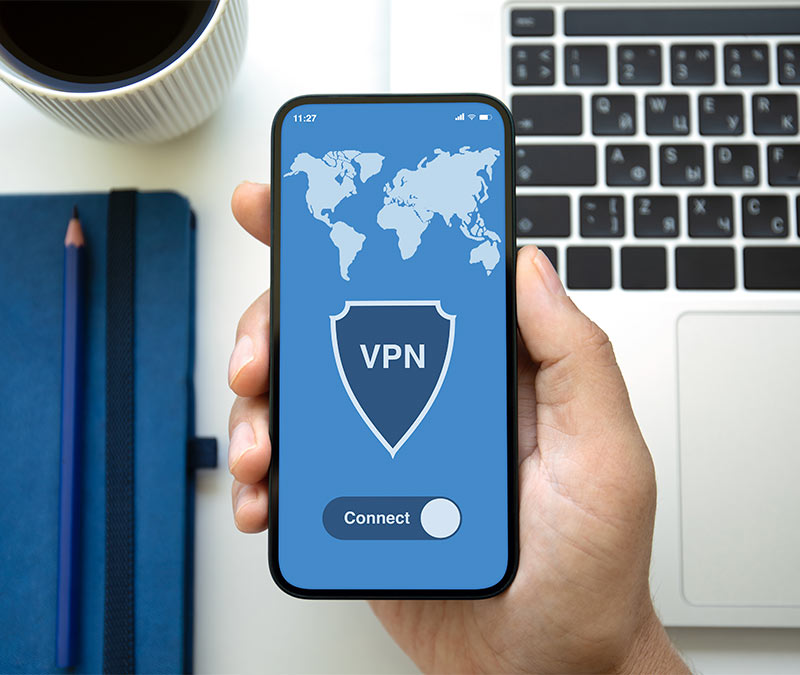

You probably checked your email, paid a bill, or scrolled social media on Wi-Fi today. What you didn’t see were the advertisers and data brokers quietly collecting information about your activity. There may even have been a hacker lurking on the network, looking for an opening.
It might feel like what you do online stays between you and your screen. In reality, your internet service provider can see which websites you visit online, and pieces of your activity are tracked and shared between those websites, and advertisers and other third parties. That’s where a Virtual Private Network (VPN) comes in — helping to pull a digital curtain between you and the rest of the internet.
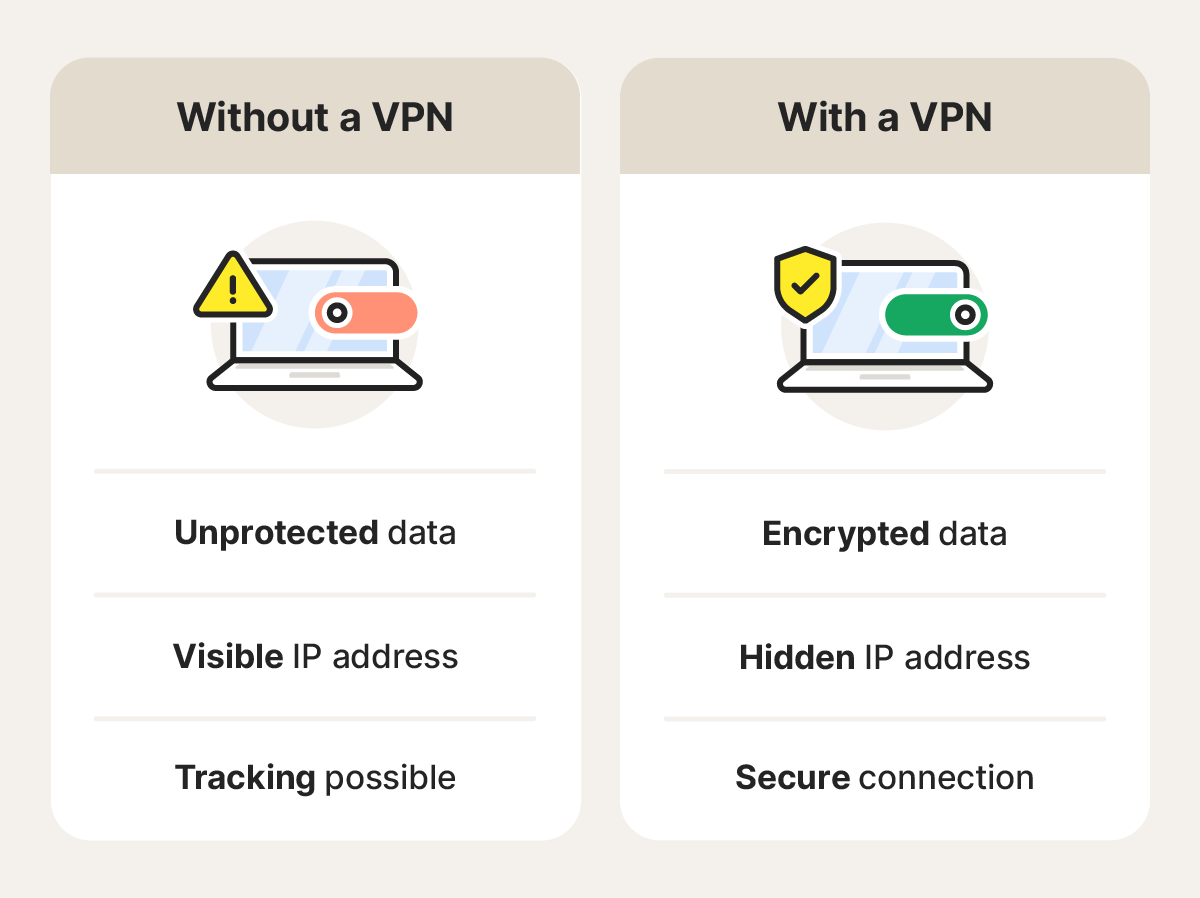
A VPN masks your IP address and encrypts your internet traffic by funneling it through secure “tunnels,” making it harder for third parties to follow you around the web. It adds a powerful layer of privacy, security, and flexibility that a standard internet connection can’t provide. Keep reading to learn when a VPN is worth it, what it protects you from, and how to decide if you need one.
Is a VPN right for you? Here’s how to decide
Everybody can benefit from the added privacy and security of a VPN, but whether it’s the right option for you depends on how you use the internet and how much you value online privacy. For everyday users, the decision usually comes down to balancing privacy, convenience, and speed.
Here’s a simple way to think about whether a VPN is right for you:
A VPN is worth it if you: |
You might skip a VPN if you: |
|---|---|
Value online privacy |
Don’t mind websites and ISPs tracking your activity |
Use public Wi-Fi frequently |
Browse only at home on a private network |
Travel and stream from abroad |
Don’t need to change your virtual location |
Send sensitive data or work remotely |
Rarely share personal or work-related files |
Notice internet speed throttling |
Are primarily looking for malware protection |
Overall, a good VPN helps keep your personal data more private, allows you to access what you need on the go, and gives you greater control over your digital footprint.
Let’s take a closer look at some of the specific benefits of using a VPN:
Stay safer on public Wi-Fi
Public Wi-Fi may increase your risk of attack because these networks are often open or shared among many users using the same password. Without proper Wi-Fi security, attackers on the same network can attempt to steal data, hijack active sessions, or launch man-in-the-middle attacks to intercept information before it reaches its destination.
While most modern websites use https encryption to protect your data, public networks still create more opportunities for certain attack types.
A VPN helps reduce these risks by encrypting your internet traffic, so anyone intercepting it sees scrambled data instead of passwords, emails, or banking information.
Stop ISPs and advertisers from tracking you
Many people don’t realize how much of their online activity is visible to their ISP, from the websites you visit to your data consumption. This allows ISPs to infer patterns about your habits — like when you’re streaming, shopping, or browsing. This information may also be shared or used for advertising and analytics purposes.
A VPN limits this kind of internet tracking by masking your IP address while you browse. Your ISP can still see that you’re connected to the internet via VPN, but it can’t see which websites you visit or what you do on them.
Norton VPN goes a step further with a strict no-log policy, meaning your browsing activity isn’t tracked or stored, and your internet data stays private, even from the VPN.
Stream and browse without borders
Geo-restrictions limit access to online content based on your location. If you’ve tried to stream your favorite show while traveling and seen a message saying it’s “not available in your region,” you’ve encountered one. The same can apply to accessing other blocked websites, like your local news while abroad.
A VPN can help by routing your connection through a server in another country, which may allow you to view content associated with that region — such as accessing your home streaming services while traveling or following local sports from overseas, depending on the service’s terms.
Avoid speed throttling
Internet speed throttling happens when your internet service provider intentionally slows down network traffic. This can occur during periods of high network congestion, if you hit your data cap (according to the agreement in your internet contract), or even if bandwidth-heavy activities like streaming or P2P sharing are detected.
A VPN can sometimes help reduce activity-based throttling by encrypting your traffic and masking what type of data is being transmitted. While your ISP can still see that you’re using data, and how much, it can’t always tell whether you’re streaming video, gaming, or downloading files. So, using a VPN can sometimes make it harder for an ISP to selectively throttle your internet based on those types of activities.
Get lower online prices
Some websites adjust prices based on where you’re browsing from, in what’s known as price discrimination. Airlines, hotel booking sites, and online retailers may show different prices or offers depending on factors like your IP address, demand, or browsing history.
One potential benefit of a VPN is that it may allow you to secure lower prices by connecting to a VPN server in another city or country. By altering your VPN location, you can check what prices are shown to users in different regions and discover whether better deals are available.
Keep your work and data secure on the go
When you’re working remotely, sensitive information, logins, and communications often travel with you. A VPN helps protect this data by encrypting your internet connection, reducing the risk of exposure as you access internal systems, cloud tools, or confidential documents outside the office. It adds an extra layer of security that supports safer remote work, wherever your workday takes you.
Avoid online censorship
In some countries, governments restrict access to certain websites, news sources, and social platforms. Even in less restrictive regions, content filtering can still occur on managed networks (like work or school) where access to specific sites may be limited regardless of location.
A VPN routes your internet traffic through a secure server, which can make it appear as though you’re connecting from a different region and may allow access to your usual websites and services. In more restrictive environments, switching VPN protocols or using obfuscated or double VPN connections can provide additional reliability and privacy.
When you might not need a VPN
VPNs aren’t always essential for everyone. If you usually browse on a secure home network, rarely travel, or aren’t concerned about advertisers or your internet service provider (ISP) seeing your browsing data, your risk level may be relatively low. Knowing when a VPN isn’t necessary can help you use one more intentionally.
Below are a few situations where a VPN may not be essential.
If you mostly browse on a secure home network
Home Wi-Fi networks are generally safer than public ones because they’re password-protected, encrypted, and often use built-in firewalls. This gives you more control over who can access your connection. And because most trustworthy websites now use HTTPS encryption, much of your browsing data already benefits from strong protection.
However, your ISP can still see which websites you visit and use that information to infer browsing habits, which may be shared with data brokers or used for advertising and analytics. Depending on what you get up to, it could even result in internet throttling or service termination. But if that level of visibility doesn’t concern you, a VPN may not be necessary.
If you expect malware or antivirus protection
VPNs protect your data in transit by encrypting your internet connection, but they don’t scan downloads, block viruses, or remove malware. If your main concern is protection from threats like ransomware, phishing links, or infected files, antivirus software, such as Norton AntiVirus Plus, is designed to help detect and block those threats.
In that case, a VPN on its own may not address your primary security needs. However, when used together, antivirus software and a VPN can complement each other by protecting both your device and your online privacy. Some Norton VPN plans even include real-time protection against malware as well as AI-powered scam detection tools.
Is it worth paying for a VPN?
Whether a VPN is worth paying for depends on what you want to protect and how much you trust the company providing the service. Free VPNs can be tempting, but they often come with tradeoffs, such as slower speeds, data limits, fewer server locations, or privacy practices that rely on logging or monetizing user data to keep the business afloat.
Lower-cost VPNs typically offer better performance and fewer restrictions, though some may still limit features or lack transparency around how user data is handled. Premium VPN services generally provide the strongest balance of speed, reliability, and privacy, with access to larger server networks, stronger encryption, and clearly stated no-log policies designed to keep your browsing activity private.
How to choose a VPN you can actually trust
The right VPN for you should strike a balance between speed, security, and simplicity — keeping you protected without slowing you down or blocking access to the sites you use every day.
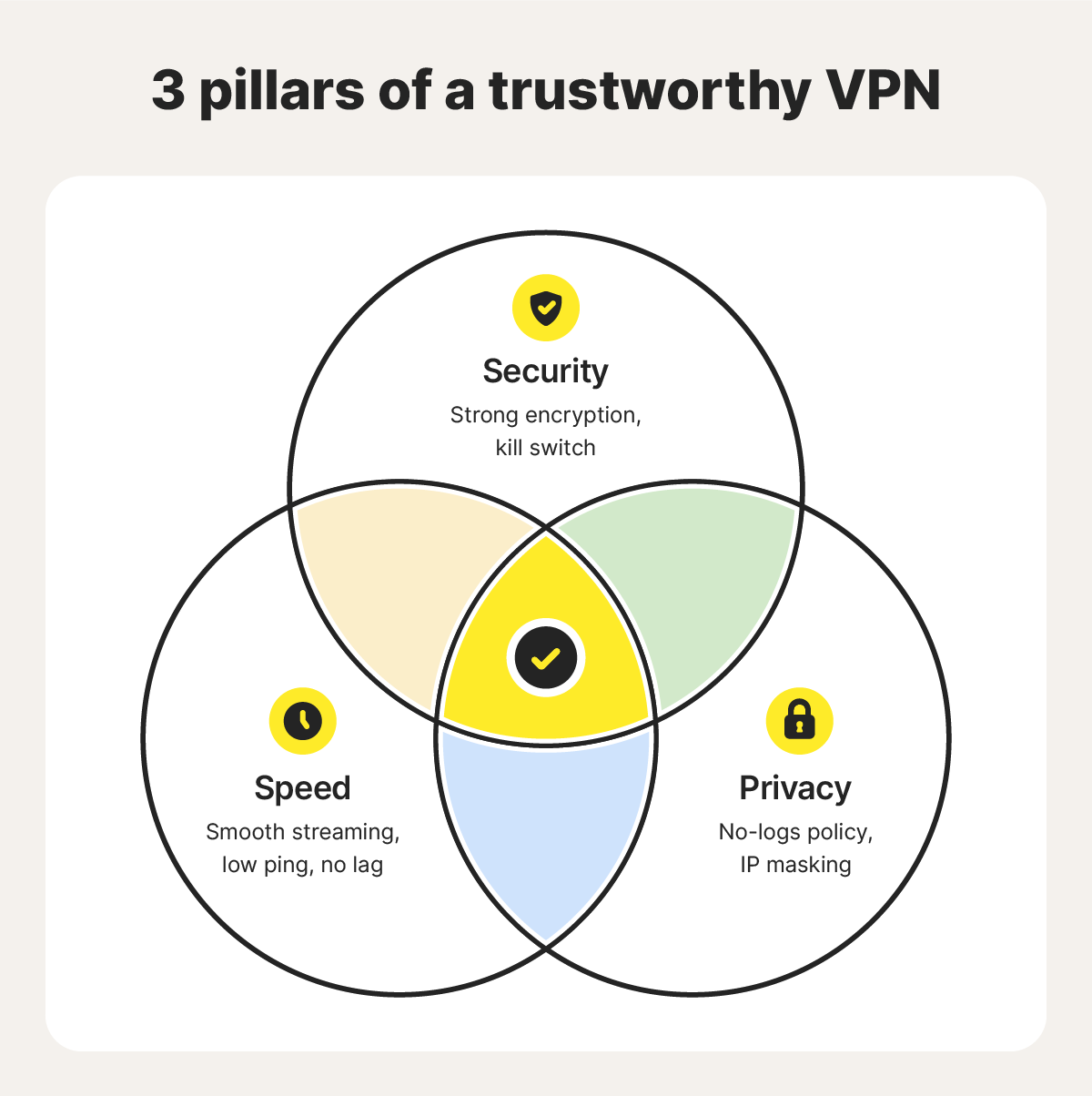
When choosing a VPN you can trust, look for the following:
- Encryption: The stronger the encryption, the safer your data is. Standards like bank-grade AES-256 or ChaCha20 are highly resistant to even the most sophisticated attacks.
- No-logs policy: A true no-logs policy means the provider doesn’t record or store your activity. A VPN that tracks you undermines the purpose of using one in the first place.
- Kill switch: If the VPN connection drops unexpectedly, a kill switch immediately blocks internet access until the secure tunnel is restored, preventing accidental data leaks.
- Speed: A VPN can slow down your internet, but performance largely depends on server availability and proximity. A large network of nearby servers helps ensure smooth streaming and low ping for gaming.
- Server network: A broad global server network lets you browse from different regions while maintaining consistent speeds. Free VPNs often have limited server options, increasing network congestion and preventing truly footloose browsing.
- Device support: Your VPN should work seamlessly across all your devices, including phones, tablets, TVs, and computers, so you can browse privately and stay protected wherever you are.
- Easy to use: The best VPNs are simple to set up and manage. Once installed, they automatically connect you to the fastest nearby server and keep your traffic encrypted in the background.
Take control of your privacy with a secure VPN
A secure VPN is one of the simplest and most effective ways to reclaim your online privacy. Norton VPN encrypts your connection with bank-grade security, masks your IP address, and helps limit ad tracking across the web — no complex settings or technical know-how required. Just download the app, sign in, and tap Connect to start browsing privately in seconds.
FAQs
Are free VPNs worth it?
Free VPNs can work for very limited, low-risk use, but they’re generally not ideal if privacy and performance matter to you. Many free VPNs come with strict data limits, slower speeds, fewer server options, or weaker security features. Some may also rely on logging or monetizing user data to cover operating costs, which undermines the core purpose of using a VPN in the first place.
Does a VPN slow down my internet?
A VPN can slightly reduce internet speed because of the extra steps involved with encrypting your connection data and routing it through a secure server. With a high-quality VPN, however, the slowdown is usually minimal and barely noticeable.
Are VPNs legal to use?
Yes, VPNs are generally legal in most parts of the world and are widely used by individuals and businesses to protect data, secure remote work, and keep online activity private. However, using a VPN to engage in illegal activities remains unlawful, and local regulations may restrict or regulate VPN use in certain countries.
Does the FBI recommend VPNs?
The FBI doesn’t explicitly endorse specific VPN services, but it does encourage the use of secure, encrypted connections as part of good cybersecurity hygiene — especially when connecting to public Wi-Fi or other unsecured networks. VPNs are well-suited for protecting your data in these situations.
Editors’ note: Our articles offer educational information and are written to raise awareness about important topics in Cyber Safety. Norton products and services may not protect against every type of threat, fraud, or crime we write about. For more details about how we research, write, and review our articles, see our Editorial Policy.







Want more?
Follow us for all the latest news, tips, and updates.