







How to choose a VPN that actually keeps you safe
Using a VPN can be as simple as tapping “Connect.” Choosing the right one, however, takes more thought. Speed, security, privacy policies, server locations, and extra features all matter depending on how you plan to use it. In this guide, you’ll learn what to look for so you can choose a VPN that truly protects your privacy and meets your needs.

2025
Consumer
Security Innovator





- 1. Think about why you need a VPN
- 2. Look for strong privacy and security
- 3. Don’t overpay (or underpay)
- 4. Consider server coverage
- 5. Dig into the logging policy
- 6. Make sure it’s easy to use
- 7. Check for extra features
- 8. Look for a money-back guarantee
- 9. Check system requirements
- Common mistakes people make when picking a VPN
- Is Norton VPN right for you?
- Picking a VPN doesn’t have to be complicated
- FAQs
A Virtual Private Network (VPN) creates a secure, encrypted connection between your device and the internet. Think of it as a private tunnel that shields everything you do online — from browsing and shopping to banking and streaming — hiding your internet data from hackers, internet service providers (ISPs), and other third parties.
As the name suggests, privacy is at the heart of a VPN. But not all VPNs offer the same features and benefits. Some focus on fast speeds for streaming and gaming. Others prioritize advanced security features or tools to help you access websites that may be restricted in certain regions.
With so many options available, choosing the right VPN can feel overwhelming. Let’s break down what to look for so you can find the best VPN for your needs.
1. Think about why you need a VPN
Choosing a VPN starts with a simple question: what do you actually need it to do? VPNs offer a range of benefits, but performance varies depending on the feature you prioritize.
For example, streaming services frequently block VPN IP addresses. Some providers respond by rotating IPs and optimizing servers specifically for platforms like Netflix. If streaming is your priority, look for a VPN with a proven track record of reliably accessing the services you use.
Gamers have different needs. A VPN optimized for online gaming focuses on speed, low latency, and uncrowded servers to reduce lag. For streamers, this balance of performance and privacy is especially important.
One category to approach with caution: free VPNs marketed as quick fixes for bypassing content restrictions. Your privacy and security should always come first, so review the logging policy carefully — some free services collect and sell user data to sustain their business model.
Here’s an overview of features to look for based on specific use cases:
- For privacy: RAM-only servers, a strict no-logs policy, and a recent independent audit verifying their data handling.
- For gaming: High speeds, low latency, and dynamic server optimization.
- For streaming: Servers in the countries whose content you want to access and a strong reputation for bypassing geo-restrictions.
- For traveling: Obfuscation features that mask VPN usage, especially in countries with internet restrictions.
- For remote work: Robust encryption, split tunneling, and a dedicated IP address for stable, secure connections.
2. Look for strong privacy and security
No matter why you’re using a VPN, strong security should be your baseline. Weak encryption won’t properly shield your activity, and some poorly secured free VPNs can even undermine your personal cybersecurity — especially if they rely on monetizing user data. Convenience should never come at the expense of exposing sensitive information.
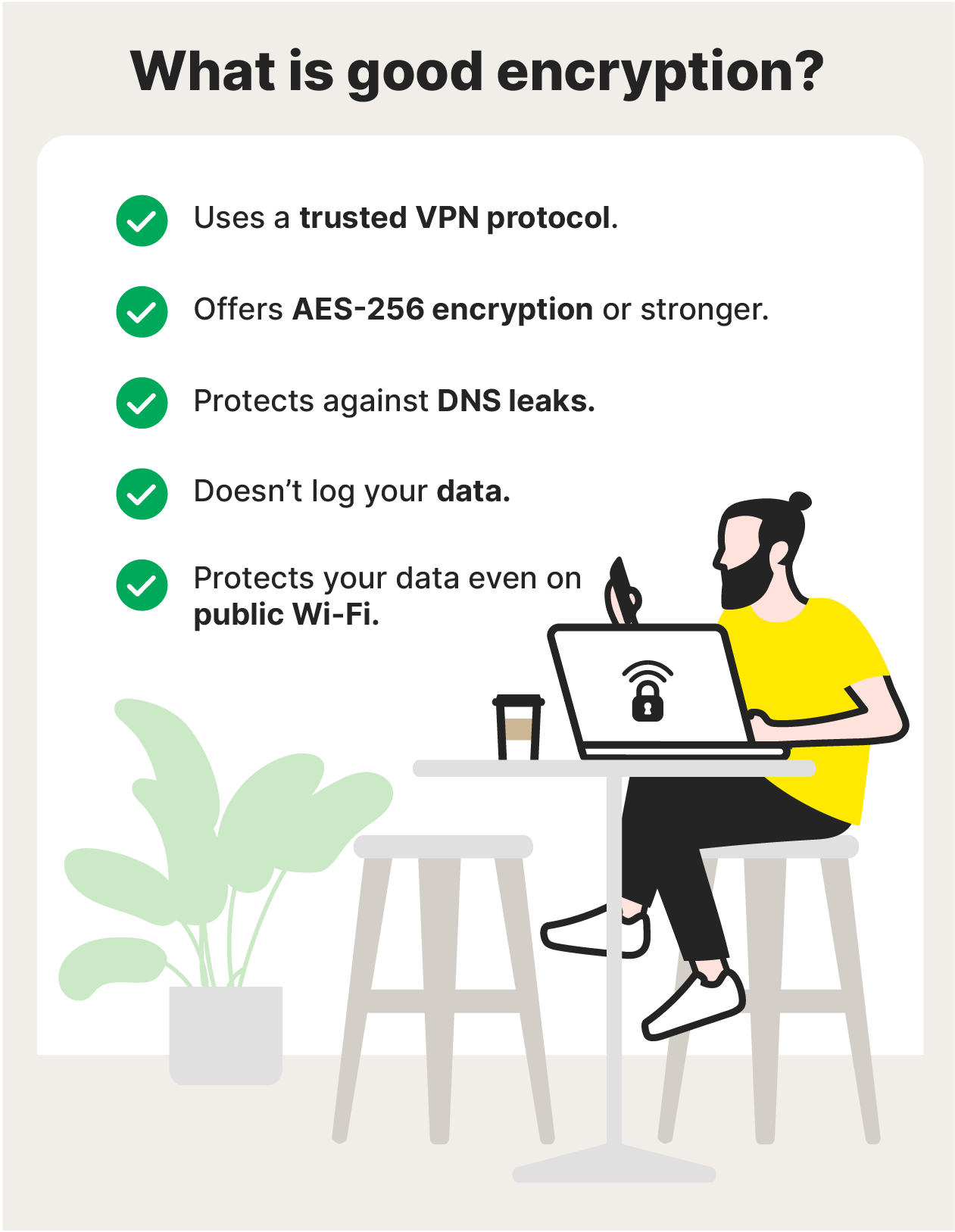
Start by checking the encryption standard. AES-256, often described as bank- or military-grade encryption, remains the industry benchmark, and helps protect your activity from ISPs, hackers, unsecured public Wi-Fi networks, and other third parties.
Then look at the VPN protocols on offer. OpenVPN is widely trusted and open-source, known for strong security, though sometimes slightly slower. IPSec has a long track record and can deliver solid performance in certain setups, while newer protocols like WireGuard are designed to improve speed and efficiency without sacrificing protection.
Finally, examine the provider’s privacy practices and extra safeguards. A clear no-logs policy limits what the VPN can store about your activity. Features like DNS leak protection further restrict ISP visibility, while a kill switch automatically disconnects your internet if the VPN drops, reducing the risk of accidental exposure.
3. Don’t overpay (or underpay)
Make sure to shop around. Some VPNs charge premium prices despite offering only the same limited core features as more competitively priced providers.
At the same time, avoid free VPNs. If you’re not paying for the product, you may be the product. Many free services sustain themselves by collecting browsing data, IP addresses, and usage patterns, then selling that information to advertisers or data brokers. That exposure can increase your risk of targeted phishing attacks, profiling, or even identity theft.
4. Consider server coverage
Server coverage plays a major role in speed and stability. A larger network with more geographic locations typically means less congestion and better performance. If you’re experiencing slow internet speeds, you can switch to another nearby option to maintain a smoother connection.
Broad coverage also gives you flexibility when traveling or connecting from different regions. If access to certain services depends on location, you’ll need servers in the relevant countries. Without the right server options, performance and availability may be limited regardless of connection speeds.
5. Dig into the logging policy
A no-logs policy means the VPN does not store records of your online activity. Because a VPN routes your traffic through its own servers, you’re placing trust in that provider to protect your information. A strict no-logs policy — ideally verified by an independent third-party audit — helps ensure that trust is justified.
A genuine no-log VPN does not record your IP address, browsing history, connection timestamps, session duration, or the data you transmit. That significantly reduces the amount of user information that could be exposed, requested, or sold.
6. Make sure it’s easy to use
Using a VPN should simplify your security, not complicate it. Look for a clean interface with a clear Connect button, an easy-to-navigate server list, and accessible settings for protocols and preferences. You shouldn’t have to dig through menus to adjust basic features.
Quick switching between servers and protocols is essential, especially when traveling or encountering network restrictions. The VPN should also clearly indicate when your connection is secure — both within the app and in your system tray or status bar — so you’re never guessing whether encryption is active.
Finally, check device compatibility and limits to ensure you can secure your connection across all your devices, from your iPhone to your smart TV, under a single account.
7. Check for extra features
Core security and performance come first. But the right extra features can meaningfully improve your experience — or help you decide between similar providers. In some cases, these tools are bundled with broader security suites that include antivirus software or private browsers.
Here are the most useful add-ons to consider:
- Double VPN: Routes your connection through two VPN servers, resulting in a double layer of IP masking and making it even harder to trace traffic back to you.
- Split tunneling: Lets you decide which apps use the VPN tunnel and which use your normal connection.
- Obfuscation: Masks the fact that you’re using a VPN by making traffic look like regular HTTPS data.
- Dedicated IP: Assigns you a private IP address that isn’t shared with other users. This reduces the likelihood of blocked access caused by shared IP abuse.
- IP rotation: Periodically switches your IP address, increasing anonymity by making tracking even more difficult.
- Connection optimization: Automatically connects you to the fastest available server or dynamically adjusts routing to maintain strong performance.
- Dark web monitoring: Alerts you if your email address or other personal information appears in known data breaches or on dark web marketplaces.
- Scam detection: Helps thwart online scams by warning you about suspicious websites or malicious links before you interact with them.
- Virus protection: Provides malware scanning, blocking, and removal, similar to a dedicated antivirus program.
8. Look for a money-back guarantee
Many reputable VPNs offer a money-back guarantee, typically within a defined trial window. This gives you the opportunity to test performance, usability, and compatibility under real-world conditions before deciding to make a firm commitment.
Before subscribing, read the terms carefully to fully understand whether there are usage limits during the trial, the exact length of the refund period, and the process required to request a refund.
9. Check system requirements
Make sure the devices and platforms you use most often support the VPN you want to use. At a minimum, look for VPNs that are compatible with major operating systems, such as Windows, macOS, Android, and iOS.
If you prefer lightweight protection while browsing, check whether VPN browser extensions are available for Chrome, Firefox, or other popular browsers.
The goal is consistency and flexibility. A VPN is most effective when it can protect your computers, phones, and tablets at the same time — not just one device.
Common mistakes people make when picking a VPN
VPNs are not one-size-fits-all. Choosing the right one requires matching features to your needs — and avoiding these common missteps:
- Choosing a free VPN: Free services often monetize user data to stay afloat. That can mean harvesting browsing activity, IP addresses, or usage patterns and selling them to third parties. The short-term savings rarely justify the long-term risk.
- Ignoring the privacy policy: Some providers advertise vague “no logs” claims while their privacy policies reveal they store connection metadata, IP addresses, or usage details. Don’t rely on headlines — read the policy carefully and look for independent audits that verify their claims.
- Overlooking server locations: Server coverage directly affects performance and access. A reputable VPN should clearly state how many servers it operates and where they’re located. If it doesn’t have a server in the country you need, it won’t meet your goals.
- Not checking for a kill switch: If foolproof privacy is your priority, a kill switch is essential. Without it, a brief VPN disconnect could expose your real IP address and activity.
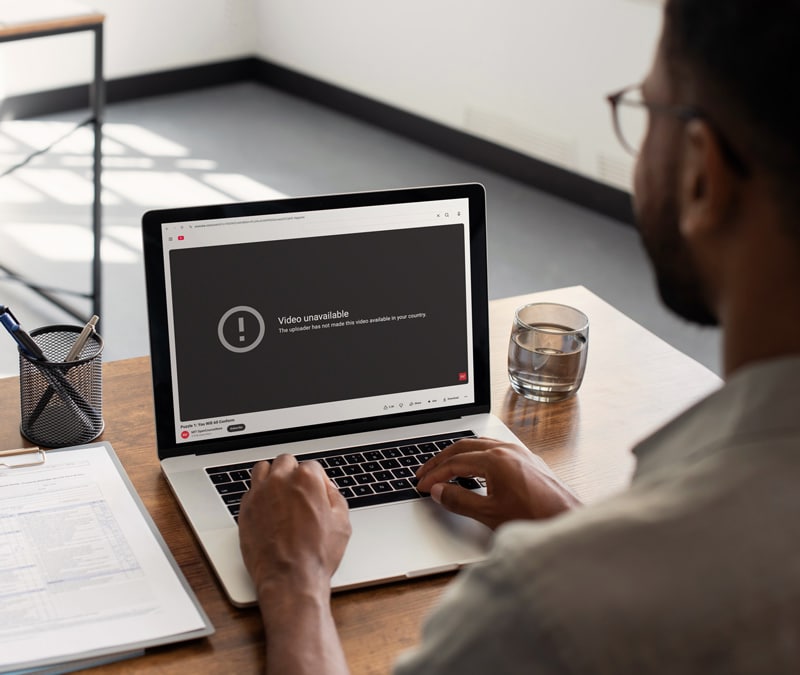
- Assuming it will bypass all content blocks: Access to geo-restricted content isn’t automatic. Providers must actively optimize for streaming and other content filters. Even then, access can vary by region and over time.
- Not using the money-back guarantee: A refund window is your opportunity to test the VPN in real-world conditions — different networks, devices, and use cases. Don’t wait until the trial period is almost over. Test it thoroughly and early.
Is Norton VPN right for you?
If you’re looking for a strong balance of speed, security, and reliable access across devices, Norton VPN is built to deliver. Built on a rock-solid security and privacy foundation, with over 130 server locations worldwide, streaming-optimized connections, and a 60-day money-back guarantee, it’s designed for both everyday browsing and entertainment on the go.
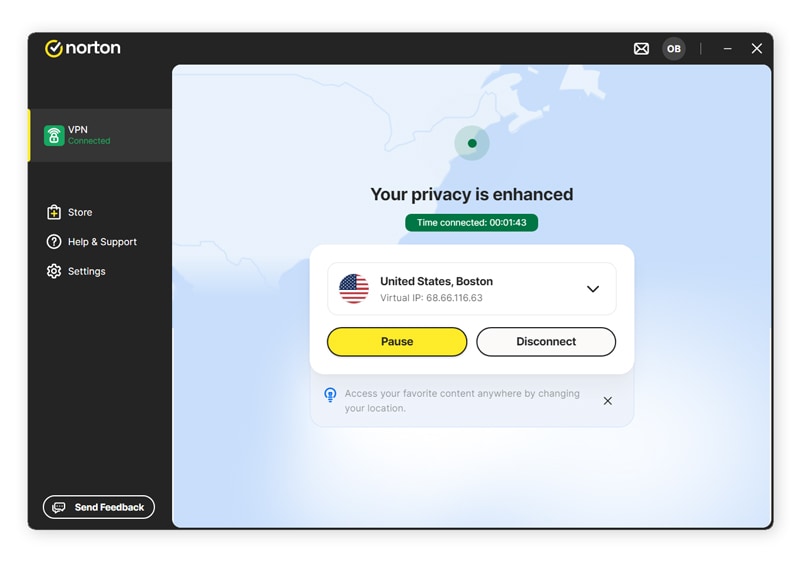
And, with broad compatibility across Windows, Mac, Android, iOS, smart TVs, and FireTV devices, it’s easy to protect your privacy wherever you connect — at home or while traveling.
Picking a VPN doesn’t have to be complicated
Now that you know what to look for, choosing the right VPN becomes simpler.
Norton VPN delivers bank-grade encryption, a global network with streaming-optimized servers, a strict no-log policy, and a 60-day money-back guarantee. It’s a balanced solution built for speed, security, and everyday reliability, so you can browse, stream, and connect with confidence.
FAQs
Are VPNs worth it?
For most people, yes. A reputable VPN adds an extra layer of privacy by encrypting your connection and reducing exposure to risks like identity theft, fraud, and data interception — especially on public or unsecured networks. While it’s not a complete security solution, it’s an affordable step that strengthens your overall digital protection.
Are free VPNs safe to use?
Many free VPNs are not safe, and they all come with trade-offs. Some offset costs by collecting user data, displaying ads, or using weaker security practices. That can undermine the very privacy you’re trying to protect. In contrast, legitimate providers may offer free trials or money-back guarantees that allow you to test a paid service without relying on data monetization.
Are VPNs legal?
VPNs are legal in most countries and widely used by individuals and businesses. However, some governments restrict or regulate their use, and penalties may apply in certain regions. If you’re traveling, review local laws before connecting. Regulations can change, and enforcement practices vary by country.
How do I know if a VPN provider is trustworthy?
A trustworthy VPN provider should clearly explain what data is collected, how it’s used, and what isn’t stored, using specific, transparent language. Independent third-party audits of a no-logs policy add meaningful credibility. You should also look for transparency reports, clear company ownership, and a strong track record without major security controversies.
How to choose a VPN server location?
For the fastest speeds, select a VPN server location near your physical location, as shorter distances usually reduce latency. If you need access to region-specific services, choose a server in the relevant country. Many VPNs automatically connect you to the least congested server, but manual switching can help optimize performance.
What is the best VPN?
There’s no single VPN that’s best for everyone. The right choice depends on how you use the internet. At a minimum, look for essential VPN features such as strong encryption, a verified no-logs policy, reliable speeds, and broad server coverage. From there, prioritize features that support your goals — whether that’s streaming, gaming, remote work, or enhanced privacy.
Editors’ note: Our articles offer educational information and are written to raise awareness about important topics in Cyber Safety. Norton products and services may not protect against every type of threat, fraud, or crime we write about. For more details about how we research, write, and review our articles, see our Editorial Policy.





Want more?
Follow us for all the latest news, tips, and updates.